
Free, auto calculated sheet to track profits per client and resource utilization.
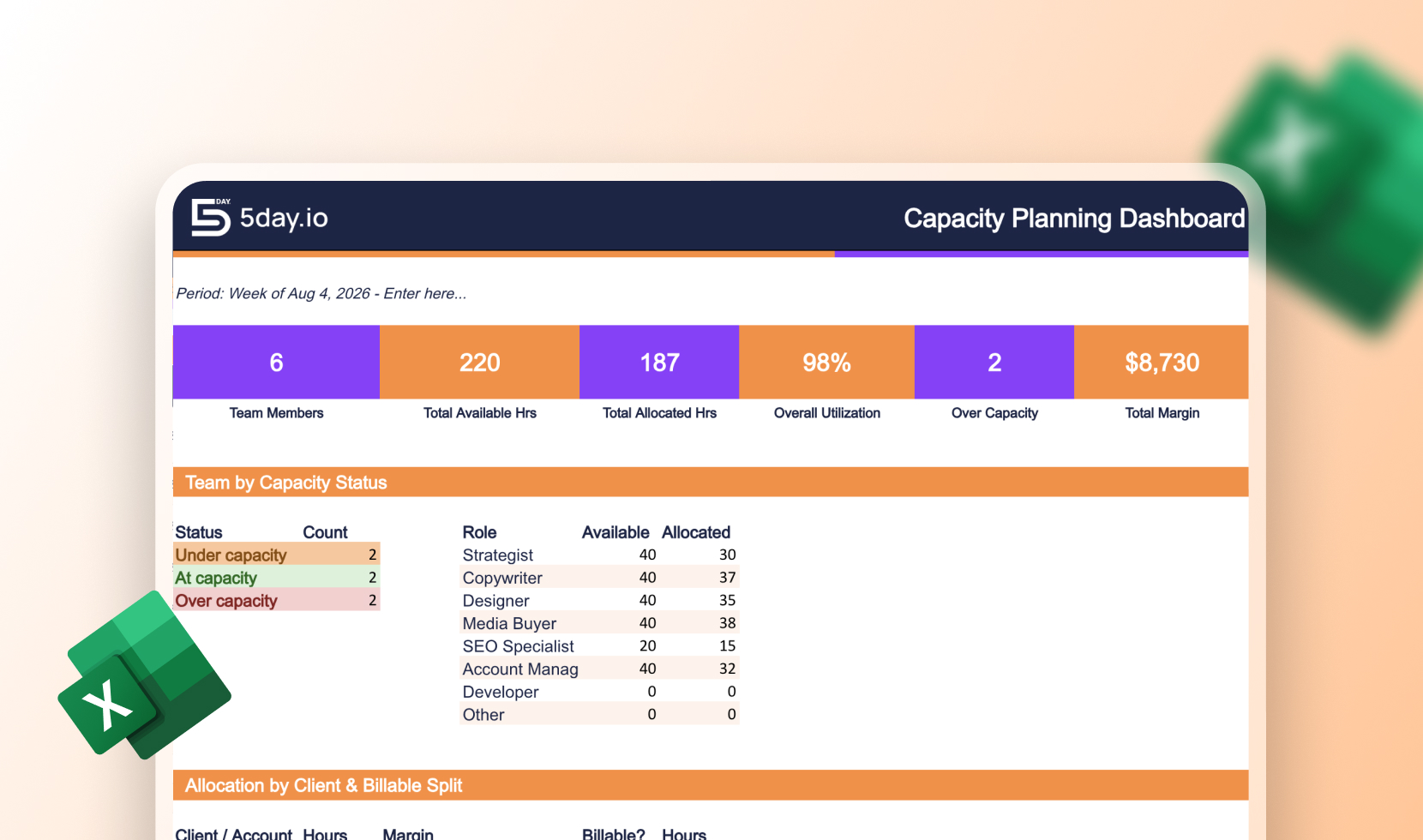

With this template, you get a team capacity view and a client allocation view for each client to see supply and demand against all projects. Every person gets an automatic status of Under, At, or Over capacity, so you catch the overload before it becomes a missed deadline. As you track allocation at the client level, cost and bill rates are built in too. Thus, the same view that shows you who’s overbooked also shows you which accounts are making money. A live Dashboard tab rolls everything up, total utilization, who’s over capacity, and margin by client. This is updated automatically as you fill in the two input tabs.
Enter your team on the Team Capacity tab like available hours, non-billable overhead, and role. Then log every person’s assignments on Client Allocation. Give them one row per person per client or project, with billable status and rates. The two tabs are connected: allocated hours flow from Client Allocation into Team Capacity automatically, and only assignments marked “Active” count toward current utilization, so completed or on-hold work doesn’t skew the numbers.
It’s built as a single-period snapshot, set for the period label and re-enter figures weekly or monthly rather. If you want the capacity planning to run alongside your entire marketing motion, having a marketing project management tool would make that easier.
A capacity planning template maps how many hours your team has available against how much work is assigned to them. This way you can see who has room and who’s overbooked before it affects a deadline.
Yes, this is a free capacity planning template Excel free download. No need to add any payment details. Enter your team’s info and it’s ready to use.
These terms are often used interchangeably, but there’s a real distinction. Resource planning is about assigning the right people to the right tasks, while capacity planning is about whether your team has enough hours to take on the work in the first place. This template does both, Team Capacity shows raw availability, Client Allocation shows who’s assigned where. With these data points, so you get the resource planning view and the capacity math in one place.
A general capacity planning template usually stops at hours vs. availability. A capacity planning template for marketing agency needs a third layer: which client that time belongs to, whether it’s billable, and what it’s worth. Because agency capacity is really a profitability question, not just a scheduling one.
It’s built as a single-period snapshot rather than a rolling calendar. This means you can set the period label and re-enter figures weekly or monthly. We recommend checking it against whatever cadence you run resourcing conversations on, whether that’s a weekly stand-up or a monthly account review.
For a single snapshot or a small team, the template is enough. It’s built to be self-contained. Once you’re re-entering the same numbers every week across multiple clients, that’s usually the sign to move capacity tracking into a marketing ops management system, where utilization updates automatically as work moves instead of needing a manual refresh.