Register below to get your template for free
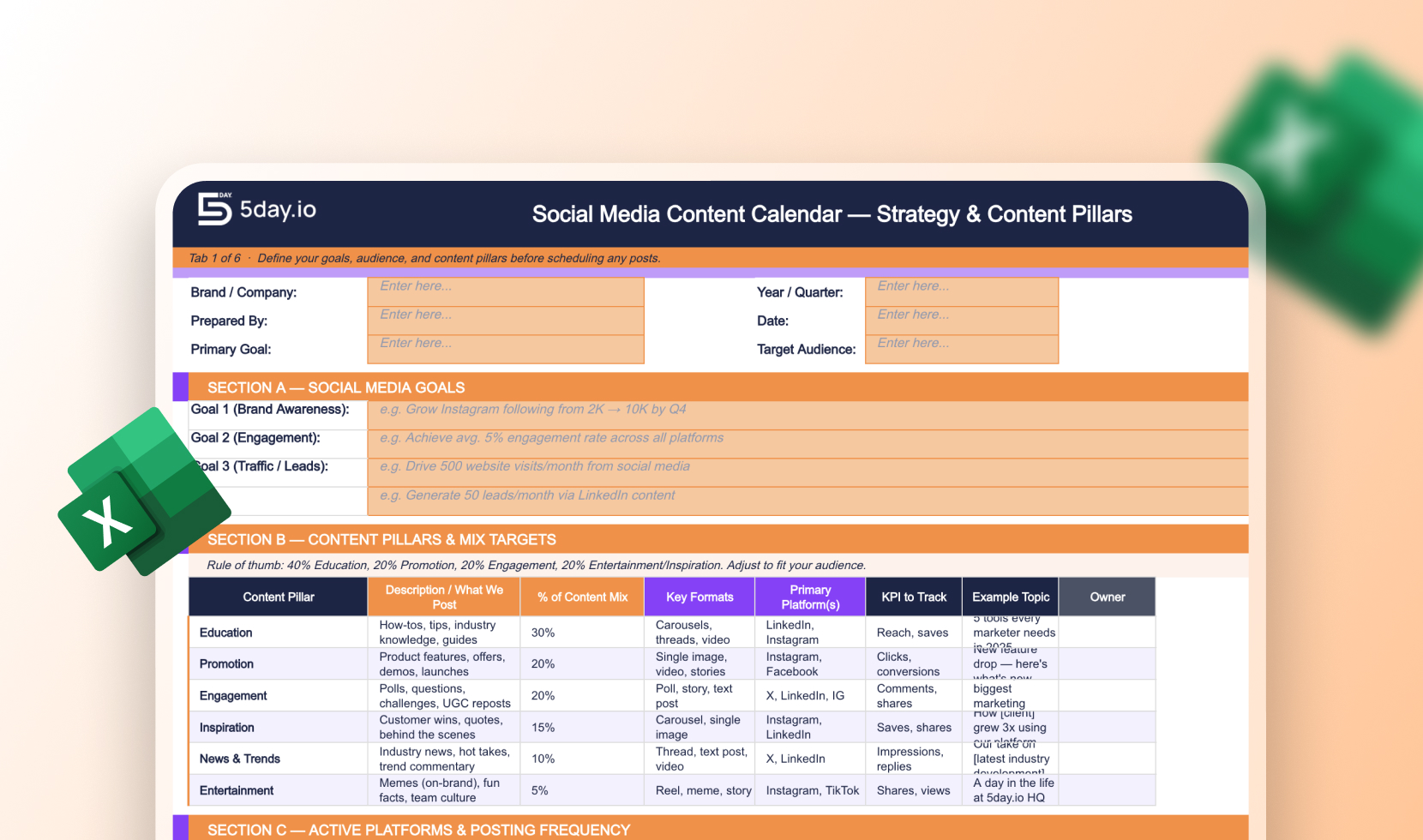

A social media content calendar template gives your team a single source of truth: what’s going out, on which channel, when, and who owns it. Whether you’re a one-person marketing team or running campaigns for multiple clients, this free social media calendar template in Excel is built to eliminate last-minute scrambling and keep your content pipeline moving. It works equally well as a social media plan template for marketing teams that need visibility across campaigns, or as a social media editorial calendar template for teams that produce high-volume content on a recurring basis.
Most free templates are too lightweight for real workflows. This social media content planner template is designed with the complexity of modern marketing in mind — think campaign tags, copy fields, approval status, and publish dates all in one view. It doubles as a social media marketing calendar template that maps directly to campaign goals, making it easy to align organic content with paid pushes or product launches. Agencies juggling multiple brand voices will find it especially useful as a content calendar template for agencies — with enough structure to stay consistent across clients, and enough flexibility to adapt to each brand’s cadence. Download it free, make a copy, and have your next month planned in under an hour.
They’re often used interchangeably, but there’s a nuance. A content calendar is operational. It tracks what’s being published, when, and where. An editorial calendar leans more strategic, covering content themes, campaign angles, and long-lead planning. This template covers both layers, so you don’t need two separate documents.
Yes. The template includes dedicated columns for platform (Instagram, LinkedIn, X, TikTok, etc.), so you can plan platform-specific content in a single view instead of maintaining separate sheets per channel.
Absolutely. The structure supports multi-brand use. You can add a “Client” or “Brand” column and filter by it. Agencies typically duplicate the sheet per client or use the tab system in Excel/Google Sheets to separate brand workspaces while keeping the same format.
Excel-based templates are tool-agnostic and don’t require any subscription or onboarding. They’re also highly customizable. You can add columns, conditional formatting, and dropdown lists without learning a new platform. For teams not ready to commit to a paid social tool, a social media content planner template in Excel covers 80% of the functionality at zero cost.
At minimum: publish date, platform, content format (image, video, carousel, copy-only), caption/copy, asset link, campaign tag, and approval status. This template includes all of those out of the box, with room to add UTM parameters or scheduling notes.
Yes, and that’s one of its strongest use cases. Adding a “Content Type” column (organic vs. paid vs. boosted) alongside campaign tags lets you see your full content mix at a glance and catch gaps or overlap before they go live.