
A free Excel template for tracking traffic and conversions status. Register below to get your template for free
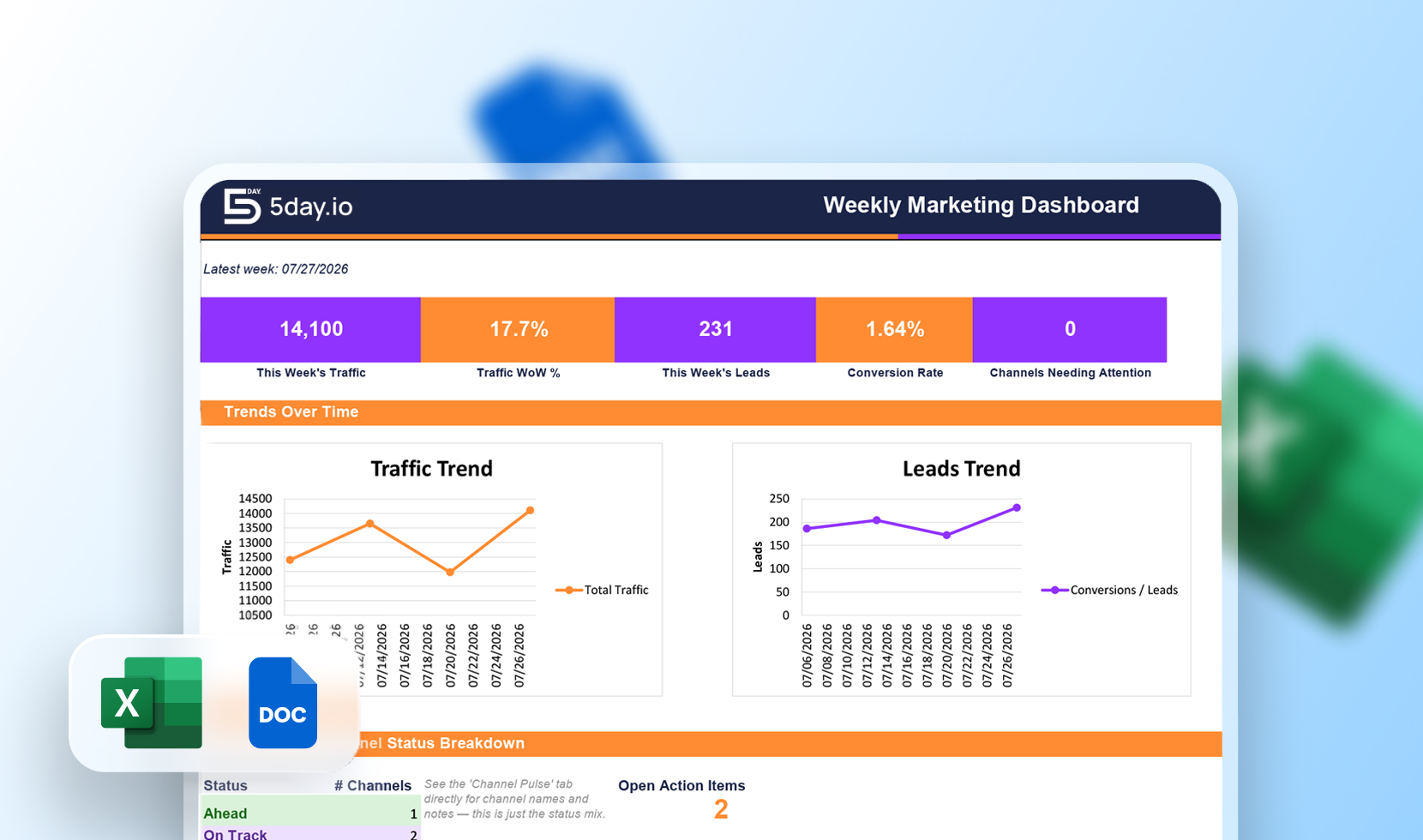

This marketing report template excel file has a Dashboard that auto-pulls your latest week’s numbers and a Weekly Report Log for tracking traffic, engagement, and conversions over time. Along with it, you get a Channel Pulse tab for one-line status checks per channel and an Action Items tracker that carries items over until they’re marked done.
It’s channel-agnostic by design. So, instead of separate deep-dive sections you have one row per channel and a status flag per week. This way, the weekly habit is lightweight while still surfacing what needs a second look before it becomes a bigger problem.
Marketing report templates are typically built for monthly or quarterly reporting, which means they lean on lagging metrics like CAC or ROAS. A single week rarely has enough volume or attribution time for those numbers to mean anything, so this template leaves them out on purpose. It sticks to leading indicators instead like traffic, engagement rate, and lead volume.
That’s also why the Weekly Report Log matters more than any single dashboard view: WoW formulas compare each row to the one above it, so a few weeks of consistent logging turns into a real trendline.
Yes, the full marketing report template is free to download at no cost.
It’s an Excel (.xlsx) file with pre-built formulas, so it opens and calculates correctly in Excel.
No. WoW % change, conversion rate, and cost per lead are all auto-calculated — you only enter raw weekly numbers.
Yes. Channel Pulse is built to hold whichever channels you run, and there’s no minimum or required set.
It’s built around leading indicators (traffic, engagement, leads) instead of lagging ones like CAC or ROAS, since a single week rarely has enough data for those to be meaningful.