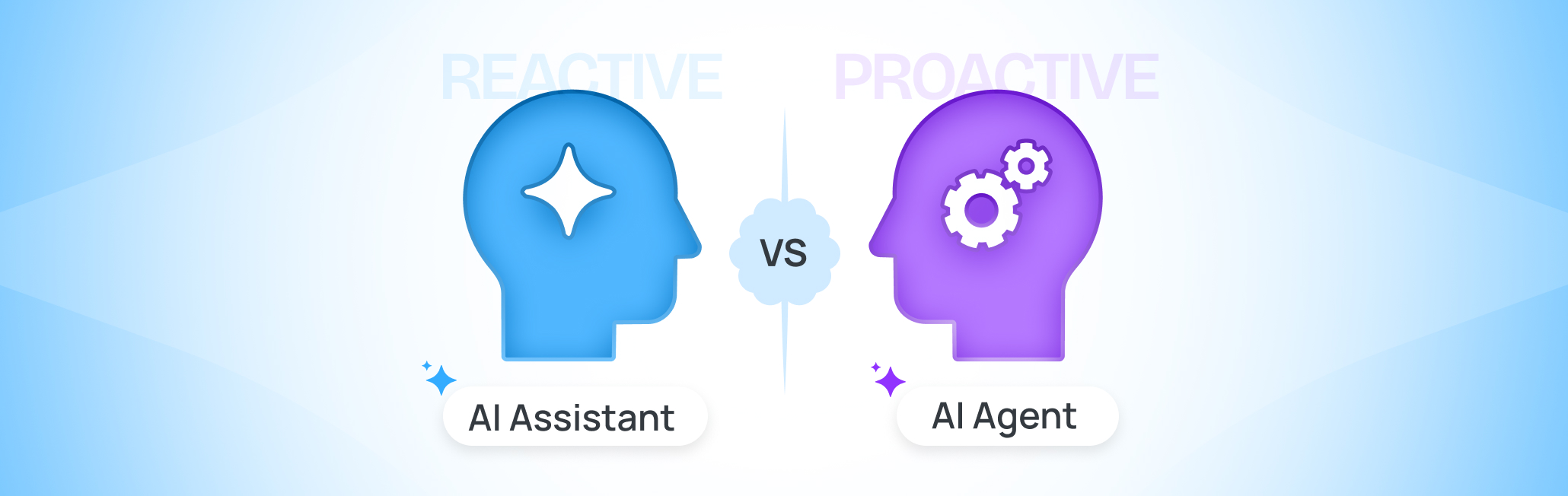

What is an AI Agent?
An AI agent acts instead of just answering. Give it a goal, and it takes over from there — deciding what to check first, grabbing whatever tool the job needs, and looping you in only when something needs your call. You stop running each step. You start setting the destination.
Think of the difference like handing off a task to a project manager instead of one teammate. You don’t write out every step for a PM. You describe the outcome, and they sequence the work, pull in the right people, and only flag you when a decision needs you.
That shift shows up fast in marketing work. Ask an AI assistant to help with a campaign and it’ll draft an outline the moment you ask for one. Give the same goal to an AI agent, and it pulls the brief, builds the full plan, checks it against brand guidelines, and only surfaces the parts that need your approval.
Key capabilities of AI Agents
- It plans its own path: give it a goal and it maps out the steps, no need to spell out each one
- It uses tools on its own: pulls data and triggers actions without a person clicking each button, whether that’s querying a CRM, running a report, or kicking off a workflow
- It keeps context across steps: remembers what it already did earlier in the task, so it doesn’t double back or lose the thread
- It handles multi-step work end-to-end: handles the whole job end to end, research, draft, check, revise, before it ever comes back to you
- It knows when to loop you in: flags exceptions and approvals instead of guessing on anything risky
- It adapts mid-task: adjusts mid-task when a step fails or a rule changes, rather than stopping to wait on new instructions
Agentic AI vs AI Agents
Here’s a trick that helps understand this better: “agentic” is the adjective, “agent” is the noun. Grammar, not tech. Agentic AI vs AI agents come down to that difference: one’s a description, the other’s a thing you can open and use.
Call a tool “agentic,” and you’re just describing how it behaves, planning its own path instead of waiting on you. Call it an “AI agent,” and now you’re naming an actual product, whatever’s printed on the pricing page. Same idea, wearing two different hats.
A coding agent and a campaign optimization agent do completely different jobs. Both still count as agentic AI, because both plan their own steps instead of waiting for you to spell out each one.
AI assistant vs AI Agent – the core differences
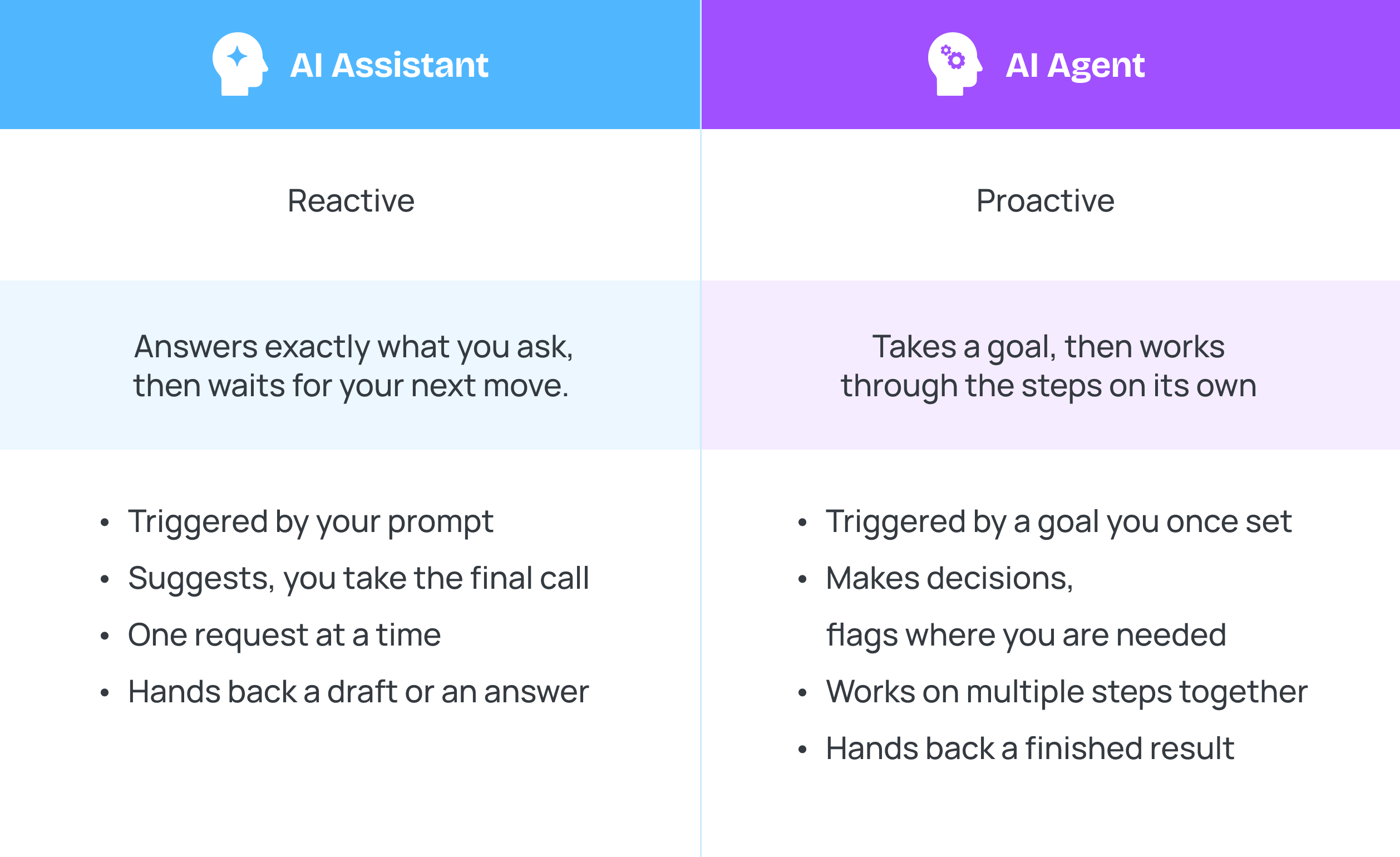
Line up an AI assistant and an AI agent side by side, and five things actually separate them.
|
|
AI assistant |
AI agent |
|
Trigger |
Your prompt |
A goal you set once |
|
Primary role |
Answers or drafts on request |
Plans and carries out a workflow |
|
Decision-making |
Suggests, you decide |
Decides, flags you when needed |
|
Memory |
Often starts fresh each time |
Holds context across the whole task |
|
Task size |
One request at a time |
Multiple steps, chained together |
|
Tool scope |
Works inside one tool or chat window |
Pulls data and takes action across multiple tools |
|
Output |
A draft, answer, or summary |
A finished (or near-finished) result |
|
Best for |
One-off content: drafts, summaries, quick edits |
Repeatable, multi-step work: reporting, campaign management |
The line that matters most is memory. An assistant usually starts over every time, so you re-explain the campaign, the brand voice, and the deadline every session. An agent holds all of that across a multi-step task, so it doesn’t ask you the same question twice.
Decision-making is the other real difference between AI assistant and AI agent. Ask an assistant something risky, like which client gets priority this week, and it’ll suggest an answer and let you decide. An agent making the same call either acts on its own judgment or stops and asks, depending on how much rope you’ve given it.
None of this means one is better. It just means AI assistant or AI agent is really a question of how much you want to hand off. That’s worth sitting with before you pick either one, and it’s an easier call with decent marketing operations software already in place, since you can see which tasks repeat before you go looking for a tool to automate them.
Types of AI Assistants
Assistants split by what they’re built to do. These five types of AI assistant cover almost everything you’ll run into at work. Here’s where each one shows up.
- Voice assistants Siri, Alexa, Google Assistant. Set a reminder, ask a quick question, and they go quiet again
- Conversational assistants: hold an actual back-and-forth: ChatGPT and most support-widget chatbots fall here, answering one question at a time
- Writing assistants like Grammarly or Claude rewrite, clean up, or draft text in whatever tone you ask for
- Embedded assistants don’t stand alone, they’re baked into another tool, like Gmail’s smart compose or a feature tucked inside a project management app, and only do what that app needs
- Code assistants, GitHub Copilot being the obvious one, suggest or write code line by line as a developer types without ever leaving the editor
Most people already use two or three of these without labeling them: a voice assistant on their phone, a chatbot at work, and a writing tool for email. None of that changes once you know the category.
Types of AI Agents
Not every AI agent works the same way under the hood. This breakdown covers five types of AI agents, running from simple rule-followers to systems that improve themselves over time. Here’s what each one actually looks like when it shows up in your stack.
- Simple reflex agents: these follow a fixed rule with no memory of anything before it, like a spam filter that blocks an email the moment it hits a blocklist
- Model-based reflex agents: these keep a running picture of the current situation, so a bid-pacing agent can throttle ad spend based on how the day’s budget is tracking, not just the last click
- Goal-based agents: give one a target, like “50 qualified leads this week,” and it plans a sequence of actions to reach it
- Utility-based agents: instead of any path that works, these weigh several options and pick the one that scores best, say, the ad placement mix that maximizes ROI rather than one that just spends the budget
- Learning agents: improve the more they’re used, the way a ticket-routing agent gets sharper at flagging urgent cases the longer it runs
Stack a few of these together and you get a multi-agent system. One agent researches competitors, another drafts the brief, a third checks it against brand guidelines, each doing its own piece before anything lands in front of you. Most real setups blend two or three types rather than running just one. And the stakes are rising: Gartner predicts more than 70% of global ad spend will flow through AI-influenced, self-serve advertising platforms by 2028. Picking the right type of agent for the job is only going to matter more from here.
AI Agent examples vs AI Assistant examples for marketing teams
Two real companies show this split clearly, both public, both easy to verify.
When Coca-Cola wanted digital artists to create with its brand assets, it built an AI assistant, not an agent. The company’s Create Real Magic platform, built with OpenAI and Bain & Company, let artists generate original artwork from Coca-Cola’s branded elements on request. Every piece still came from a specific prompt, nothing ran on its own.
HubSpot’s Agent Hub shows the other side of that line. Its Data Agent researches leads and pulls CRM insights without a person asking for each one, and its Prospecting Agent watches for buying signals and launches outreach on its own. One customer, Ignite Reading, said a task that used to take 15 to 20 minutes now takes seconds, recovering roughly 350 hours a year on that one automation alone.
That’s the real-world version of everything covered above. An AI assistant example waits for a prompt and hands something back. An AI agent example keeps working once you’ve pointed it at a goal.
Top 5 AI assistants for marketing teams
These wait for your prompt, every time, but they don’t all do the same job.
- Claude or ChatGPT (writing assistant) — drafts copy, subject lines, or captions the moment you ask
- Adobe Firefly (creative assistant) — generates on-brand images and graphics from a text prompt
- ai (meeting assistant) — transcribes and summarizes a client call the moment it ends
- Grammarly (editing assistant) — checks tone, clarity, and grammar in whatever you’re already writing
- Canva Magic Studio (embedded design assistant) — drafts copy and layout suggestions inside the design tool you’re already using
Top 5 AI Agents for marketing teams
These run the task once you give them a goal, not a prompt.
- Salesforce Agentforce (Campaign Optimizer) – runs the full campaign lifecycle: analyzes, generates, personalizes, and optimizes toward your stated goal
- HubSpot Agent Hub – Prospecting, Customer, and Data agents that research, reach out, and resolve tickets without a prompt for each step
- Persado Automate – picks the best-performing message variant per segment at send time, across campaigns, without your team touching it
- Klaviyo Composer – takes a conversational goal and builds the audience, drafts the content, and plans the send on its own
- Google Performance Max – set a goal and budget, and it handles bidding, targeting, and creative rotation across channels on its own
AI Assistant vs AI Agent – which do marketing teams need
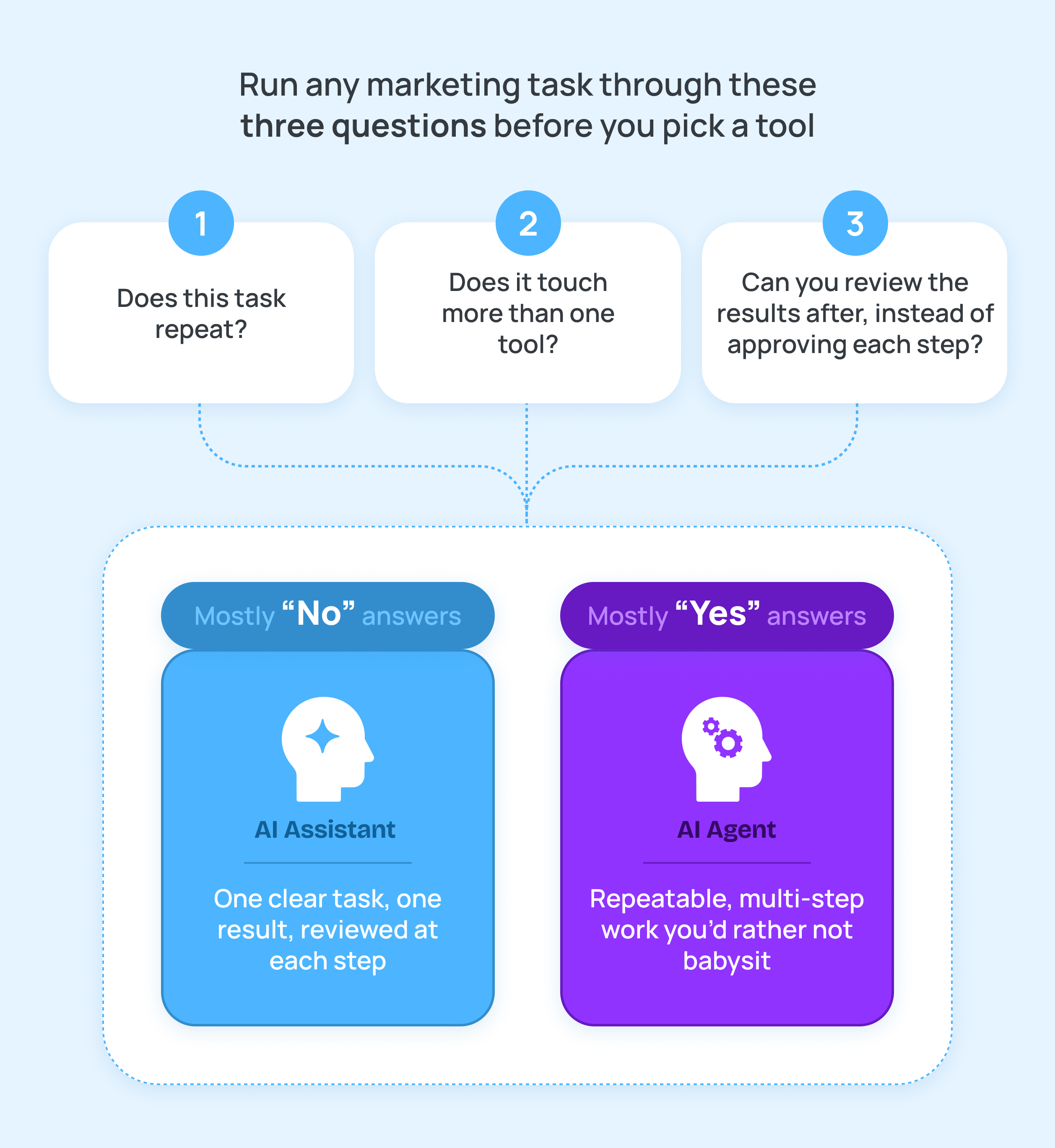
Most marketing teams don’t need to pick one and abandon the other, they need to know which task gets which tool. The job usually tells you which one it wants. You just have to be listening. HubSpot’s 2026 State of Marketing report found that 80% of marketers already use AI for content creation, and 61% say AI is causing the biggest disruption to marketing in twenty years. Almost none of that is agent work yet, it’s assistants drafting things on request.
Take a content marketer polishing one blog post. That’s an assistant’s job every time, since it’s one clear ask with one clear result. Now take an account manager pulling the same performance report for five clients every Monday, and that’s an agent’s job, since the steps repeat exactly and nobody wants to babysit them.
Deciding which creative concept fits a client’s brand voice still needs a person, no matter which tool drafted the options. Agencies feel this is the hardest, since one account manager might run this exact split five times over, once per client, every week. That’s exactly the layer good project management tools for marketing agencies are built to handle, keeping every client’s recurring tasks visible before you decide what’s worth automating. It’s less about which tool wins and more about which parts of the job are worth automating at all.
Not every marketing decision fits neatly into either category. Choosing which creative concept fits a client’s brand voice still needs a person, no matter which tool drafted the options. This adds up fastest at agencies. The real win is knowing which parts of the job are actually worth automating.
Cost and accessibility – AI Assistants vs AI Agents
Assistants are cheap and instant. Agents cost more, and the price moves with how much they do. Most assistants charge a flat fee per seat, often with a free tier, so you’re using one in minutes with no setup.
Agents usually run on usage-based pricing instead, credits or fees per action, task, or conversation, on top of a base subscription. That’s harder to predict, since the bill depends on how much work the agent does. It’s also why assistants stay the easier, cheaper way to start. In- house marketing teams project management software plays a similar role on the budget side, giving you one place to see which repeatable tasks are worth an agent’s price tag before you commit to it.
Future of AI Assistants and Agents
The line between assistant and agent won’t stay this clean for long. Every vendor is racing to bolt “agent” onto tools that used to be pure assistants. Expect three things to move fastest.
Interoperability: agents currently work inside one vendor’s walls, a HubSpot agent can’t easily hand a task to a Salesforce agent. Standards for agents to call tools and pass context across platforms are already emerging, and that’s what turns isolated agents into an actual connected workflow.
Cost: agent pricing is usage-based and unpredictable today, but as the infrastructure matures, expect flatter, more predictable pricing, the same curve assistants went through a few years ago.
Trust: as agents get real write access to CRMs, ad accounts, and email, expect more built-in approval layers and audit trails, not because agents get less capable, but because procurement and legal will require it before signing off on wider access.
None of that kills the assistant. Creative work, brand judgment, and anything with real client stakes will keep a human reviewing every step for a long time yet. The two categories are on parallel tracks, and the winning setup for most teams will keep using both.