

You are here because something about the way your team is currently managing work is not sitting right anymore. It may not be a clear problem you can point to, but it shows up in small, persistent ways.
So, you start looking at options, and the first ones you come across are the giants in the space: Wrike, Notion, and probably Asana.
Wrike looks structured and dependable, yes. Notion feels flexible, almost personal. On the surface, all of them seem capable of solving the problem you are experiencing.
And that is exactly what makes this decision harder than it should be.
A tool can look right in every way when you evaluate it and then you see trouble popping up in the parts of the system that do not fully reflect what is happening.
That is the part no comparison table can show you directly.
And yet, that is the part you are really trying to get right this time.
Yes, this comparison comes from the team behind 5day.io, and it is fair to question the perspective. But this is not about pushing you toward one option.
It is about helping you look past the surface, so you can choose based on what is more likely to work for your team in practice.
Quick overview: What each tool optimizes for
Aspect | Wrike | Notion | 5day.io |
Core Approach | Structure-first | Flexibility-first | Execution-first |
Best For | Complex, multi-team projects | Idea-heavy, documentation-led work | Fast-moving, deadline-driven teams |
Setup Effort | High upfront setup | Almost none | Minimal, evolves with use |
Day-to-Day Feel | Controlled but heavy | Free but inconsistent | Fast and focused |
Task Clarity | Strong, but needs upkeep | Varies by team | Clear and context-rich |
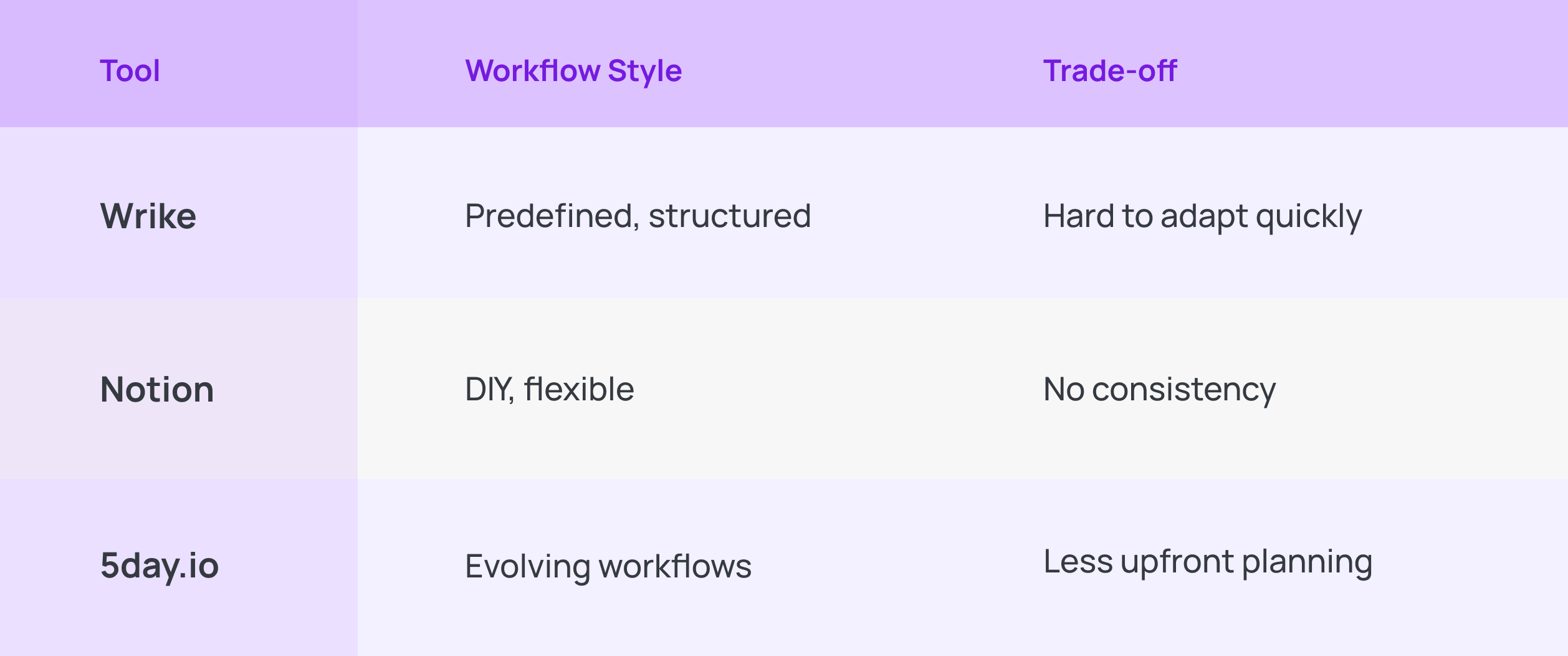
Workflow Style | Predefined | DIY | Evolves with work |
Collaboration | Inside structured tasks | Inside documents | Inside tasks (execution-linked) |
Scaling | Strong, but maintenance-heavy | Content scales, execution fragments | Scales with execution flow |
Trade-off | Rigidity, slower to adapt | Lack of consistency at scale | Less emphasis on deep planning |
At a high level, this Wrike vs notion vs 5day.io for marketing project management comes down to three very different operating philosophies and project management frameworks.
- Wrike is designed for environments where work needs to be structured and controlled at scale. It assumes that clarity comes from planning upfront.
This makes it powerful for teams that operate with defined workflows and need strong oversight, but it can feel heavy if your work is fast-moving or constantly evolving.
- Notion, on the other hand, is built around the idea that work is constantly taking shape. It excels when teams need a space to think and organize ideas before they become execution.
But that same flexibility can become a limitation when execution demands speed.
- 5day.io is centered on a different priority: keeping work moving. It assumes that clarity comes during execution. The focus is on speed and reducing friction in day-to-day delivery.
The trade-off is that it places less emphasis on deep documentation or long-form knowledge building.
The real question: Where does your team spend its energy every day?
When teams evaluate tools like Wrike, vs Notion, vs 5day.io, they often think in terms of features. But the more revealing lens is simpler: Where does most of your team’s effort go during the day?
Because that is what the tool will either support or quietly fight against.
When most of your effort goes into keeping everything connected
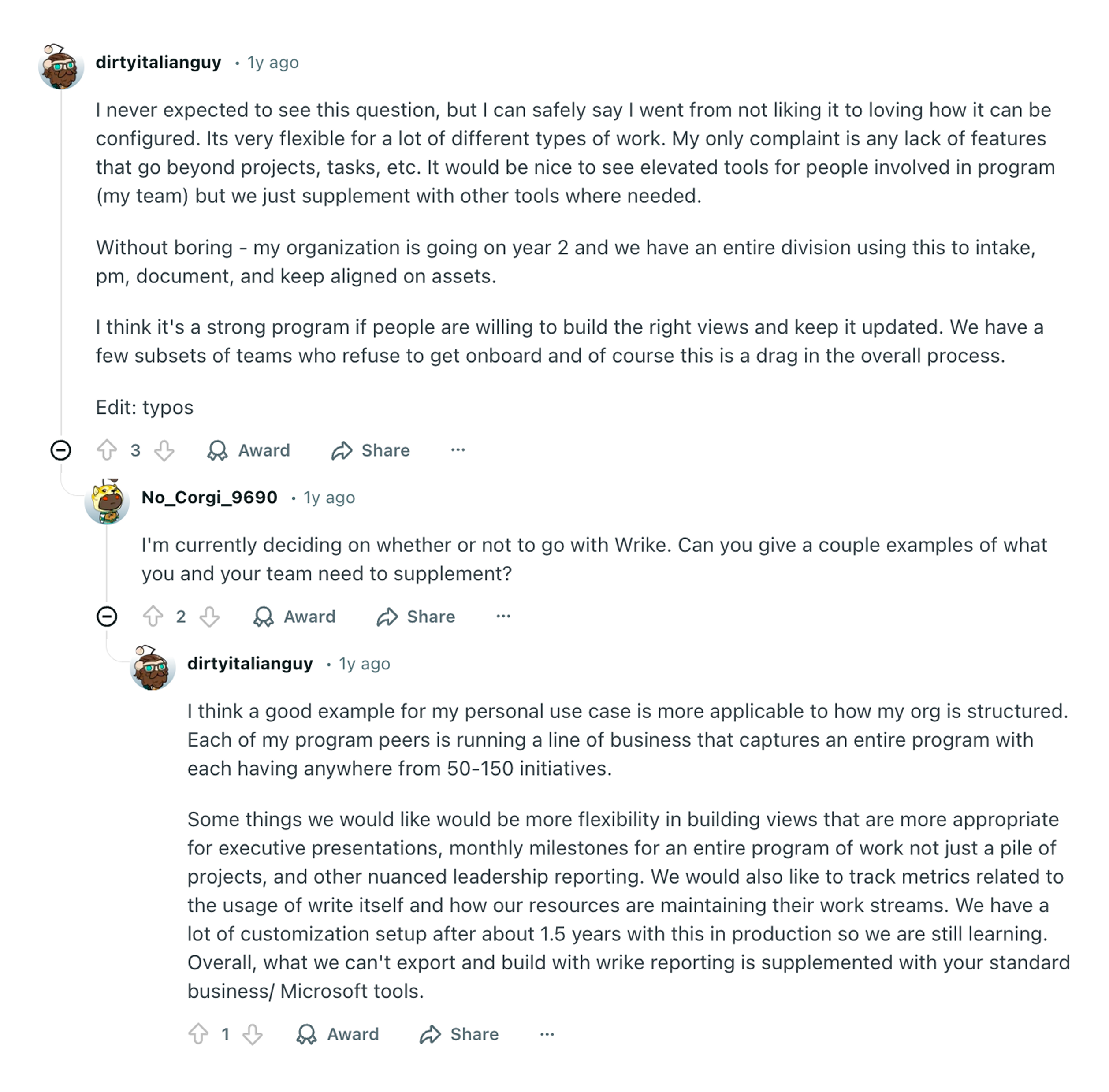
Some teams spend a large part of their day just making sure nothing slips.
There are multiple people involved, and moving pieces that depend on each other. A lot of the effort is in making sure everyone is on the same page about what is happening, what is next, and what might go wrong.
In that kind of environment, typically, enterprises, a system like Wrike fits naturally. It gives you a place where everything can be laid out and cross-checked. It reduces the mental load of coordinating across moving parts.
The trade-off is subtle but real.
The more your team relies on Wrike for alignment, the more it needs to be kept in sync. When things change quickly, keeping that structure updated becomes part of the work itself.
When most of your effort goes into figuring things out
Work begins with a rough idea, sometimes a direction. Maybe even a conversation between you and a client. A lot of time is spent refining approaches, and making sense of what needs to be done before anything can move forward.
In that space, Notion feels natural. It gives your team room to capture and evolve ideas without forcing them into a rigid format too early.
The shift happens later.
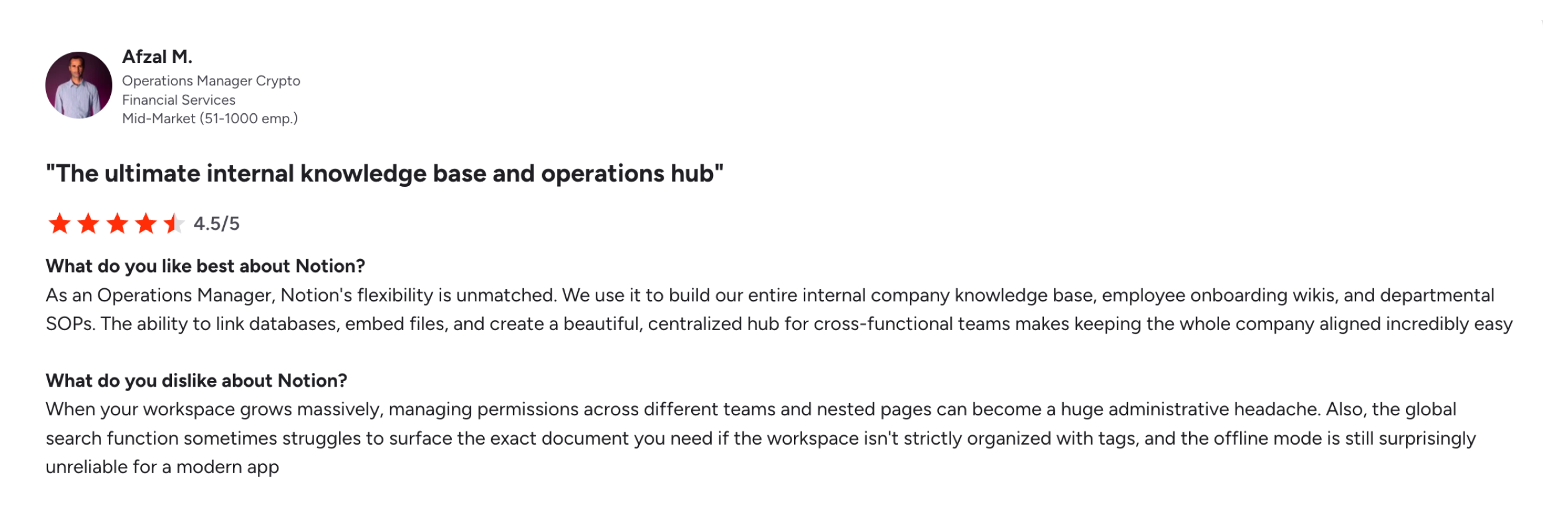
As work moves closer to completion, the effort required to keep things clear starts increasing. What was once fluid can begin to feel scattered, and things don’t naturally make sense anymore. It must be forced by project managers, with manual trackers, and dashboards.
Structure needs to be created deliberately. Pages need to be organized in a way that makes sense later, not just now. And if that discipline slips, even slightly, things become harder to find, harder to follow, and harder to trust. The whole process becomes person-dependent, leaving you right where you started.
When most of your effort goes into pushing work forward
Then there are teams where the day is defined by movement.
Work is already understood. The challenge is not really in coordinating across layers, but getting things done without losing time or momentum.
In that environment, 5day.io aligns closely with how work already happens. It reduces the distance between identifying something that needs to be done and moving it forward.
The trade-off here is about depth. The system does not slow you down to think or structure extensively, which works well for execution, but may sometimes feel limiting when work requires more deliberate planning.
The three operating models of marketing team project management tools
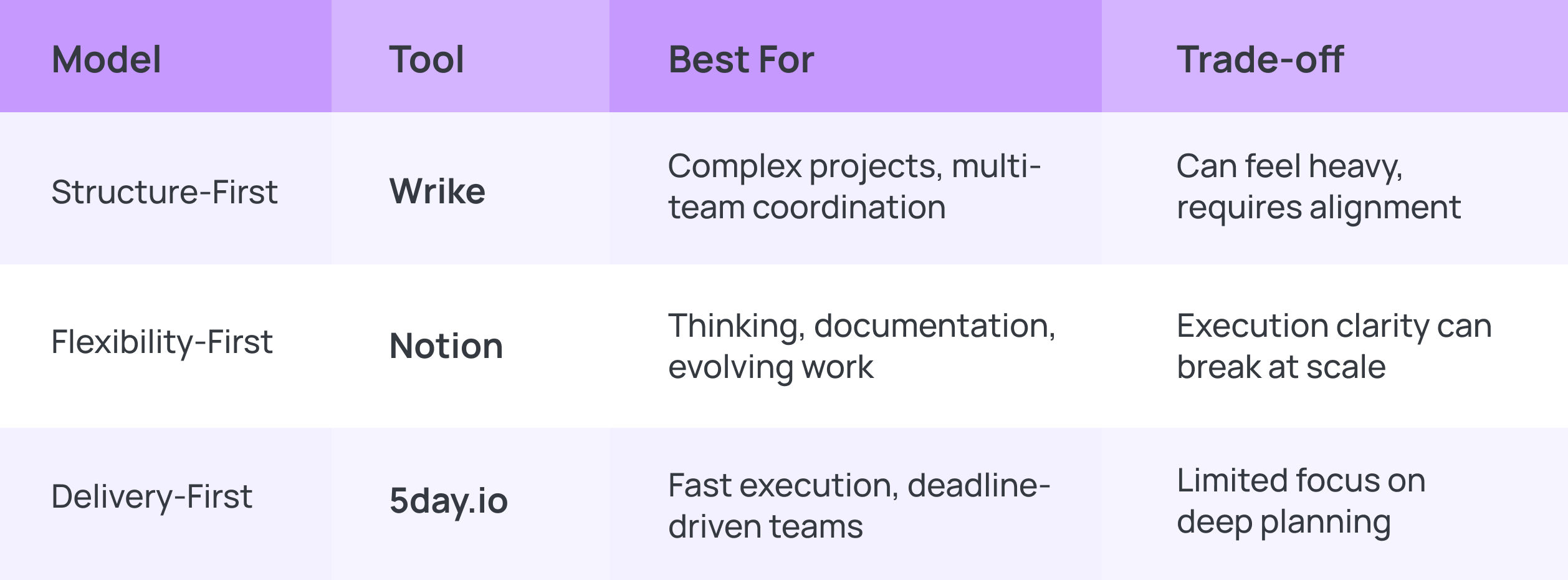
Structure-first (Wrike)
Wrike feels like a system that was built to answer questions before they become problems.
As a project manager, you start noticing this in the way it constantly tries to give you visibility into what’s in progress, what’s delayed, what’s coming up, and where things might slip. It’s always trying to stay one step ahead of the work.
That’s where it’s at its best.
Wrike thrives when:
- multiple teams are involved in enterprise environments,
- when work spans across departments
- when there is very little room for error.
You can track how work flows from one stage to another and maintains visibility across large, layered operations.
In many ways, Wrike reflects an older but proven way of managing work.
But it also comes with expectations.
The system needs to be maintained constantly. Work needs to stay aligned with how it has been set up.
When things move in unexpected ways, which they often do in marketing teams, the structure can start to feel like something you have to keep adjusting. For teams exploring a Wrike comparison or considering a shift away from more traditional systems, this is often the moment of pause.
Flexibility-first (Notion)
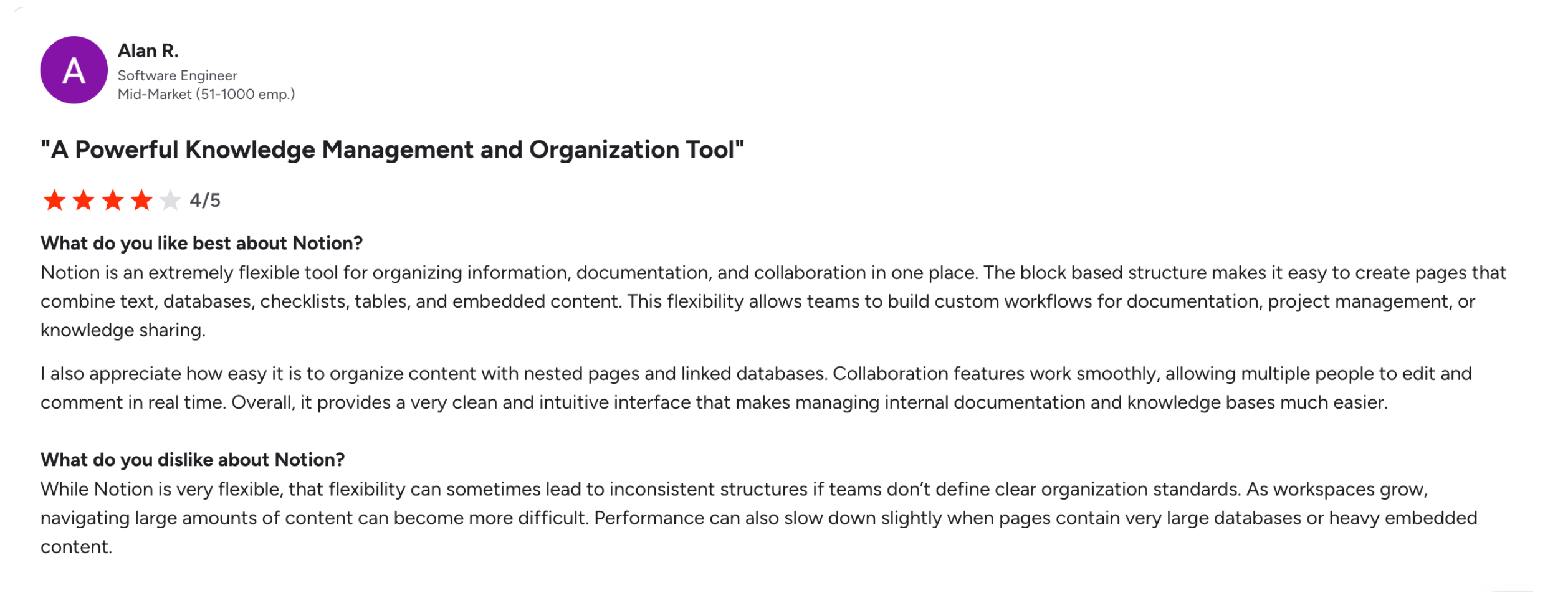
Notion feels less like a system and more like a workspace.
You don’t have to start with structure. You start with an idea, a page, a rough outline, and from there, work begins to take shape.
It operates on a different belief: clarity is something you discover through the process, not something you enforce at the beginning.
This makes it incredibly powerful for shaping ideas and building knowledge. Everything can live in one place.
But as work shifts from thinking to execution, without a strong structure, coordination becomes harder. This is why many teams start exploring a notion comparison or asking what is better than Notion as complexity begins to grow.
Delivery-first (5day.io)
5day.io feels like it’s built for teams already in motion.
There’s no pause to set everything up. Work begins immediately, and the system moves with it.
Tasks come together quickly, and progress is visible without needing layers of setup. You’re not managing from a distance; instead, you’re working inside the flow itself.
This makes it a natural fit for teams operating under constant deadlines, marketing, client delivery and environments where momentum matters.
But that focus on speed comes with a trade-off. Deep planning and long-term structuring aren’t the priority. While that feels freeing in high-energy environments, it can feel limiting when work depends on detailed planning or compliance.
For teams searching for an app alternative to Notion or a better execution system than Wrike, this shift toward delivery, like what 5day.io offers becomes critical.
Wrike vs Notion vs 5day.io features: Where each tool holds, and where it starts to strain
Set up and time to value
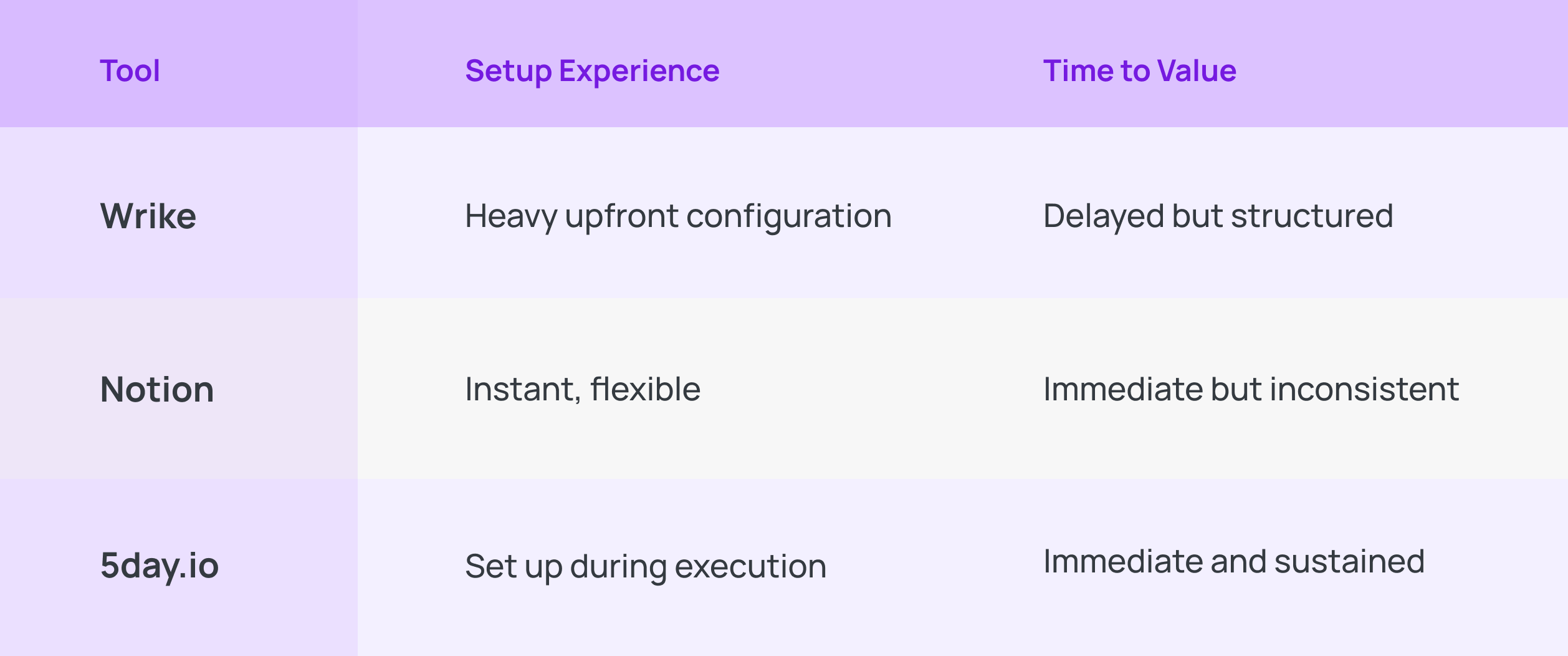
This is where the differences between Wrike vs and Notion vs 5day.io become immediately visible in practice.
Wrike
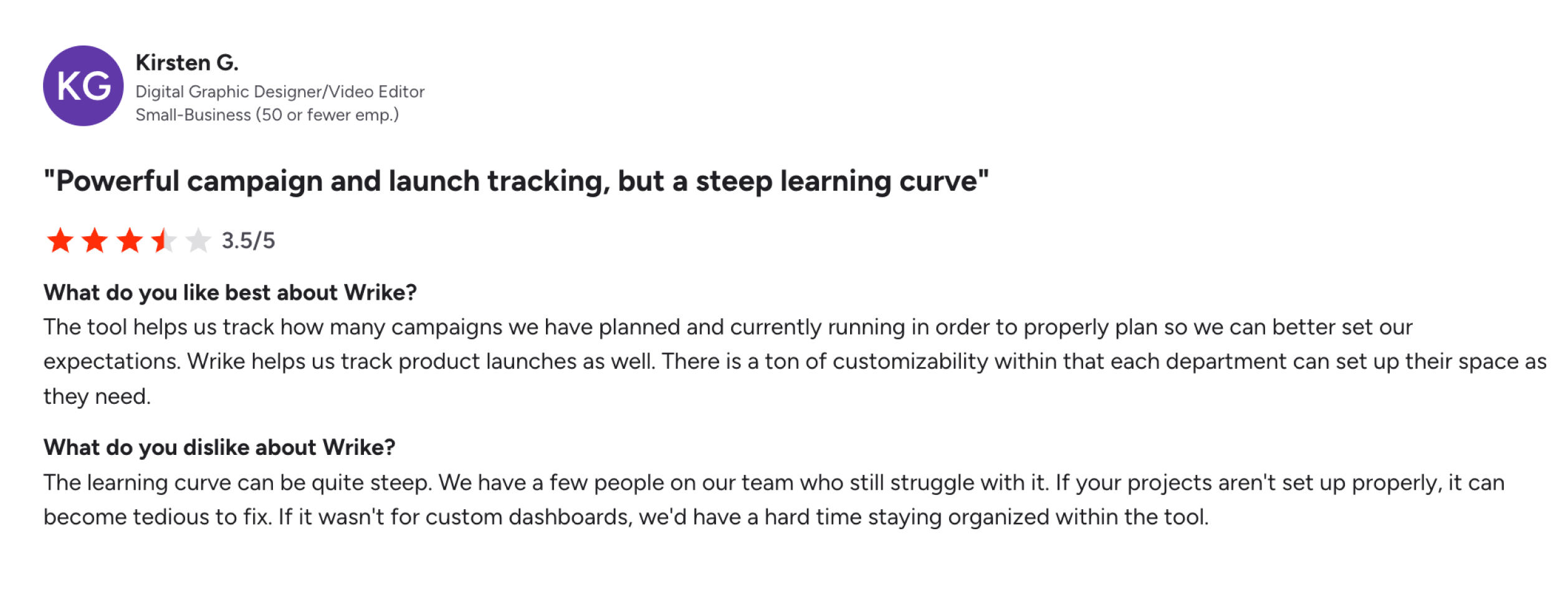
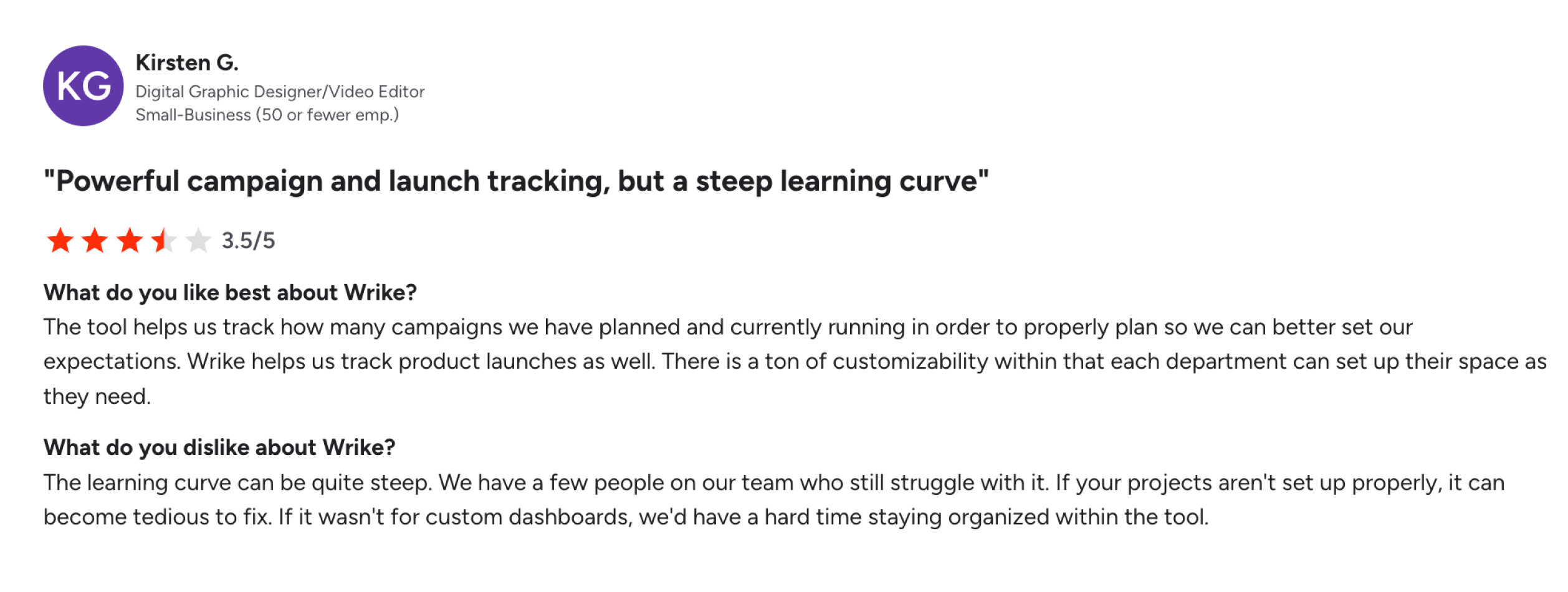
You can track multiple campaigns at once, understand what is planned versus what is active, and get a strong sense of control over launches and timelines. Wrike helps you see everything you have planned and currently running, and how each team can shape the tool to fit their needs.
But that comes with a cost that becomes visible very quickly.
There is a learning curve, and not everyone on the team crosses it at the same pace. Some people adapt and start using it effectively. Others struggle to navigate it, which creates uneven usage across the team.
And in Wrike, uneven usage is where things start to strain, because the system only works as intended when it is set up properly and used consistently.
If projects are not structured well from the beginning, fixing them later becomes tedious, especially when work is already in motion.
That is why custom dashboards as something you rely on heavily in Wrike.
Dashboards become a way to regain clarity when the underlying structure is either too complex or not fully aligned. They help teams stay organized, but they also signal something important: the default experience often needs to be reshaped before it truly works for you.
So, the time to value in Wrike is not immediate.
Notion
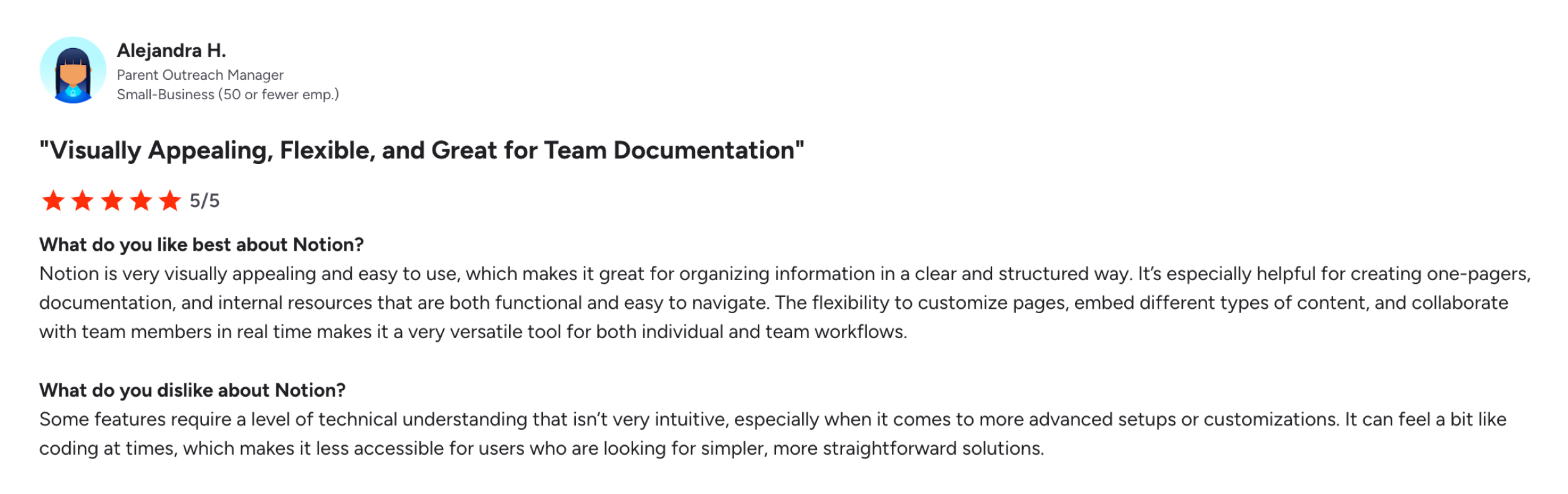
For project managers working with documentation, planning notes, or internal resources, Notion feels almost effortless.
The tool is visually appealing. It is easy to navigate at a basic level.
Notion does not come with structure built in; it gives you the ability to create your own. Databases, relationships, custom views, layered systems, everything is possible. But the moment you begin building these, the tool starts to feel less like something you must construct and maintain.
Advanced setups require a level of technical understanding. Things that seem straightforward at first, like organizing workflows or customizing how information connects, can begin to feel unintuitive.
In some cases, it even starts to resemble coding, and you must bring in a dedicated developer to configure workflows, which initially was your cup of tea to begin with.
And that is the trade-off at the heart of Notion.
5day.io
With 5day.io, you don’t prepare the system before work begins. The system takes shape around the work as it happens.
You create a project, add tasks, assign people, and start moving. Details like timelines, priorities, clients, roles, and even structure can be added gradually without stopping execution.
That’s the key difference.
In most tools, setup is a phase. In 5day.io, setup is continuous.
A team can onboard a client, create a project, and begin working on it immediately.
As work progresses, they layer in more structure, using things like roles, bulk imports, custom fields, and project-level settings without disrupting what’s already in motion.
This removes a very real friction point.
You don’t wait to get things “right” before starting. You start, and the system organizes itself alongside you.
Workflow design
Wrike
Wrike workflows are built around predefined stages.
You create statuses like In Progress, Review, Approved, Completed, and tasks move through those stages. You can add custom statuses, approvals, and automations, but the core idea stays the same: work moves step by step through a fixed path.
This works well when your process is stable.
If you’re running repeatable work, like campaigns, product releases, or structured deliverables, you don’t have to rethink the flow every time.
If a task needs to skip a step, go backwards, or follow a slightly different flow, you either force it through the existing workflow, or you go back and change the workflow itself.
And changing workflows is not something teams do lightly. That’s the trade-off.
Notion
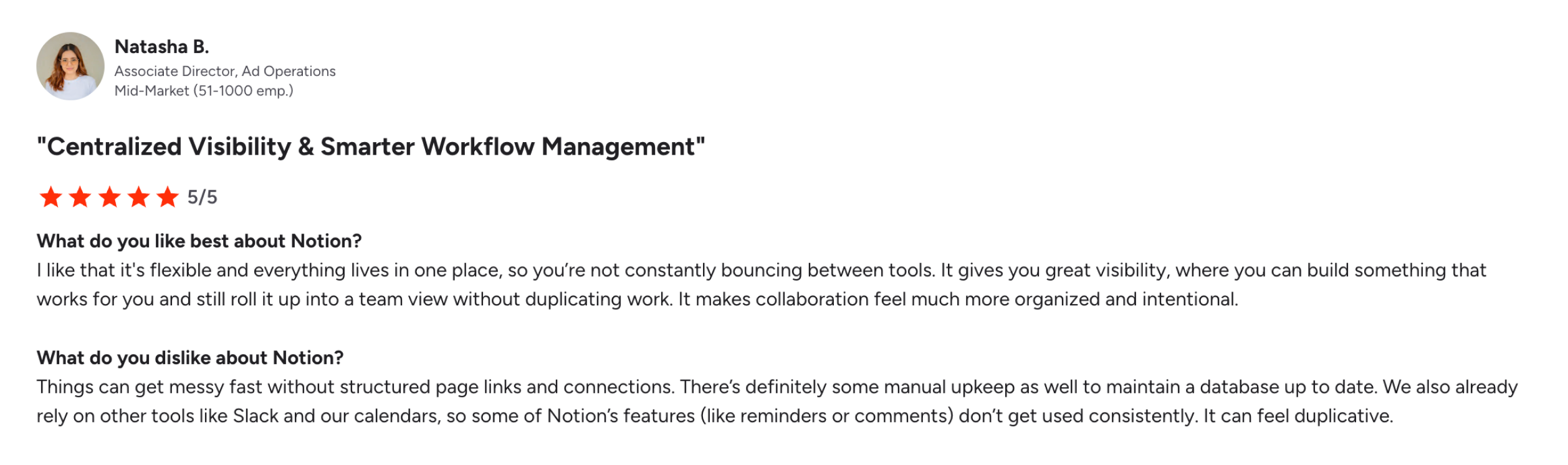
You’re not forced into a way of working. You can shape things however you want. For a while, it feels like everything just fits, your notes, your plans, your tasks, all in one place, all connected in a way that makes sense to you.
But after some time, you begin to notice something.
There isn’t really a single way things are being done.
One team tracks work one way, another team does it differently, even within the same project, things can start to drift. Some databases are clean; others are a bit messy.
Nothing is technically broken. But nothing is completely clear either, or slowly, a part of your time starts going into just keeping things understandable.
5day.io
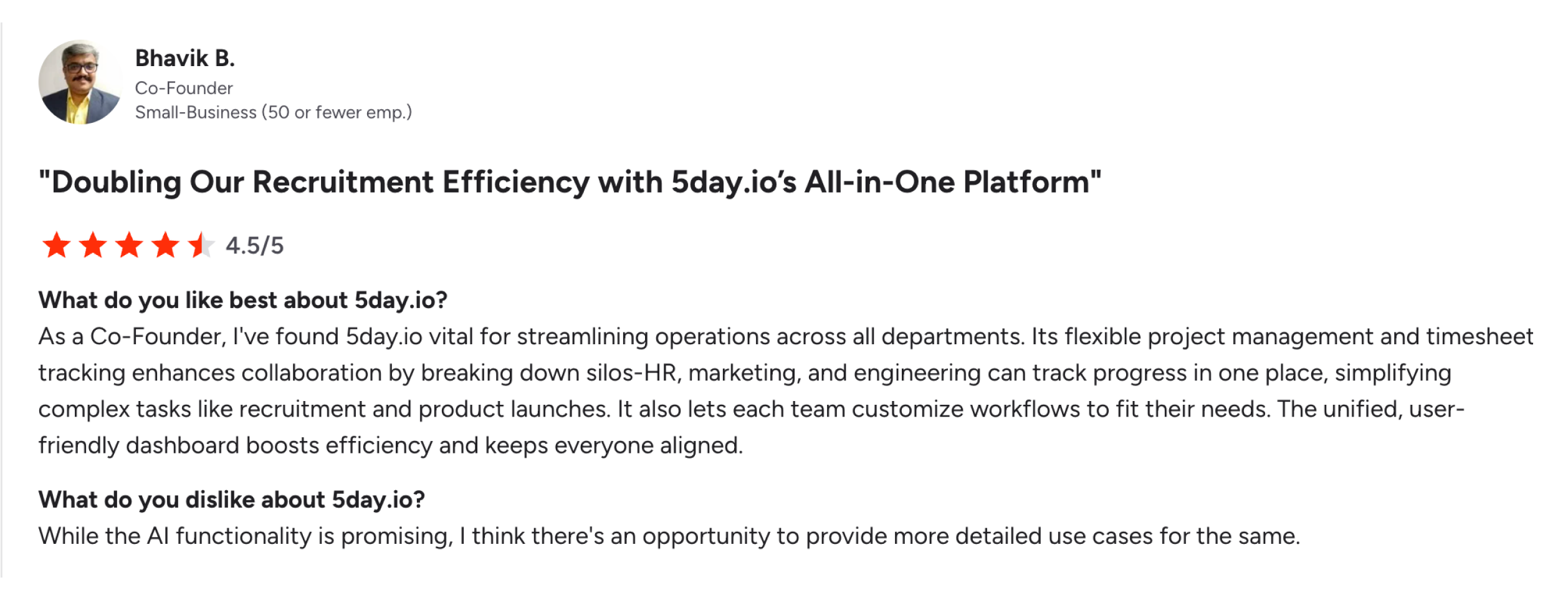
5day.io doesn’t treat workflows as something you design once and follow forever.
It treats them as something that should stay close to how work behaves.
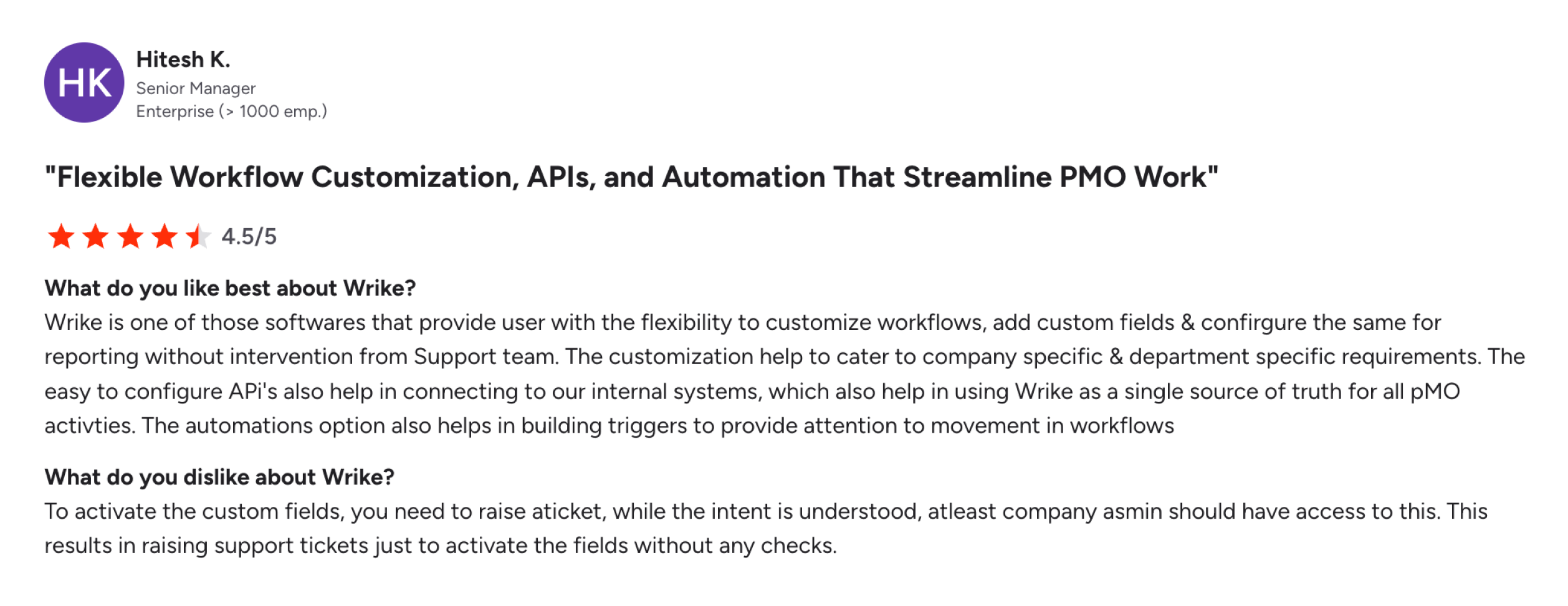
You can define workflows, statuses, priorities, automation rules, and even different task types, but none of this is forced upfront. You introduce structure when it becomes necessary, not before.
That’s a subtle but important shift.
Instead of forcing work into a predefined path, the system allows you to shape that path as patterns emerge, because workflows are not deeply rigid, they are easier to adjust.
That’s the philosophy here.
Task management
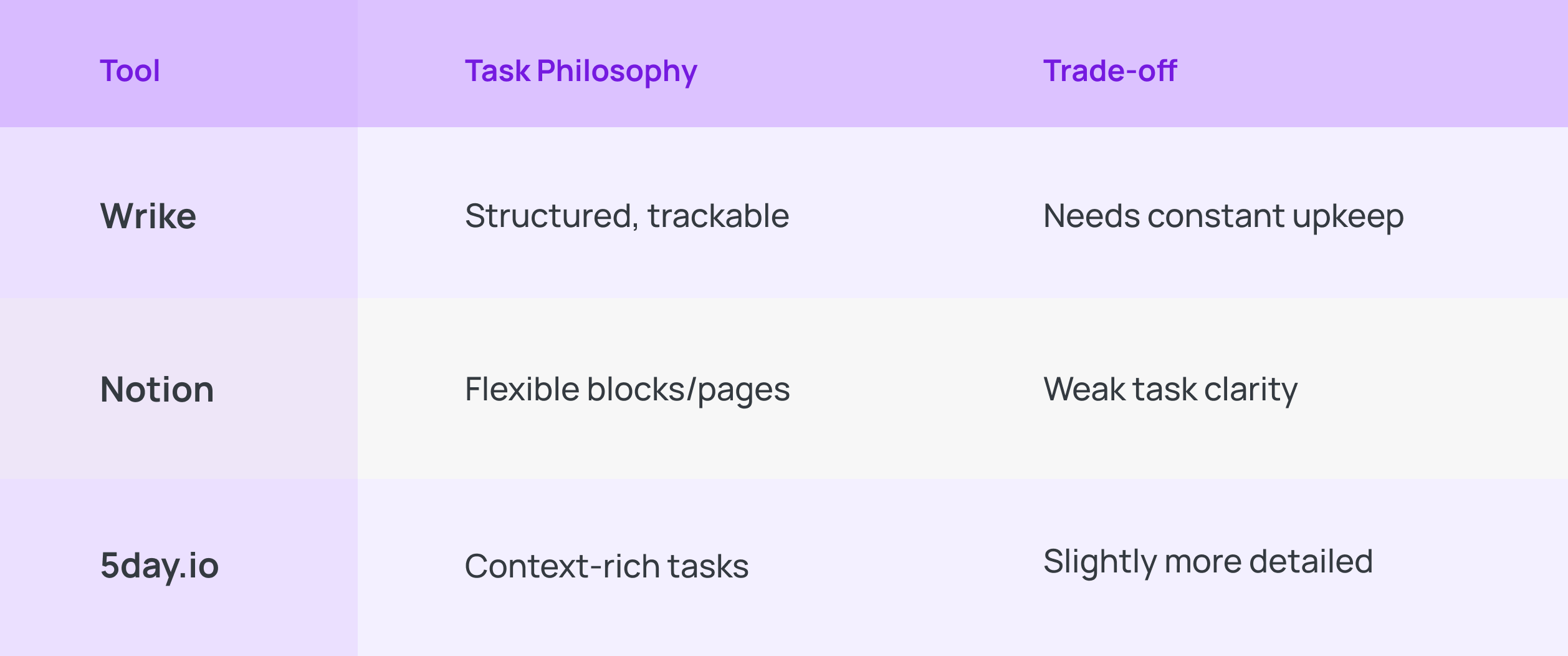
Wrike
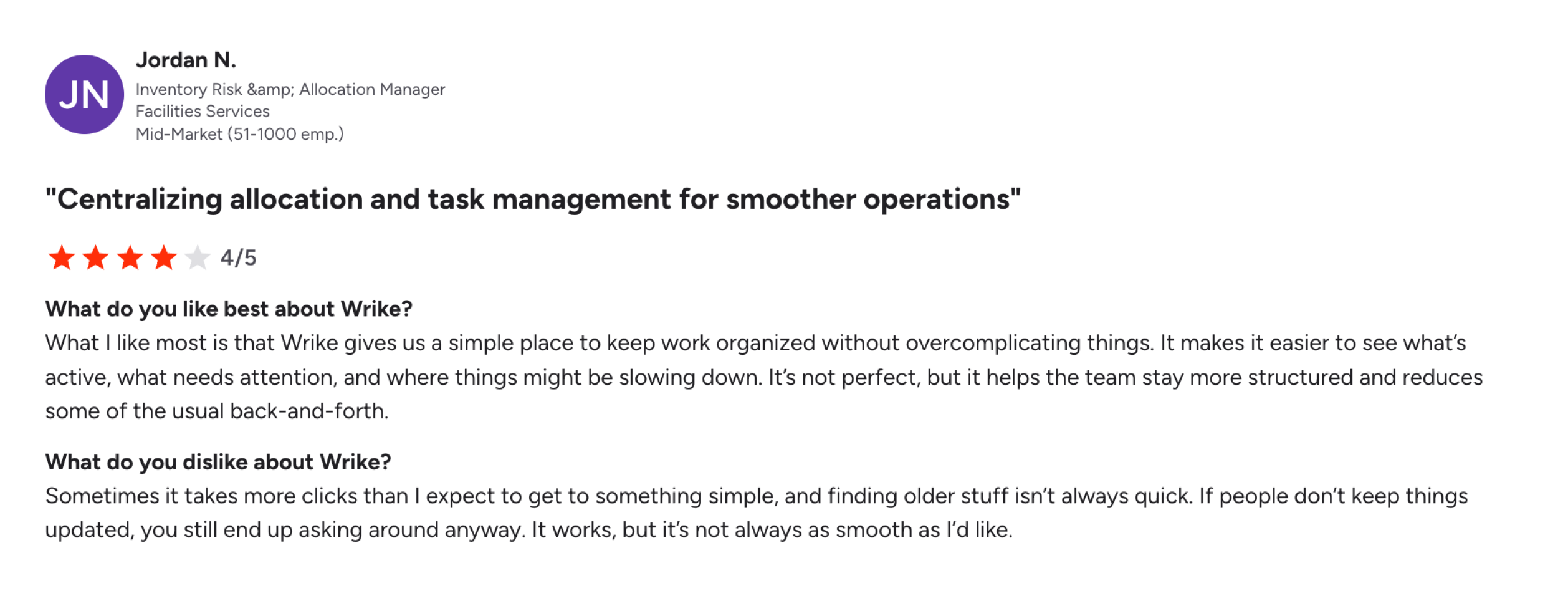
Wrike treats tasks as units within a controlled system. Each task is structured and tracked through workflows. In a large campaign involving multiple teams, everyone knows their role and deadlines.
But this structure depends heavily on discipline.
What’s important to understand is that in Wrike, a task is a data point inside a larger operational system. A missed update creates ripple effects across the system. In practice, this works extremely well when teams are trained to operate within that system.
For example, in a product marketing launch with multiple project dependencies, Wrike ensures nothing slips through because every task is visible, assigned, and connected, but the hidden cost is maintenance.
This is also why teams looking for the best Wrike alternative often focus on reducing this maintenance overhead.
Notion
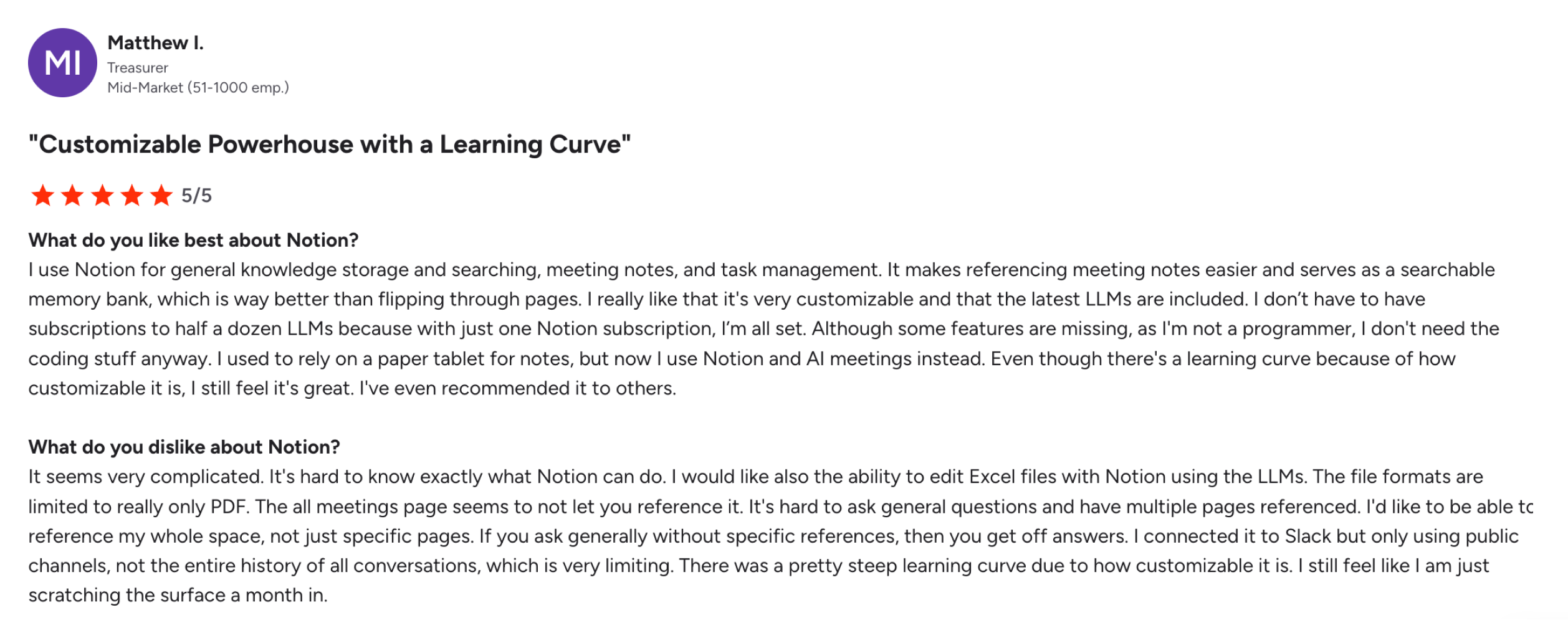
At its core, Notion treats tasks as one of many elements in a workspace, not the foundation of execution.
For example, a content team might draft an article, outline key ideas, assign sections, and track progress, all within the same page. There’s no need to switch contexts.
But as work becomes more execution-heavy, this fluidity introduces ambiguity.
Tasks don’t always have a consistent structure, ownership might be implied rather than explicit, and statuses might vary across different databases. Two teams might track tasks in completely different ways, one using Kanban boards, another using tables, and another using simple checklists.
This creates a situation where task clarity is not guaranteed.
5day.io
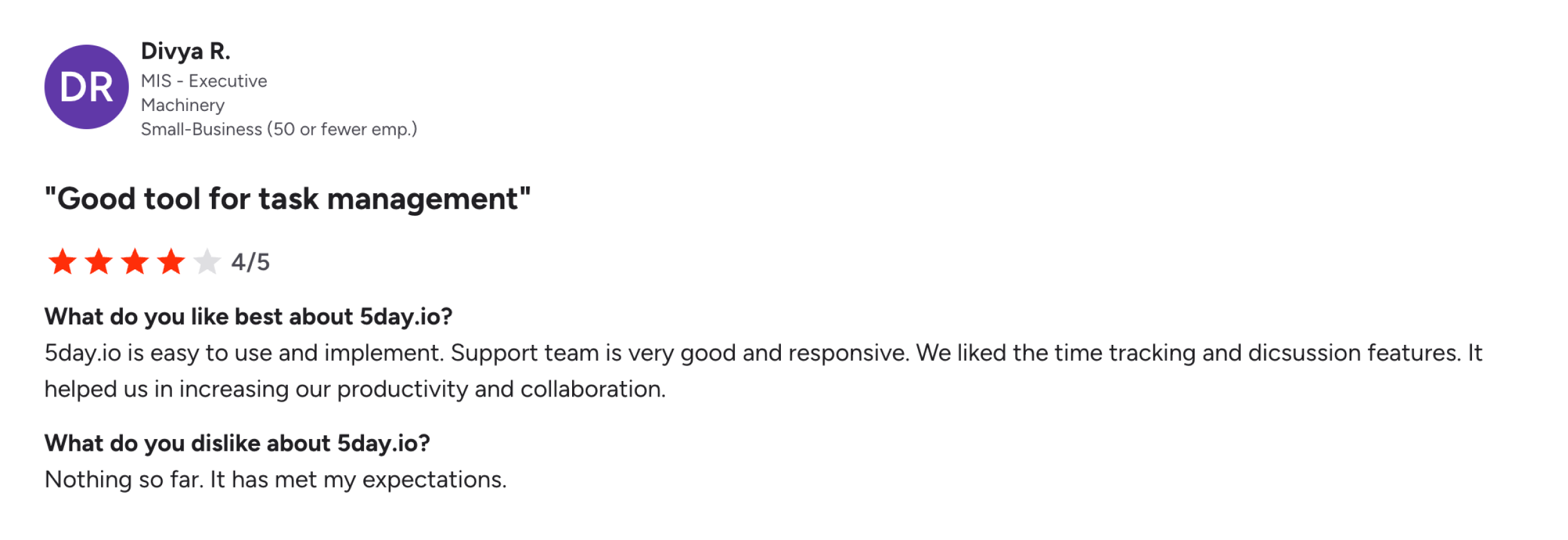
Each task can hold everything needed to execute it, timelines, estimates, priorities, dependencies, files, discussions, updates, and even billing context. You don’t have to jump across tools or threads to understand what’s going on.
That changes how you interact with work.
For example, a campaign deliverable is not split across:
- a task tracker
- a chat thread
- a document
- a file system
It sits in one place, with everything attached to it. This reduces a lot of invisible effort.
The trade-off is that tasks carry more information.
They are more detailed and slightly heavier than simple task lists, but that density replaces the need for multiple systems around them.
Collaboration
Wrike
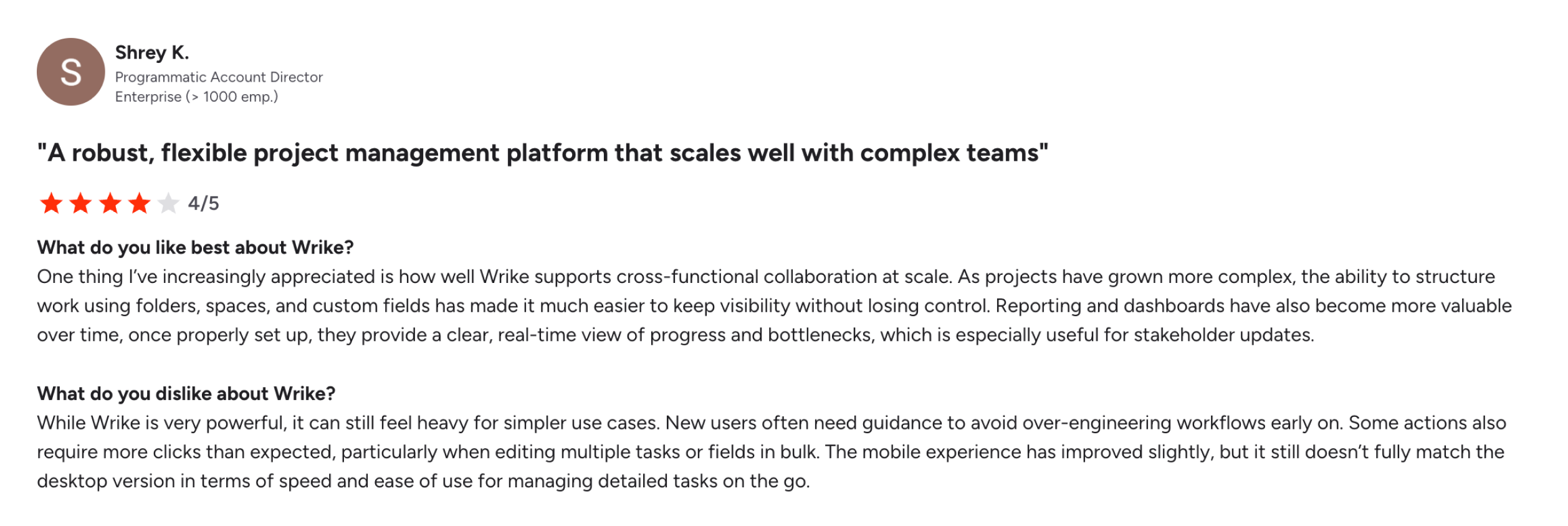
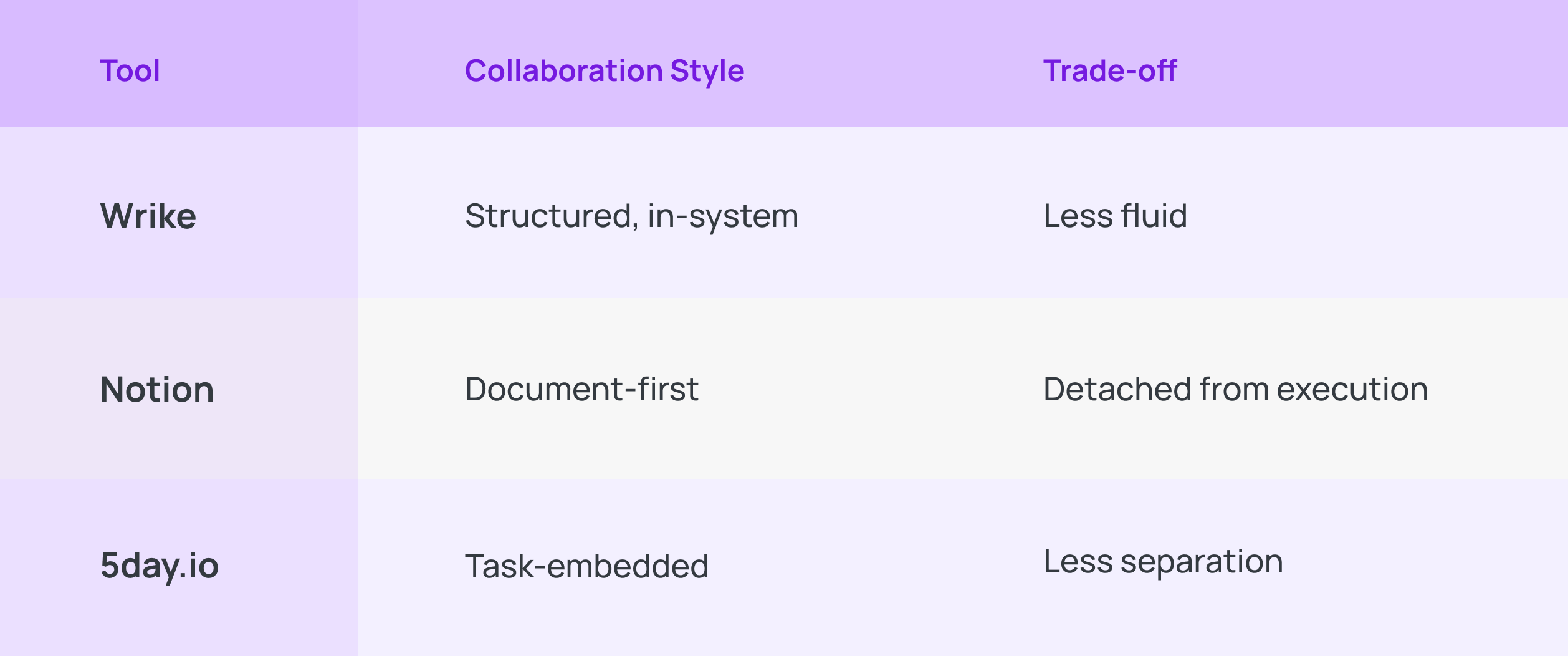
Wrike brings collaboration into a structured environment. Conversations happen within tasks and workflows, making them traceable and tied to execution. This is valuable in environments where every decision is documented.
What Wrike is really doing is treating collaboration as an extension of execution. Conversations are expected to happen in context, inside tasks, tied to timelines, and linked to deliverables.
This creates a strong audit trail. If someone joins a project midway, they can trace decisions back to specific tasks and understand why something moved the way it did.
In large teams or regulated environments, this is incredibly useful.
Notion
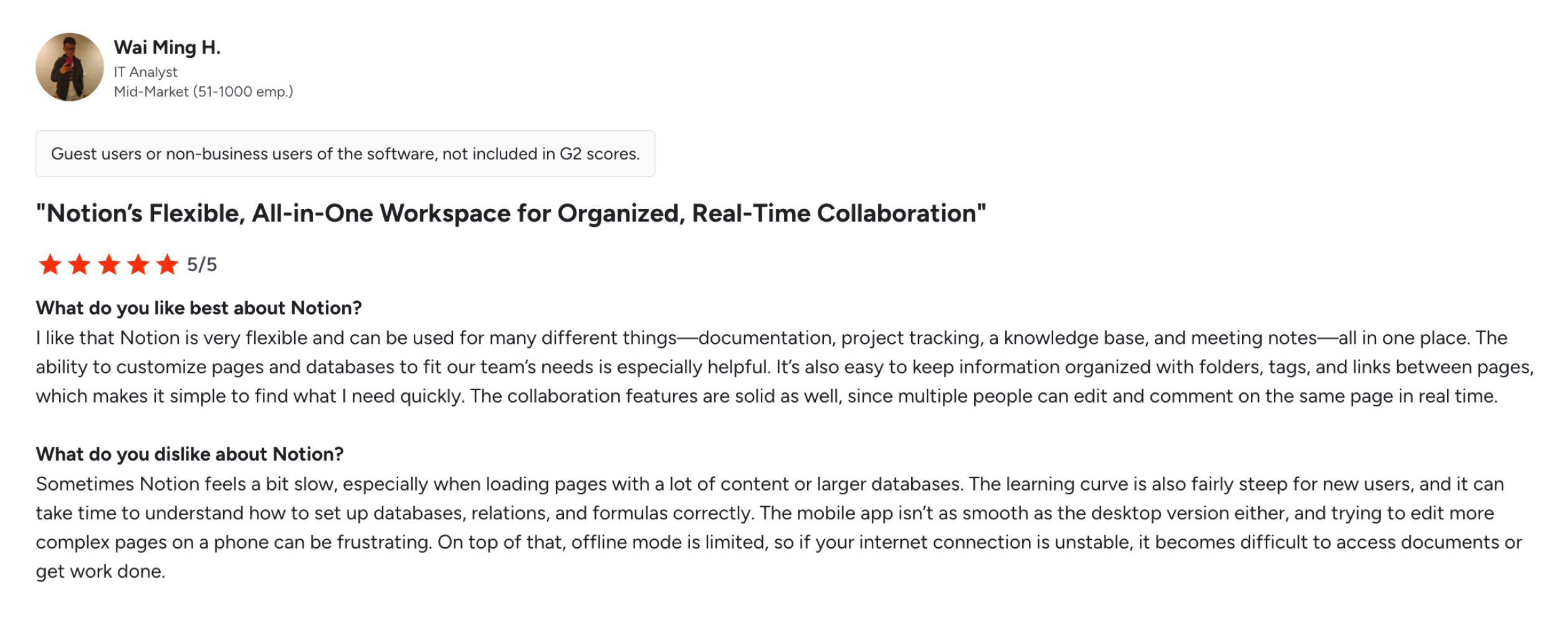
At its core, Notion treats collaboration as a thinking process. Everyone is working in the same space, shaping the same piece of content.
This makes collaboration feel natural and deeply integrated into the creative workflow.
For example, a marketing team planning a campaign can brainstorm ideas, outline messaging, gather feedback, and finalize direction, all within a single document. There’s no need to switch tools or contexts.
But once decisions are made, a shift is required. Execution does not automatically follow collaboration.
Someone must take what was discussed, tasks, deadlines, and ownership, and recreate it in a more structured form, either within Notion databases or in another system entirely. This creates a subtle but important break between alignment and action.
5day.io
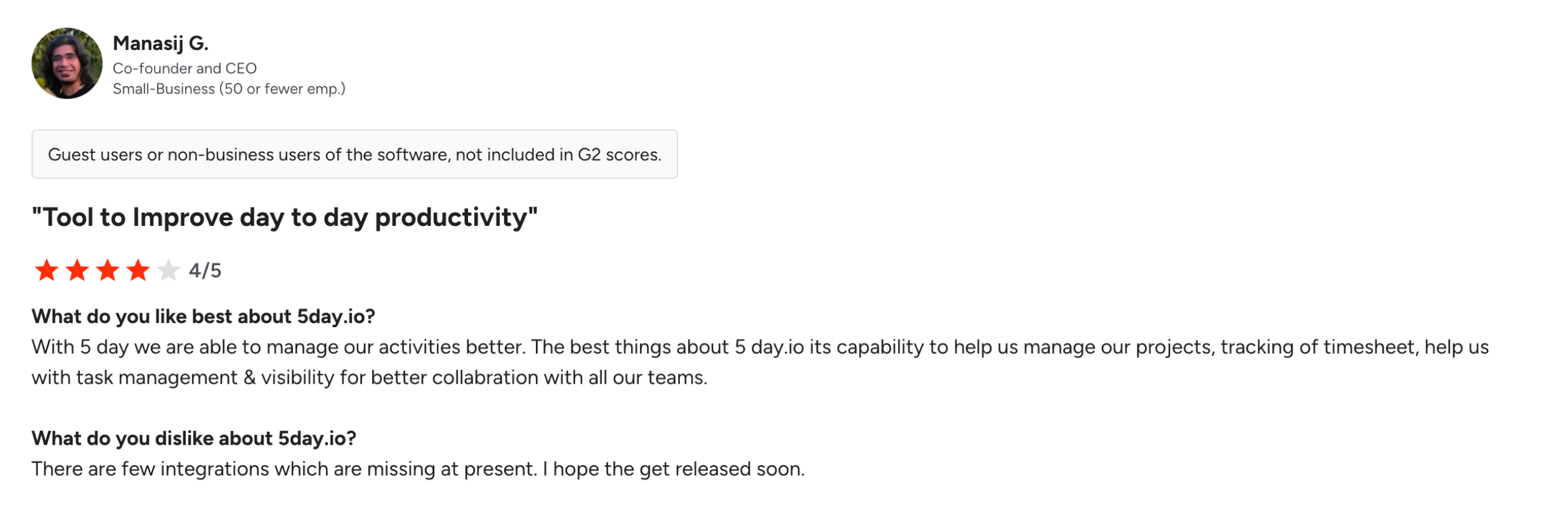
5day.io doesn’t separate collaboration from execution.
It assumes that conversations should happen where the work is happening. This removes a very common gap.
In most setups, work and communication live in different places. You discuss something in Slack, then update it in the marketing team project management tool, then attach files somewhere else.
Here, that loop doesn’t exist.
If something changes, it changes inside the task.
If feedback is given, it stays with the task.
For project managers, this reduces ambiguity, you don’t have to trace back decisions.
The trade-off is that collaboration is less abstract. It’s not designed for long-form thinking or disconnected brainstorming. It is tightly tied to getting work done.
Reporting
Wrike
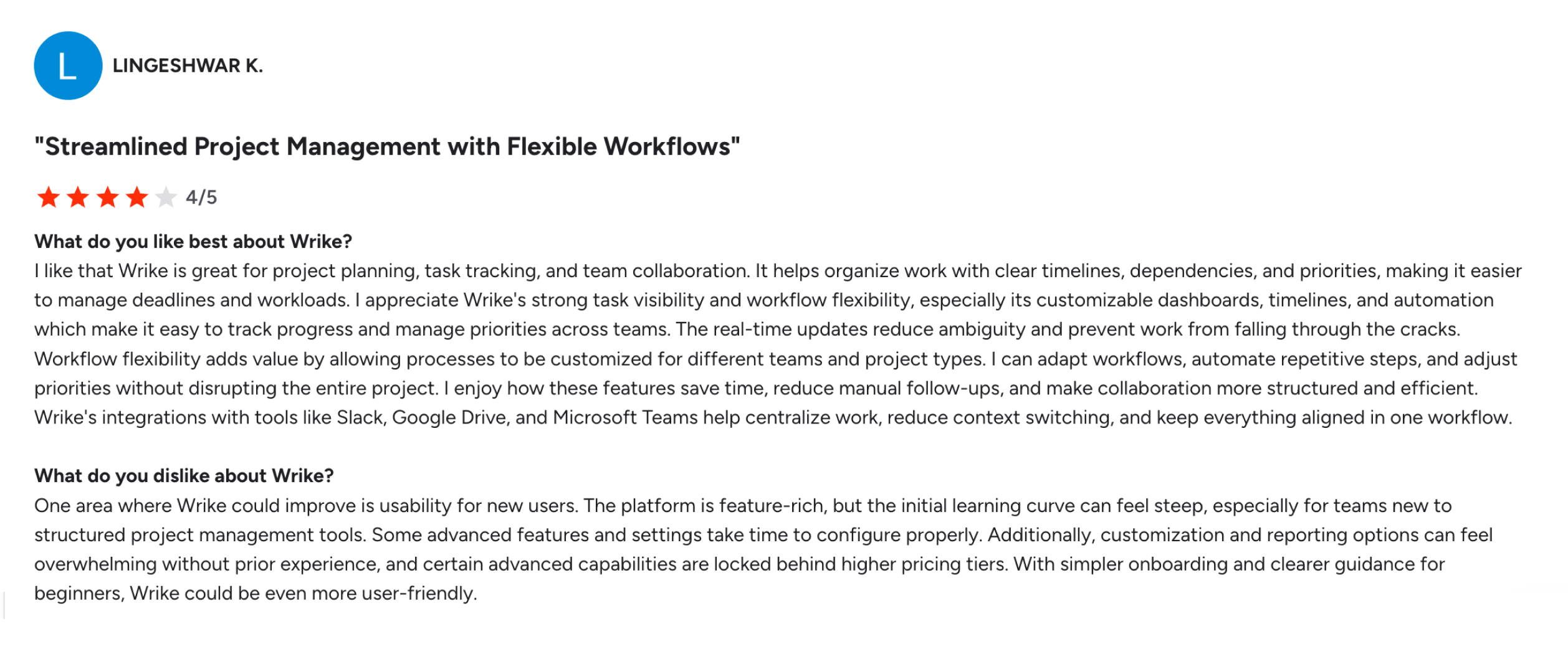
Once everything is set up properly, workflows defined, tasks updated, timelines maintained, the system can give you a very clear picture of what’s going on. You can see how campaigns are progressing, how teams are performing, and how workload is distributed.
You have visibility across projects, and you can rely on that visibility to make decisions. For a project manager handling multiple stakeholders and campaigns, that kind of clarity is incredibly valuable.
But you start to notice what it takes to keep that clarity intact.
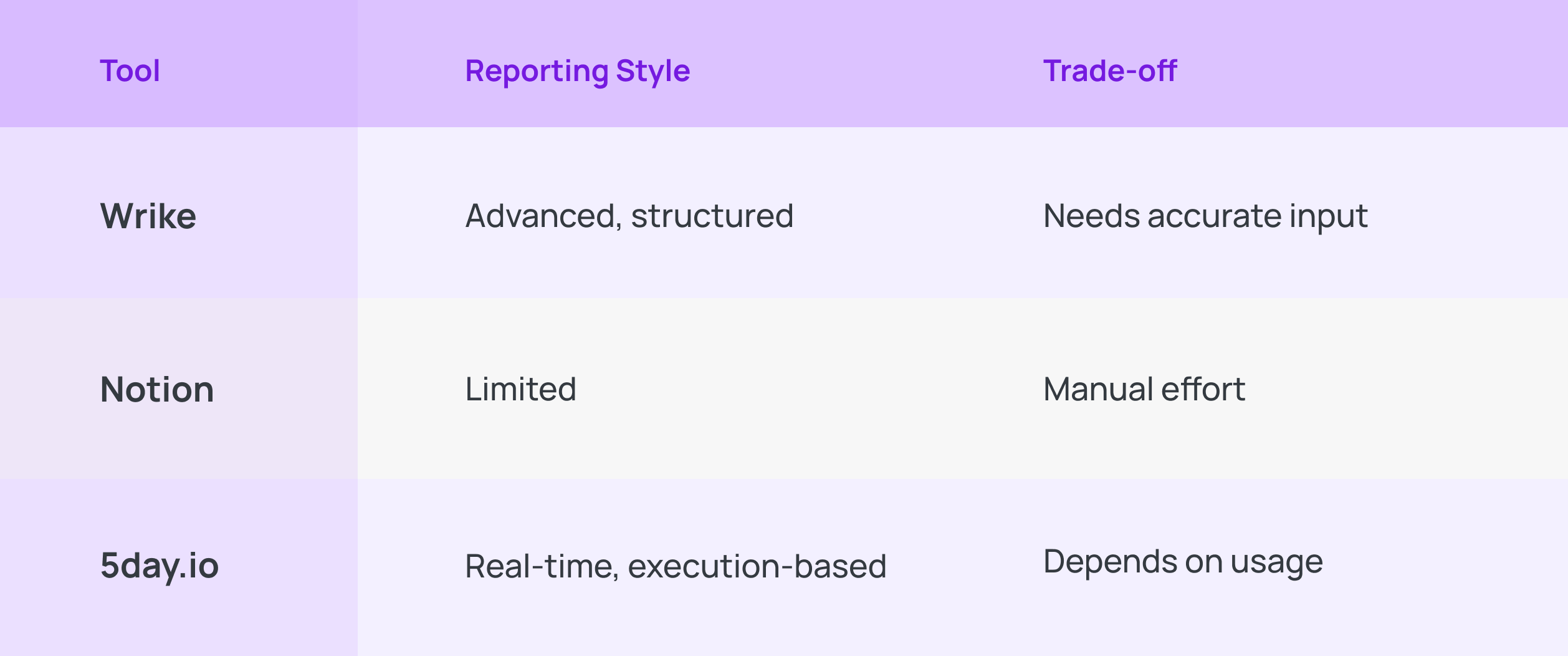
Reporting in Wrike is only as good as what goes into it. If tasks are not updated on time, the reports begin to drift away from reality.
You might find yourself asking, “Is this actually accurate?”, and then going back to people to confirm.
There’s also a second layer to it.
Because Wrike can do so much, dashboards, automations, custom views, it can feel like a lot, especially for teams still getting comfortable with the tool. Some people lean into it and build useful views. Others feel overwhelmed and stick to the basics.
So, reporting becomes powerful, but also uneven.
Notion
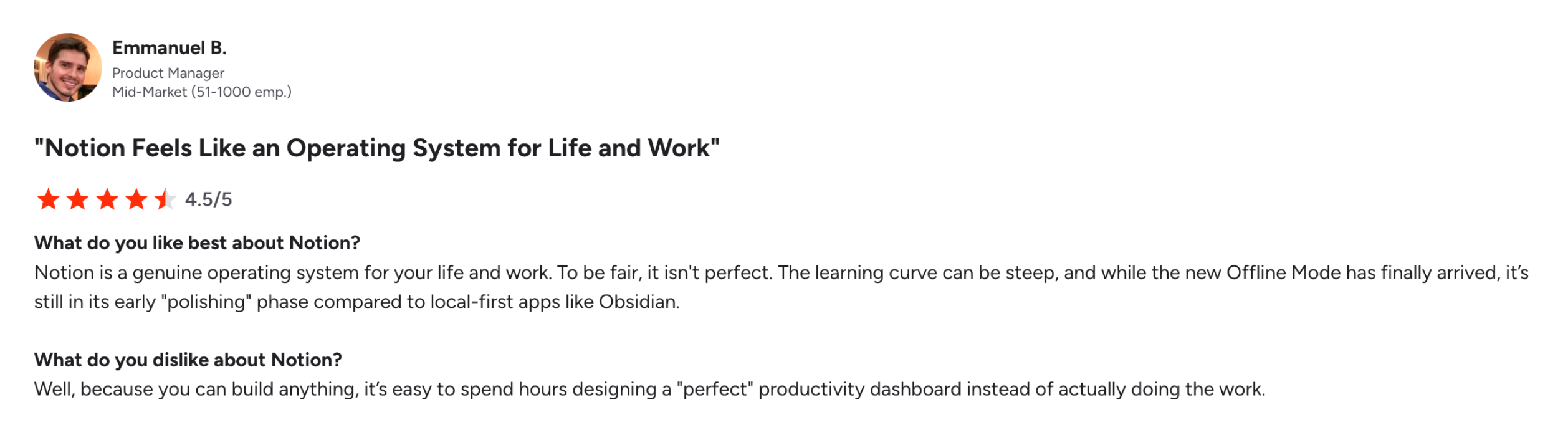
With Notion, reporting doesn’t really exist unless you build it.
You’re not limited by the tool. You can shape your own reporting exactly the way you need.
But then something interesting starts to happen. You spend time building the system, trying to get everything to look just right, and before you know it, you’re investing a lot of effort into creating the perfect dashboard.
5day.io
5day.io treats reporting as something that should come directly from execution, not something you build separately.
Because tasks, time tracking, progress, and collaboration all happen inside the system, reporting becomes a natural output of that activity.
At the project level, you already have dashboards with multiple views, charts, timelines, and metrics that reflect both task progress and time usage without needing manual setup.
Time tracking is also built into the same flow.
You can log time in different ways, track billable vs non-billable work, manage approvals, and understand capacity, all without switching systems.
For a project manager, this changes reporting completely.
The only condition is this: Work must happen inside the system.
Pricing
Pricing is often where teams finalize their project management software comparison.
Tool | Free/Starter | Mid-Tier (per user/mo) | Higher Tier (per user/mo) | Enterprise |
Wrike | $0 (basic tasks) | Team: $10 | Pinnacle/Apex: | |
Notion | $0 (limited blocks for teams) | |||
5day.io | Starter: $0 (up to 5 users) |
Wrike follows a tiered pricing model that aligns with its structured, enterprise-ready positioning. As teams scale and require more control, costs increase alongside capability.
Notion is designed to be accessible. Teams can start small, experiment, and expand gradually. It aligns with environments where flexibility matters more than operational rigor.
5day.io is positioned around practical execution value. It balances cost with capabilities that directly support delivery, task management, time tracking, collaboration, and client reporting, without requiring teams to invest heavily in setup or additional tools.
Scalability
Wrike
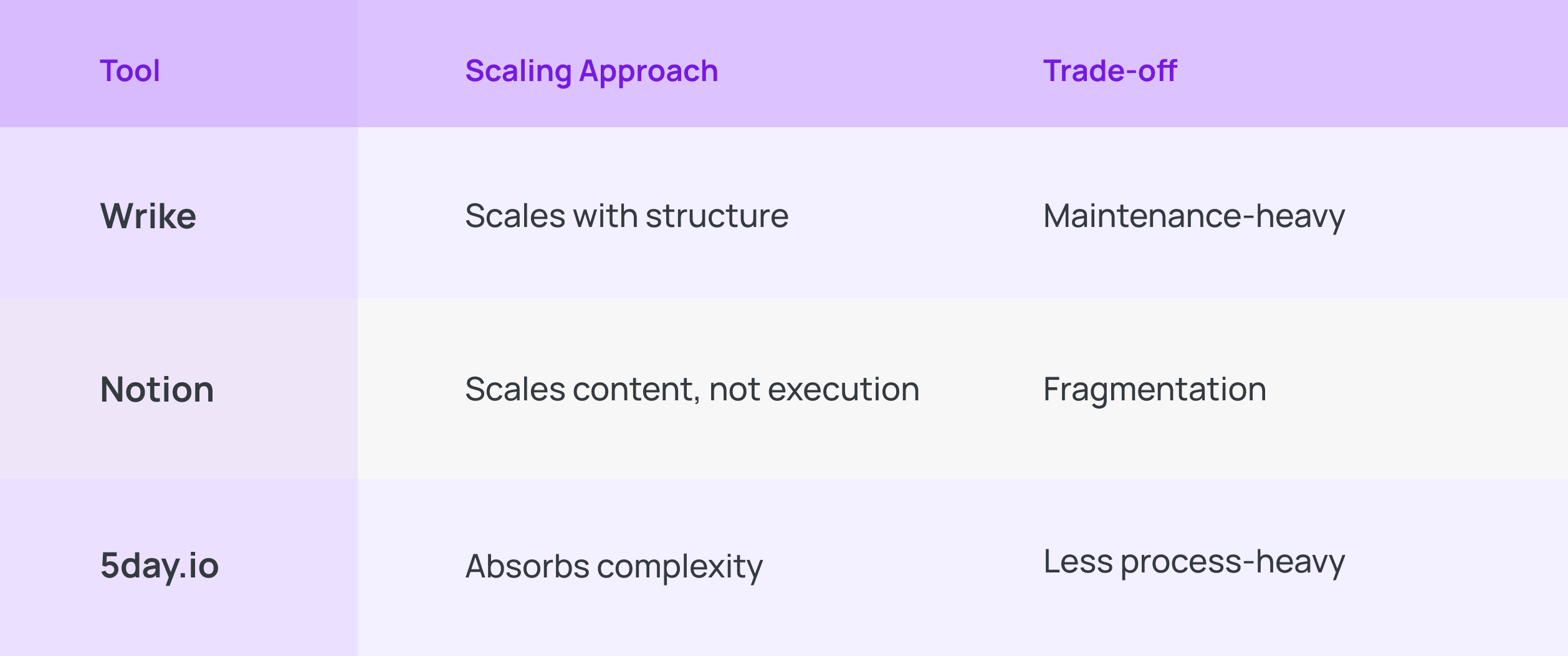
As teams grow, workflows become more detailed and reporting becomes more comprehensive. This supports complexity well, but also increases the effort required to maintain alignment.
Notion
Notion scales by expanding content. Teams can create more pages and databases indefinitely. But execution doesn’t scale in the same way. Over time, work becomes fragmented across spaces.
5day.io
5day.io scales by absorbing more work into the same system.
As teams grow, more projects, more clients, more people, the system expands without requiring you to redesign how you operate.
You can:
- add multiple project owners
- associate clients with projects
- manage roles and permissions
- import work and users in bulk
- customize fields and workflows
all without changing the core way work moves.
That’s the difference.
Since tasks already hold their own context and workflows evolve over time, scaling doesn’t introduce fragmentation or heavy maintenance. The system grows with the work.
What does migration look like?
Understanding how 5day.io compares to Wrike and Notion becomes most visible during migration.
Tool | Migration Experience | What It Feels Like in Practice |
Wrike | Structured and system-driven | Migration feels like a reset. Teams pause to define workflows, rebuild hierarchies, and align on processes before work begins. This creates strong clarity and control, but requires time, planning, and often training. |
Notion | Instant and flexible | Migration feels effortless at first. Teams can move in and start working immediately, recreating docs and workflows as they go. Over time, structure needs to be built manually, which can lead to inconsistencies across teams. |
5day.io | Fast, adaptive, execution-led | Migration feels almost invisible. Teams can start executing immediately, adding structure, workflows, and context progressively as work unfolds, without pausing for setup or disrupting delivery. |
How to decide if it’s the right fit for you: Wrike, Notion, or 5day.io?
- Look at where your team spends most of its energy, planning, thinking, or executing. The tool should strengthen that dominant mode, not fight it.
- If your work depends on coordination across multiple people, timelines, and dependencies, Wrike will give you the structure to keep everything aligned and visible.
- If your work begins as ideas that need to be shaped, and documented before they move forward, Notion will feel like a natural extension of how your team already works.
- If your environment is driven by delivery, campaigns, client work, fast turnarounds, 5day.io will help you maintain momentum without adding friction.
- Pay attention to how often your priorities change. The more fluid your work is, the more important it is to have a system that adapts without needing constant reconfiguration.
- Think about how your team handles visibility. Do you rely on structured tracking or real-time progress? Each tool supports a different approach.
- Consider how much effort your team is willing to invest in maintaining the system. Some tools reward discipline and upkeep, while others reduce that overhead but require more self-organization.
- Reflect on how your team collaborates, whether conversations happen in structured threads, shared documents, or directly within execution will shape how smoothly work moves.
- Choose the tool that feels natural to operate even when things are moving fast, and priorities are unclear.
Wrapping up
If your team is tired of setting up systems one after another, instead of getting work done, it might be time to try something different, something new and refreshing like 5day.io. Start a 30-day free trial with 5day.io and see what execution-first work feels like.