
This is a piece about how we, the marketing team at 5day.io, use 5day.io.
We figured, there’s no better way to show a product’s capability than to show how real marketing people use a tool built for marketing. We’re a team with shifting priorities and five people trying not to trip over each other’s work. If that sounds like your team, good. That’s exactly who this is for.
I’m not writing this to sell you a dream workflow. We run campaigns the same chaotic way most small marketing teams do, and we happened to build the system that keeps that chaos from turning into missed deadlines. So, we want to show you what it looks like and how 5day.io helps us, week to week. This piece walks through real project management use cases from a team that builds the tool for you.
Do you even need a dedicated system at 5 people?
You probably don’t need a dedicated marketing project management tool at all. We asked ourselves the same thing. With five people, how complicated can it really be?
We asked ourselves the same thing. When it was just me running marketing solo, I didn’t need a system. A notebook and a good memory was enough. But the moment you add a second person, you’ve added a handoff. A third person adds a dependency.
By the time you’re five people deep, you’ve got content, design, and SEO all touching the same campaign, and no one person holds the whole picture anymore.
That’s the real threshold. The number of handoffs you’re managing.
Additionally, AI has made the work move faster than most teams’ systems can track. A single person can now draft five ad variants, brief a designer, and outline a landing page before lunch.
That’s a good problem to have, until you realize now your bottleneck is knowing what’s been created, who reviewed it, and what’s still waiting on approval. Speed without visibility just means you’re moving fast toward confusion.
AI has raised the cost of not having a system. When output triples but your tracking stays the same, more work slips through. We felt this ourselves: the moment we started using AI to speed up drafts and research, our task backlog stopped being the bottleneck. Coordination became the bottleneck instead. Let’s look at the aspects 5day.io made it simpler.
Bringing every campaign into one workspace
The next question was simple: where does everything live?
For us, that’s 5day.io itself. It’s a project management software for marketing teams. It’s structured the same way we think about our work. We’ve got a dedicated workspace for marketing, split into inbound and outbound, the two halves of everything we do. Inside each, every campaign gets its own project.
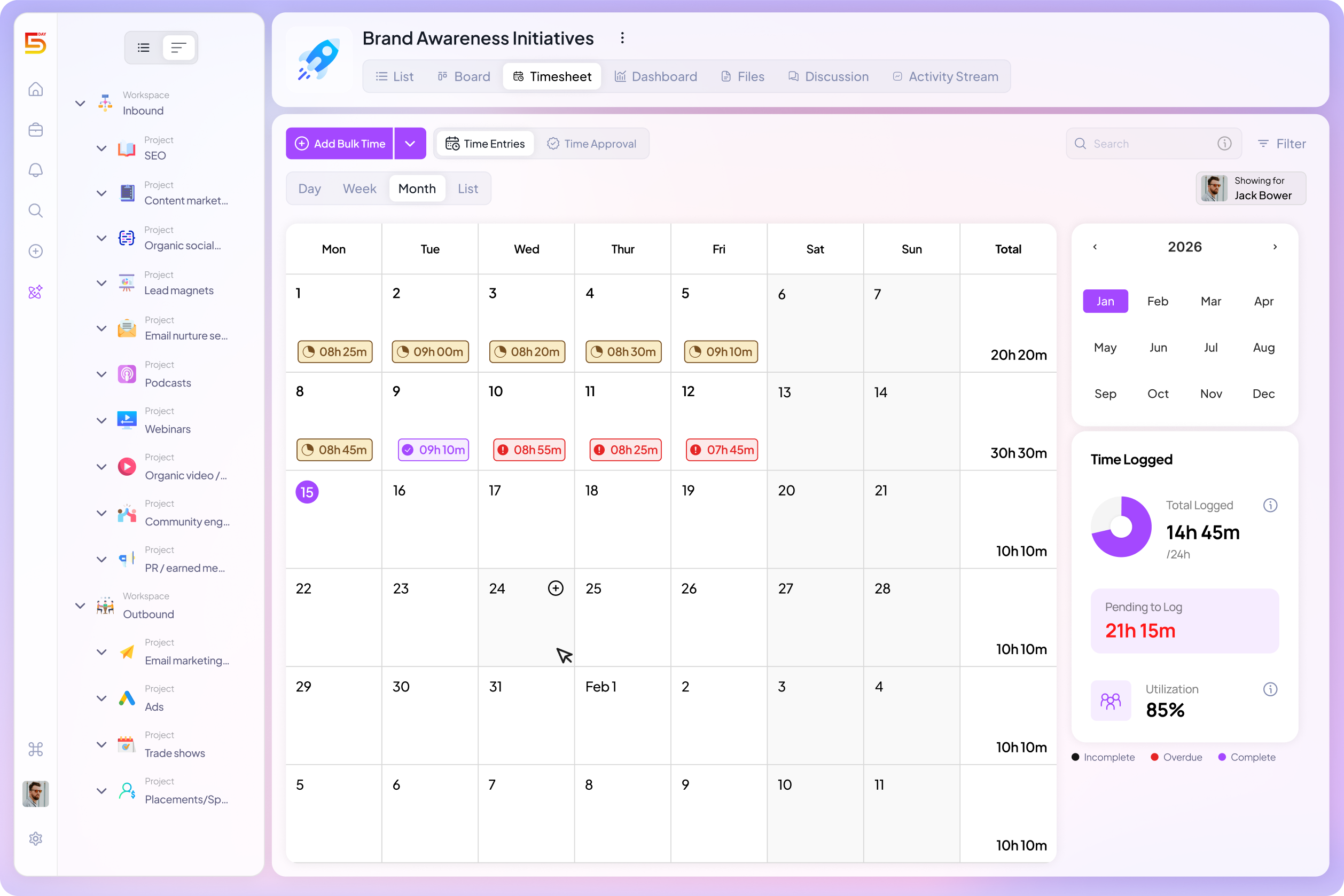
From there, we break projects into sections, usually a month-by-month calendar breakdown. The sections are broken into tasks and subtasks assigned to whoever’s doing the work. A single blog post, for example, isn’t just “a task.” It’s a writer’s draft, a designer’s graphics, an SEO pass, and a final review, each visible as its own piece.
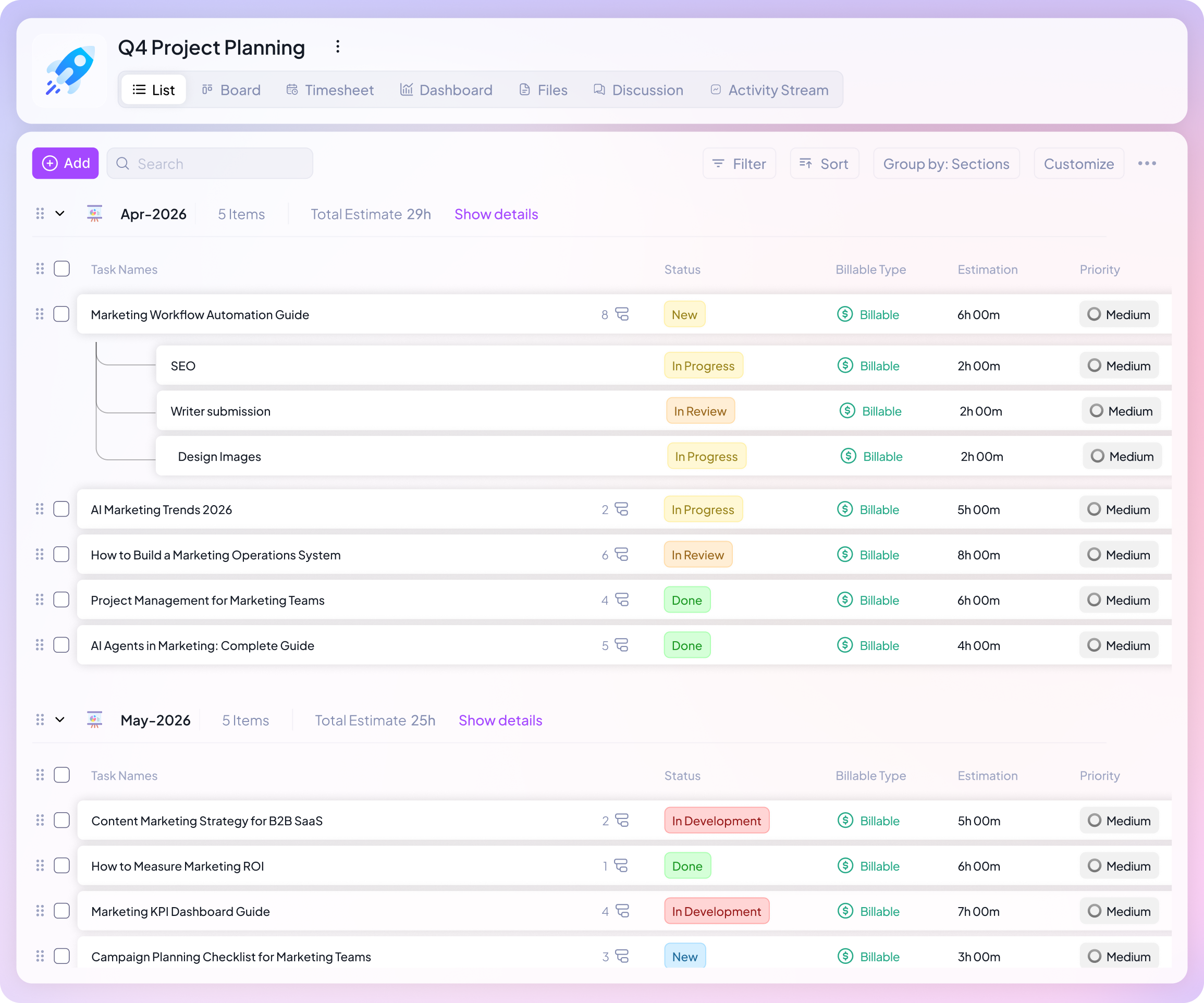
With a structure like this, every initiative has one home, and anyone on the team can drop in and know what’s happening without pinging a single person for an update.
Project Management for Marketing Teams: Our Marketing Team Use Cases
Planning work
Planning and tracking work without extra meetings
Knowing where a campaign lives is one thing. Knowing where it stands is another.
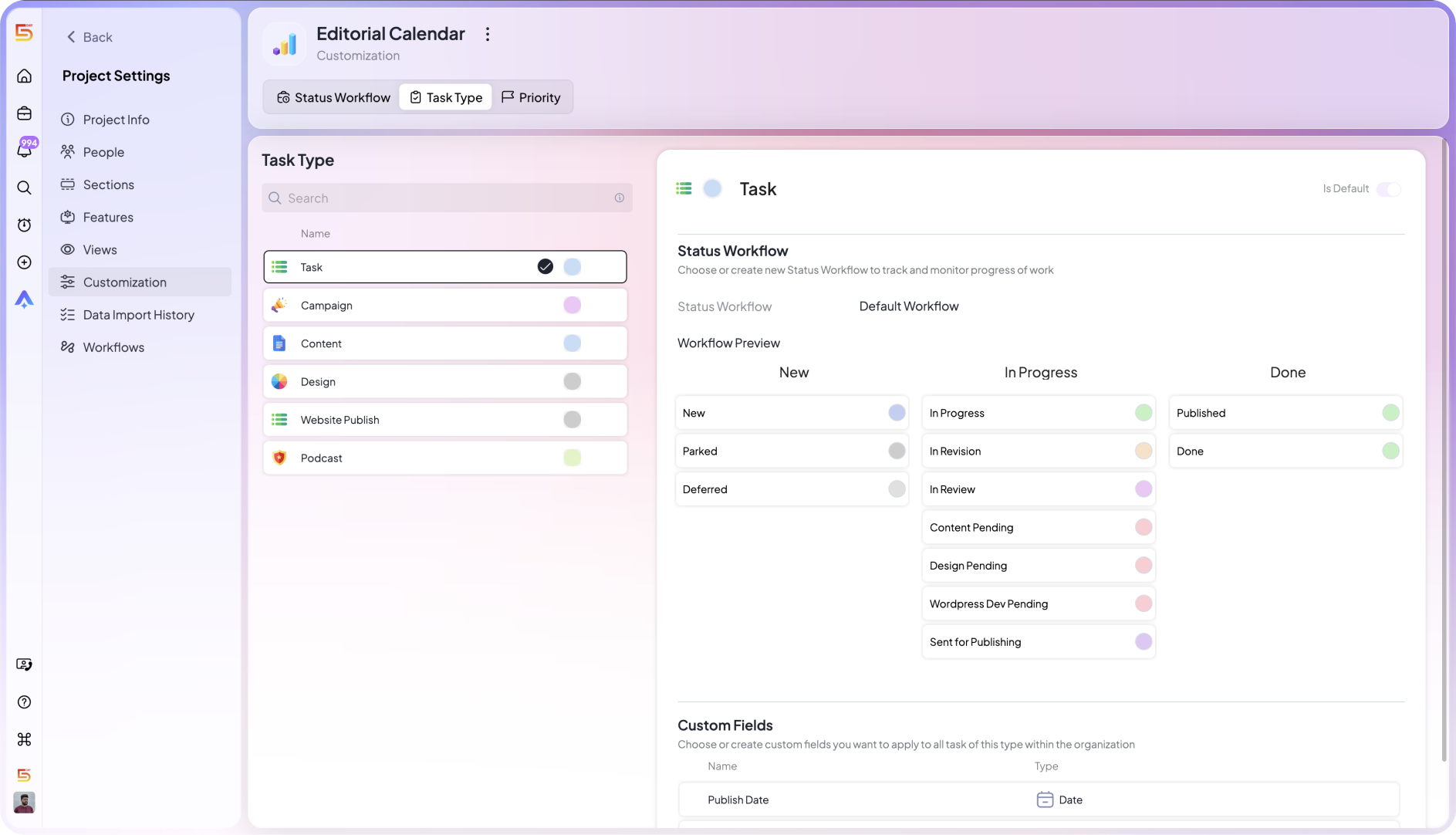
We handle marketing task management with custom status workflows for every task. This means, every micro department like content writing, podcasting, email marketing, designing, has a workflow attached to it.
We then attach a specific automation workflow to tasks and add an automation to it. So, every time a status is updated, let’s say from writing to editing, the tool automatically:
- assigns the editor the task
- Updates the deadline
- And send the designer a message to start working on the design
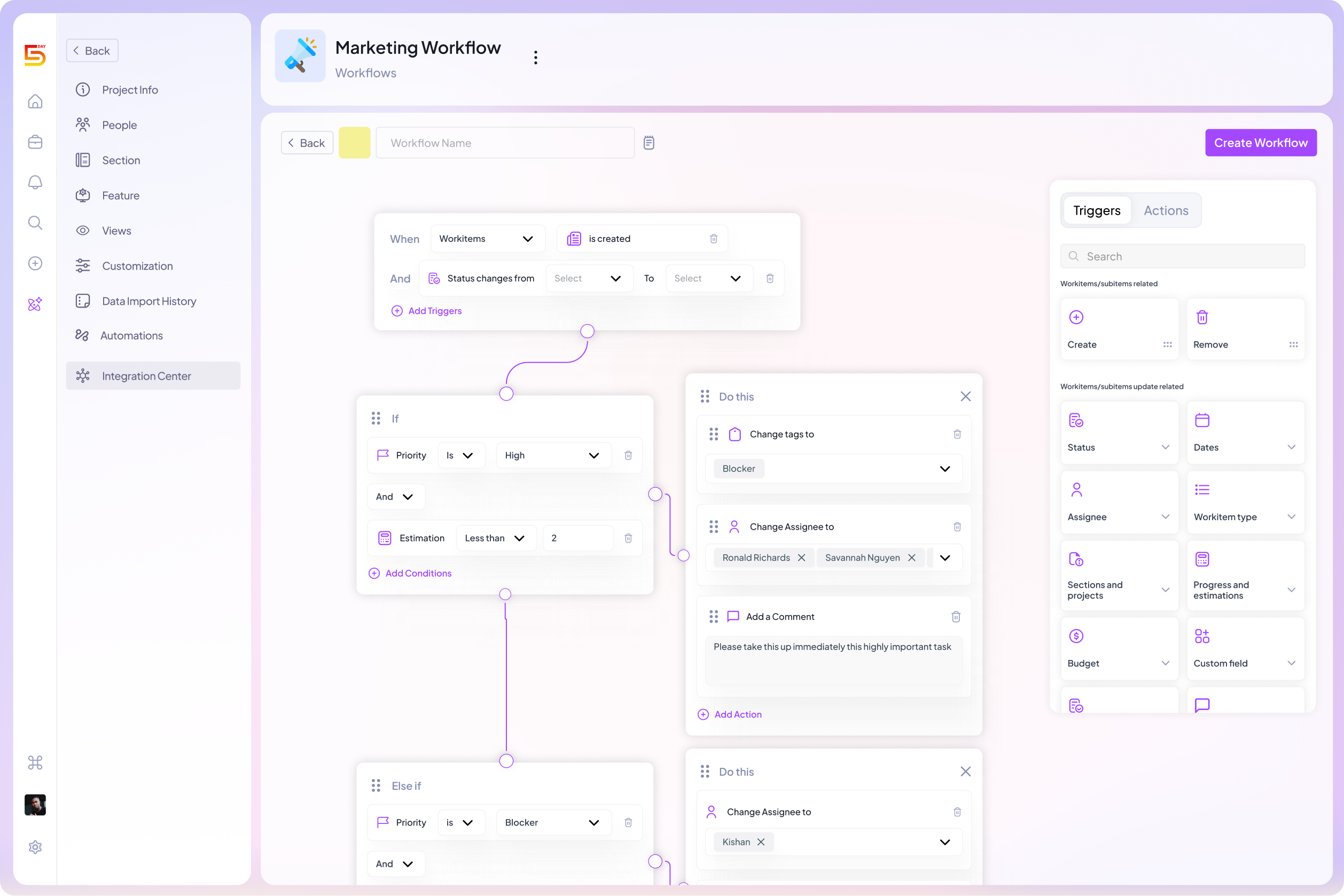
Task types and statuses map to how each role works, so progress means the same thing to everyone looking at it. Priority levels sit right alongside status, so when a stakeholder shifts what matters most, we’re not digging through a backlog to figure out what to drop.
That covers individual tasks. But campaigns aren’t single tasks, they’re weeks of moving parts, and that’s where three views do the heavy lifting for us.
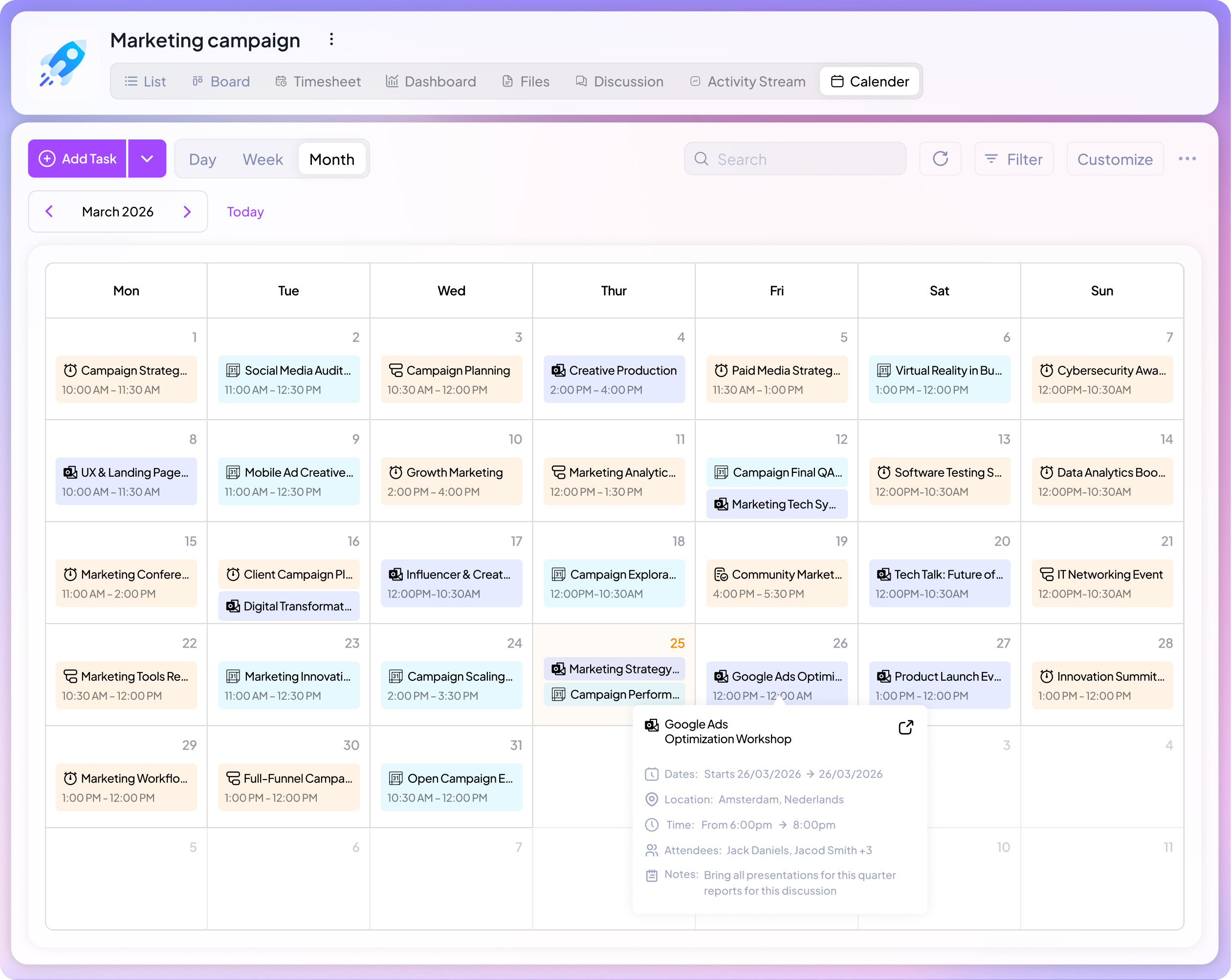
Calendar View is where we do all of our content and campaign scheduling. We can see every post, email, blog, website page, and deadline laid out by day, so nobody’s guessing what’s shipping this week.
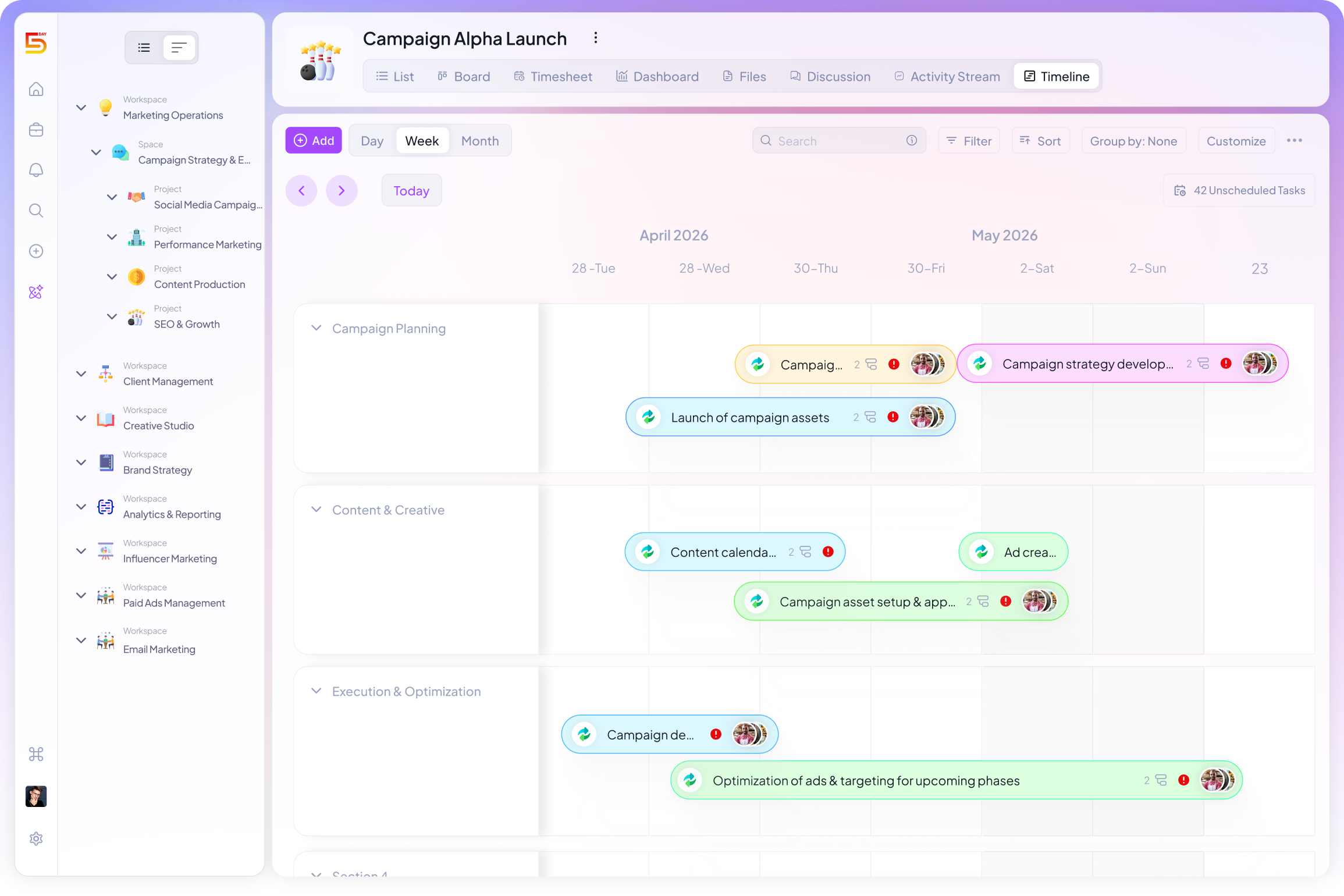
Timeline View zooms out further. We use it to see a whole campaign across weeks, not just what’s due today. When a launch is six weeks out, this is where we catch the gaps early instead of two weeks before the deadline.
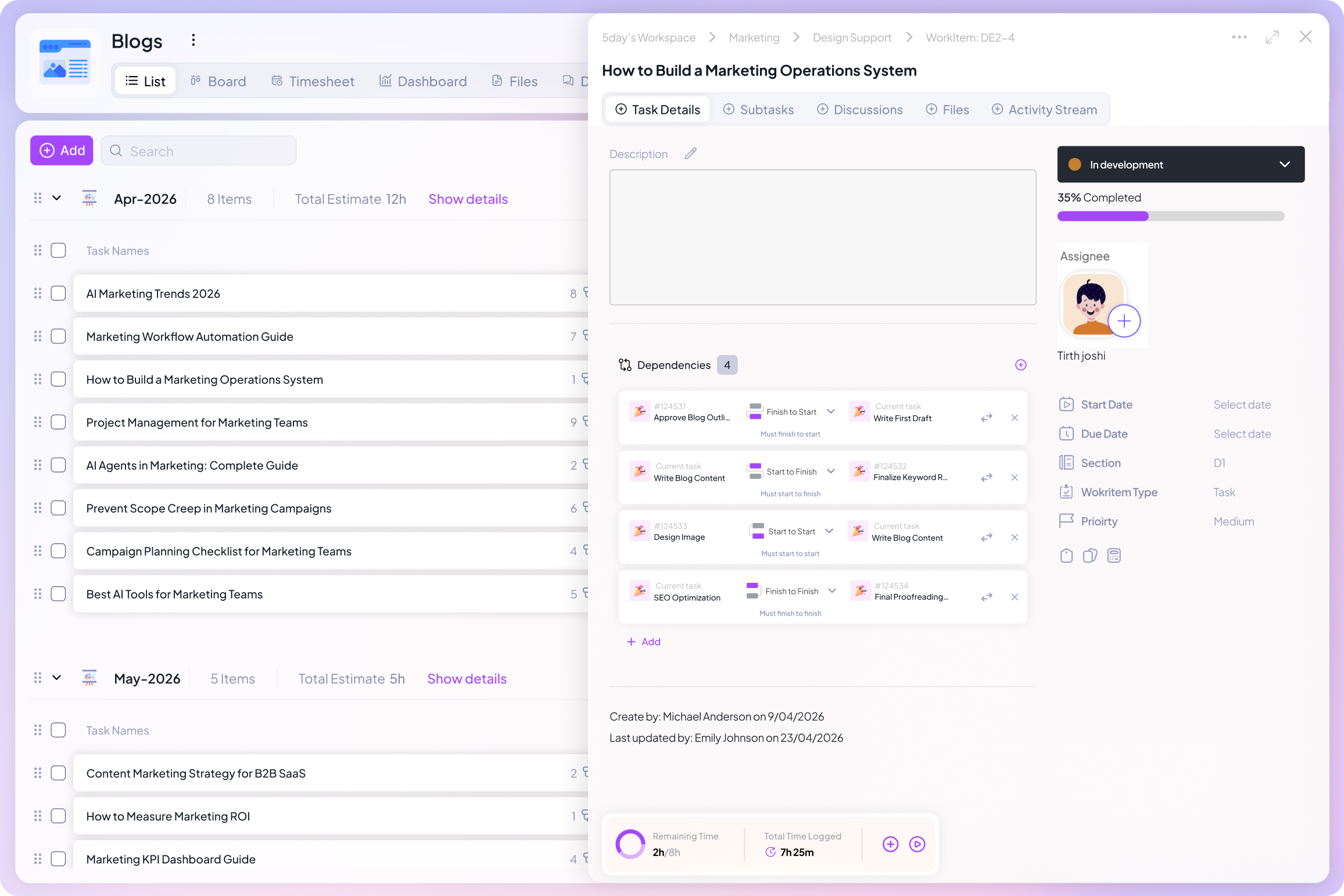
Task Dependency is the one that’s saved us the most headaches. Design literally can’t start until copy is approved. We keep tasks like that locked in until the dependency clears. No one has to remember who’s waiting on whom; the system remembers for you.
Setting up a campaign in minutes
Good marketing campaign management starts before the campaign does. We’ve built out project templates for the campaigns we run most, a feature launch, a paid social push, an email sequence, and more. Each template is already structured with the sections, tasks, tags, and assignees we know we’ll need.
This way, when we kick off a new campaign, we’re not starting from a blank page.
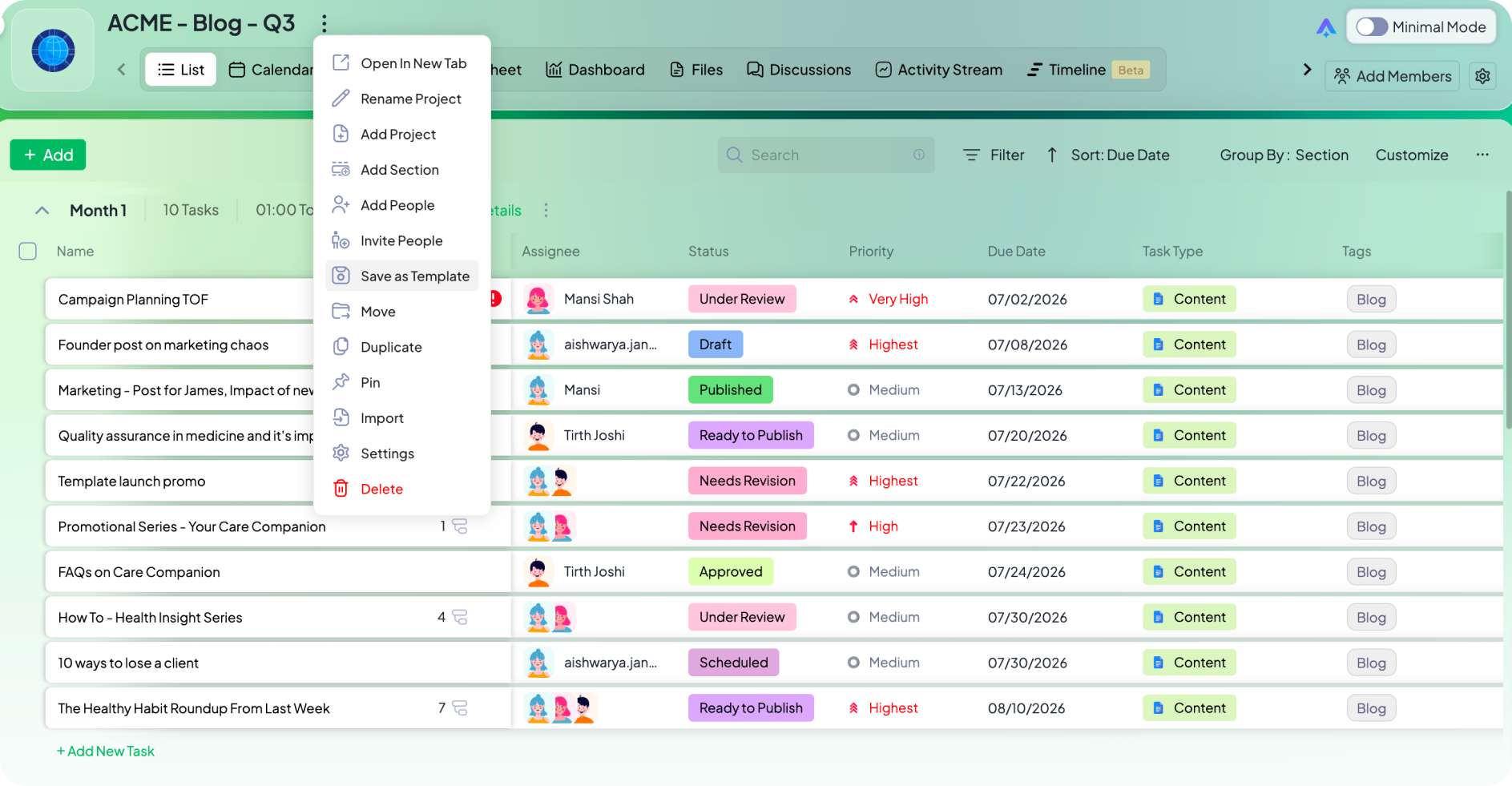
A template isn’t just a shortcut — it’s your team’s memory, saved. If we tweak a workflow and it works better, we update the template once. Every campaign after that starts smarter, not just faster.
We also draw on 5day.io’s library of 100+ pre-built marketing templates when we’re running something new we haven’t done before. That way, we are not starting from zero again.
Auto-building recurring campaigns
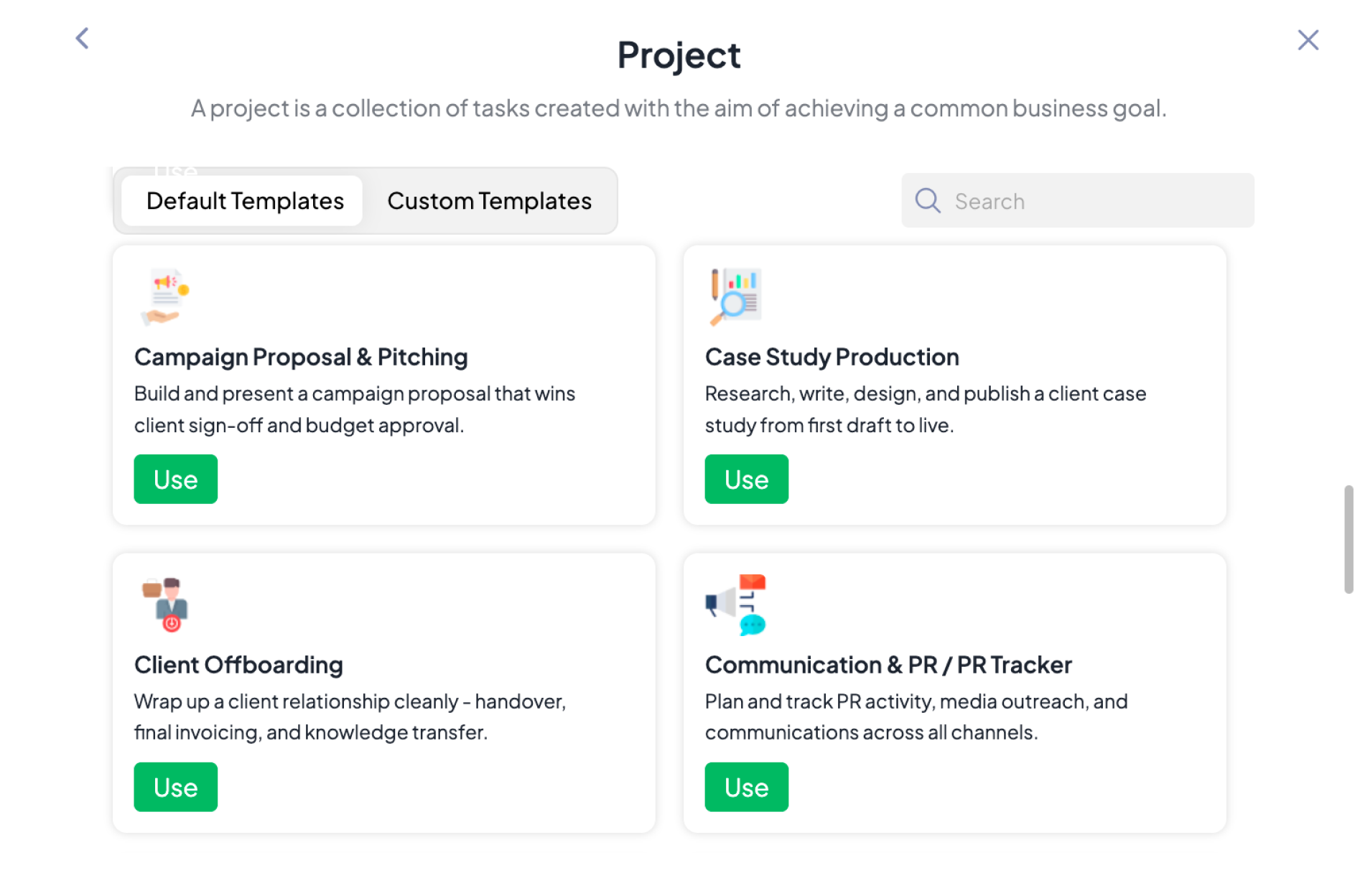
Templates saved us from rebuilding the same campaign structure every time. But we kept running into the same next problem: someone still had to remember to create the project when it was time.
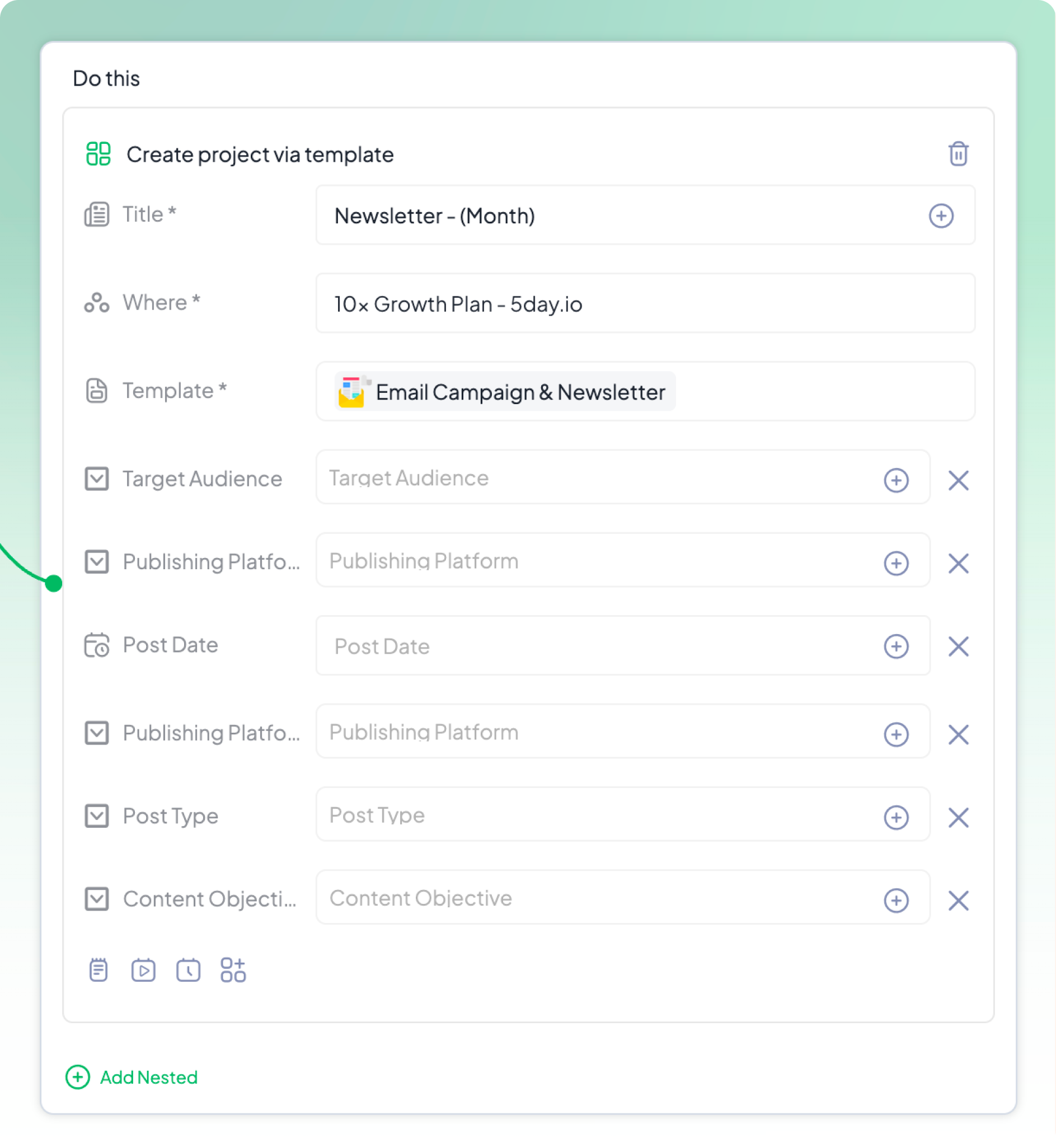
Our monthly newsletter, quarterly reports, recurring client check-ins, these don’t need a person to notice the date and kick things off. So we stopped relying on someone noticing. We set up automation that creates the project from our template on a set date, every time, without anyone lifting a finger.
A campaign that used to depend on someone’s memory now depends on nothing. It just shows up, fully structured, ready for the team to fill in the specifics.
This is a small thing on paper. In practice, it’s the difference between a recurring campaign that occasionally gets missed in a busy week, and one that never does.
Automating the busywork
Some of the best work our team does now isn’t done only by our team at all. And some of it is just plumbing we got tired of doing by hand. Both matter.
There are 2 types of research in marketing. One, the mundane, repetitive stuff, that does not compound your quality, just quantity. And then there’s one that adds to the quality of work you do. We’ve handed off quantity one. Here are some of the workflows we have automated with n8n.
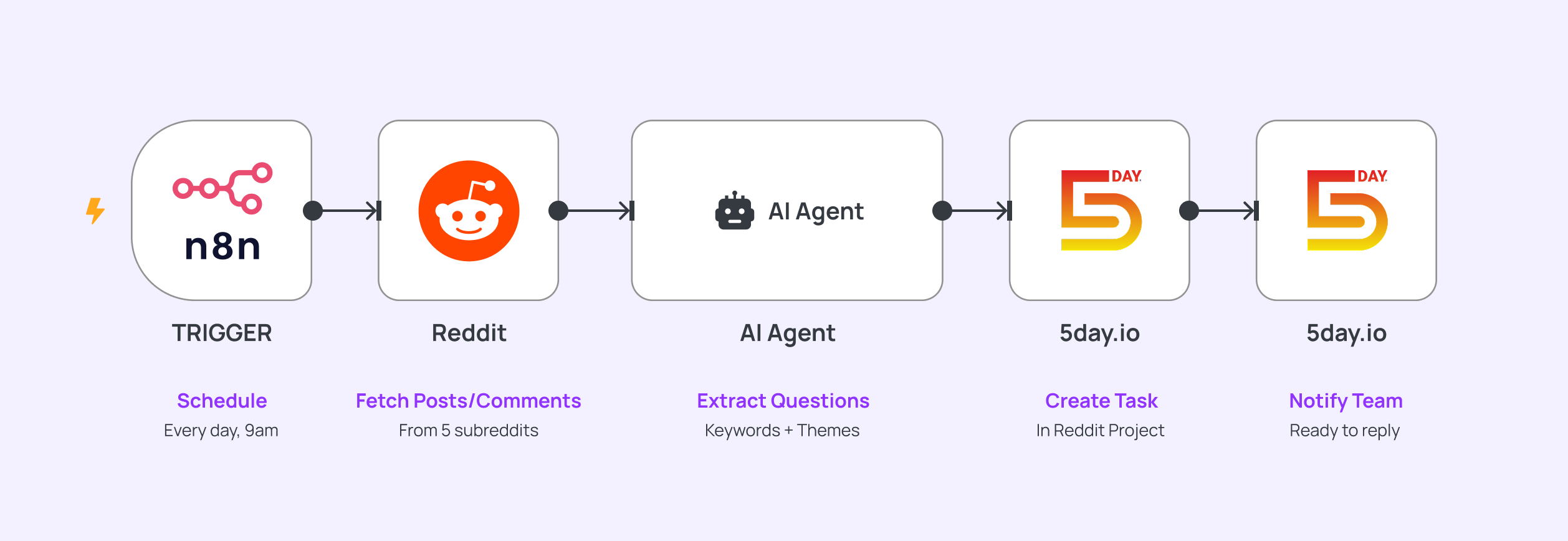
A Reddit agent finds our audience’s actual questions
It scans relevant subreddits, pulls out recurring keywords and questions people are genuinely asking, and drops them into a task in our Reddit project. We don’t scroll. We just show up and answer.
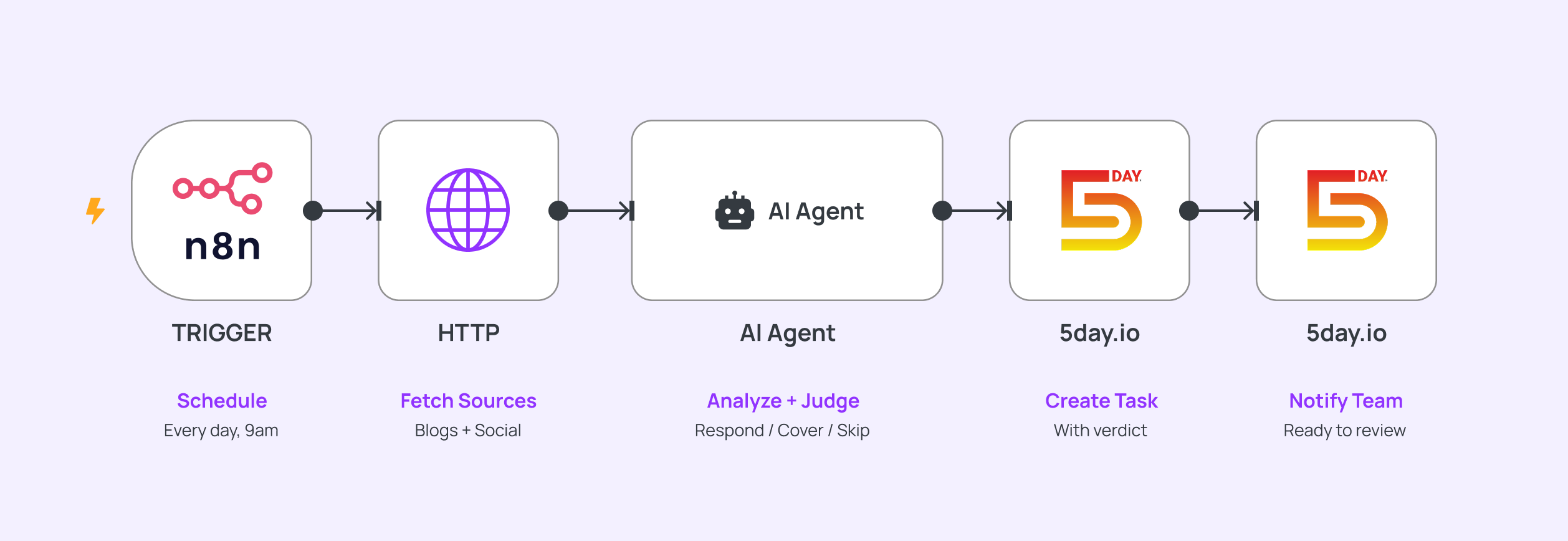
A competitor-watching agent flags what’s going on
It scans competitor blogs and social posts, summarizes what’s new, and creates a task with a straight “should we respond to this or cover it ourselves” prompt, instead of someone manually checking five competitor sites every week.
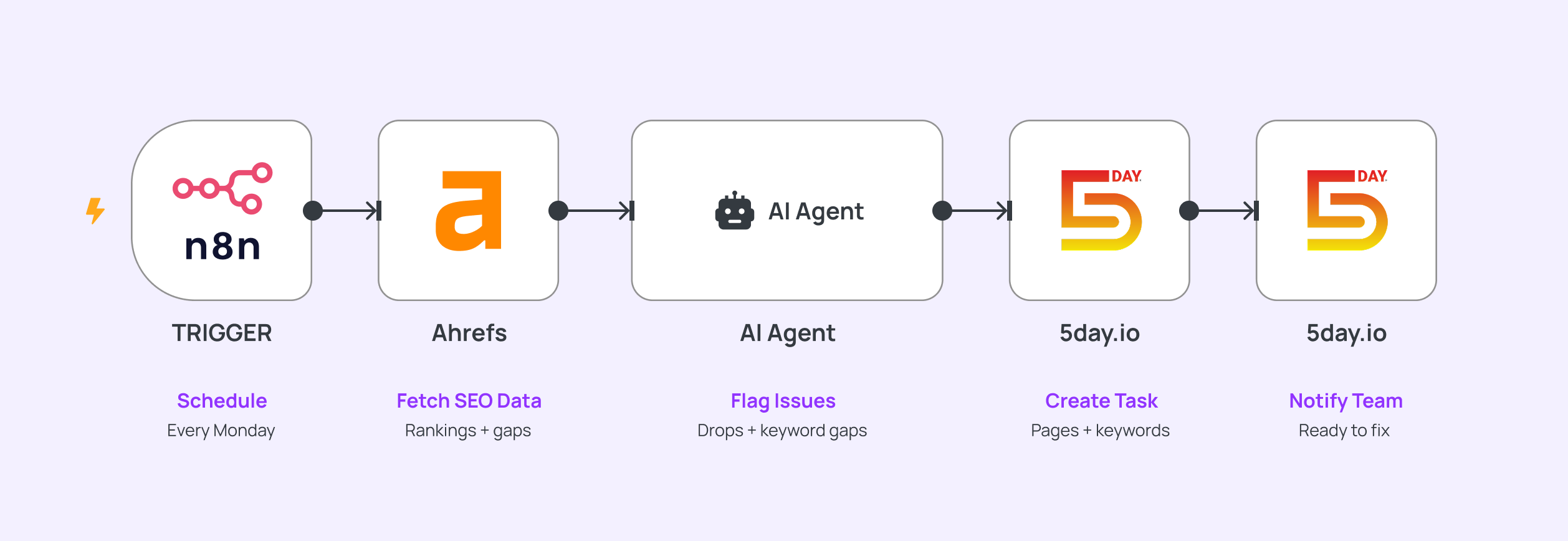
An SEO agent surfaces what needs attention
Pulling from our Ahrefs data, it flags ranking drops and keyword gaps and creates a task naming the specific pages and keywords to look at, no one’s running reports just to find the same three problems again.
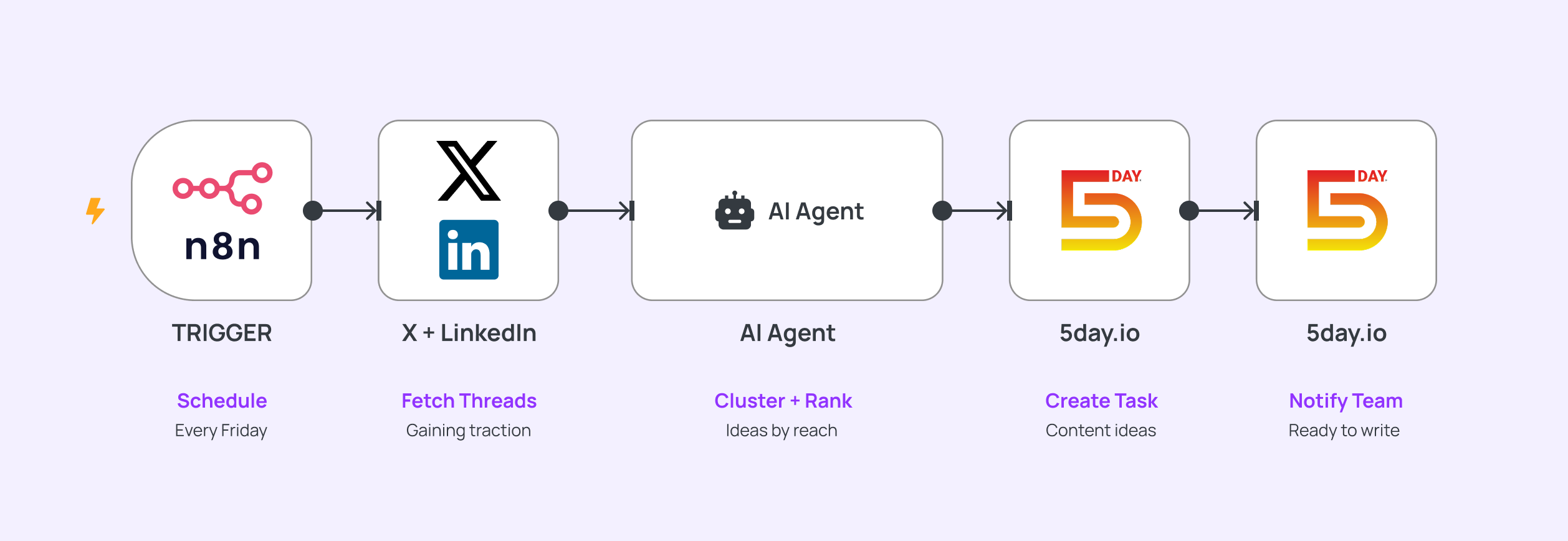
A social listening agent turns trending conversations into content ideas
It watches for threads gaining traction on Twitter and LinkedIn in our space and compiles them into a “content idea” task, so ideation isn’t something we have to sit down and force every week.
The handoffs we stopped doing manually
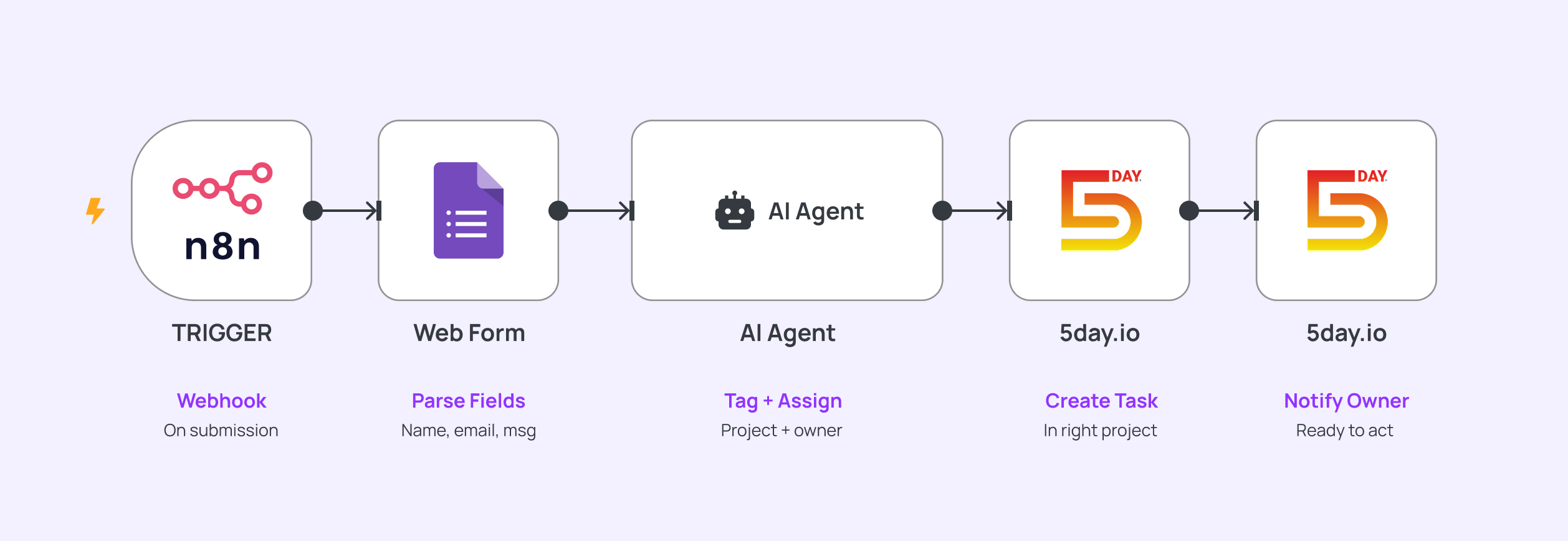
A website form submission creates a task automatically
Someone fills out a contact or lead form on our site, n8n catches it, and a task lands in the right project in 5day.io, tagged and assigned to the right person.
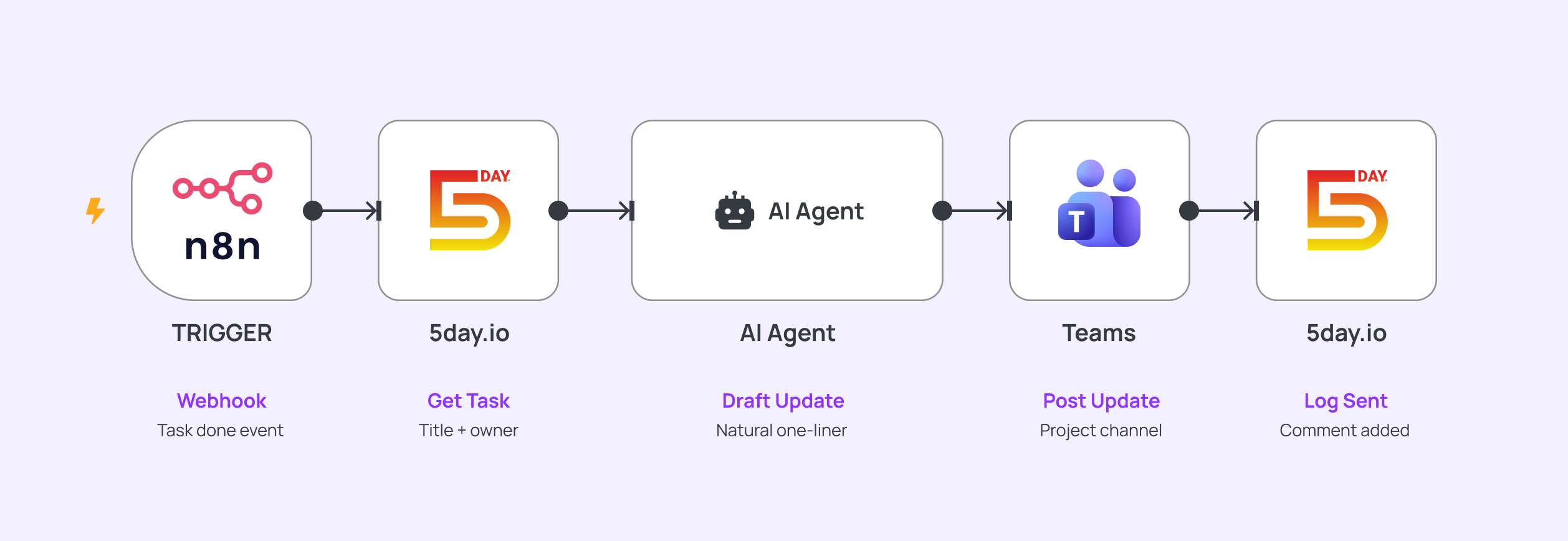
A completed task posts an update to Teams
When a task moves to “Done,” n8n picks it up and drops a one-line update into the relevant Teams channel. Stakeholders see progress in real time without opening 5day.io or asking for a status check.
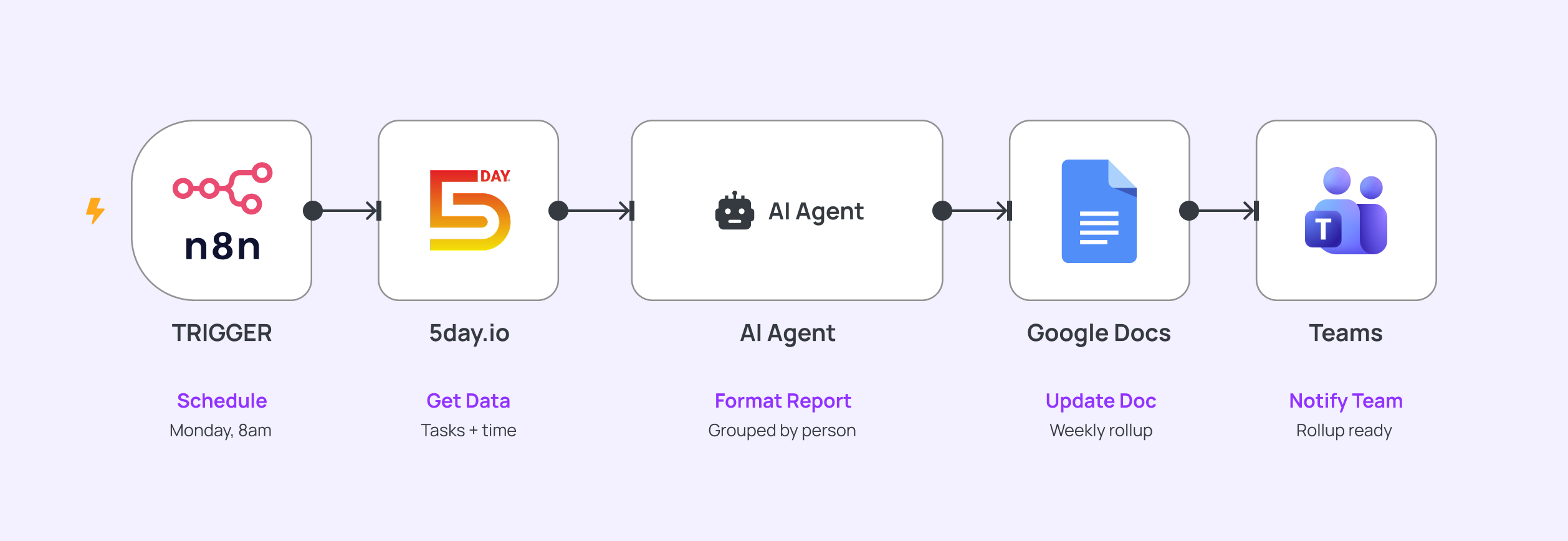
A weekly rollup builds itself
Every Monday, n8n pulls the past week’s completed tasks and time logs, formats them, and drops a mini status report into a shared doc, before anyone’s even had coffee.
We’re not automating the thinking here. Instead, it’s the background work and the handoffs that used to happen before real work could even start. By the time something lands in 5day.io, half the job’s already done, all that’s left is the part that actually needs a human.
Keeping conversations and files in one place
It’s common in marketing to go through multiple revision of the same crative. Our team is no different.
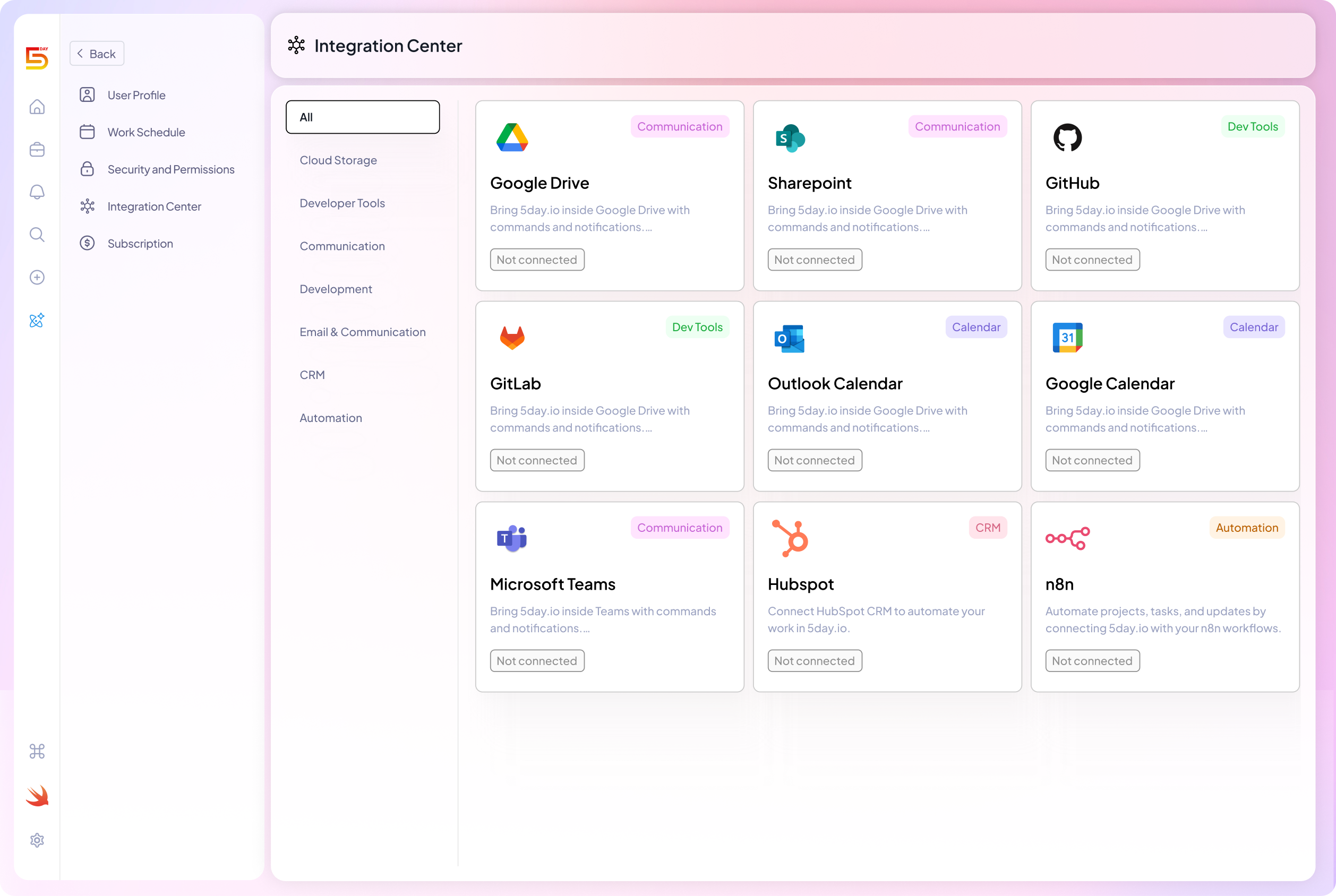
To manage this better, we have integrated Google Drive, OneDrive, Canva, Microsoft Teams, and every other relevant tool directly into 5day.io. This works at the minutest level like the task, and subtask.
A writer drafts in Google Docs and attaches it straight to the task. A reviewer opens that same task, comments on it, tags whoever needs to see it. If your team runs standups in Teams, task updates surface there too, so nobody’s checking two places to know where something stands.
We use three levels here, deliberately:
Project-level files and discussions for changes that affect the whole campaign. Things like a shifted timeline, new research, a stakeholder update everyone needs to see.
Task-level files and discussions for progress on one specific piece, like where the digital assets for a campaign stand.
Subtask-level files and discussions for the back-and-forth between the two or three people doing the work. A designer and a writer can go four rounds on one asset without pulling the whole team into every comment.
Balancing workload across a small team
On a five-person team, there’s no HR dashboard telling you someone’s underwater. You find out when they miss a deadline or worse, when they don’t say anything and just burn out quietly.
We use 5day.io’s project analytics to catch this before it becomes a problem. It shows us capacity by person, so we can see when one person’s holding six active tasks while someone else has two. That’s not a performance conversation. It’s a five-minute rebalancing before it becomes one.
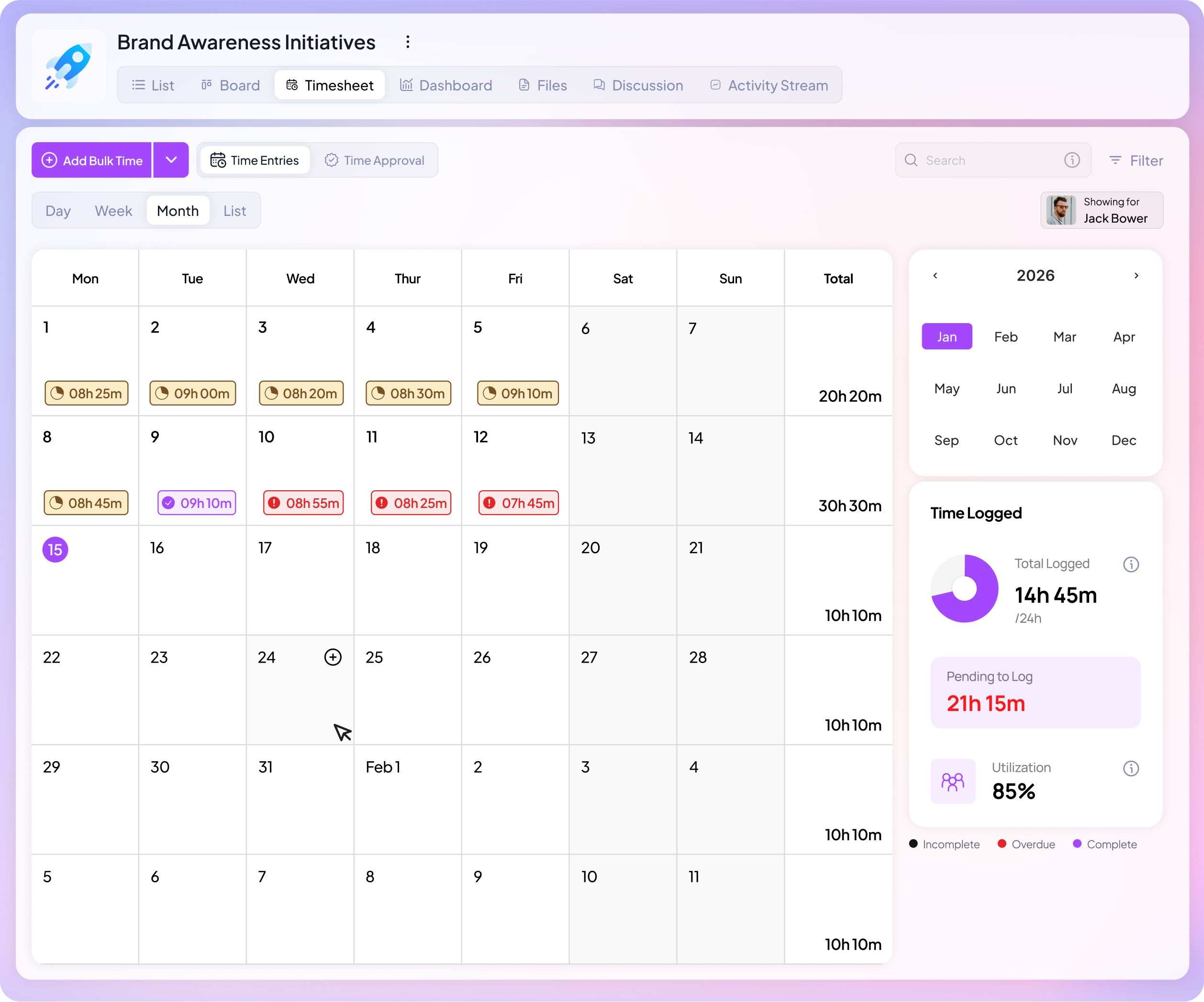
For a small team, this matters more than it would on a bigger one as there’s no backup layer, no spare capacity sitting around. If one person’s overloaded, the whole campaign feels it, not just them.
It also made us better at estimating. When the same type of task consistently runs over on one person’s plate but not another’s, that’s useful information about the work itself and where it needs more room.
Reporting progress without a status meeting
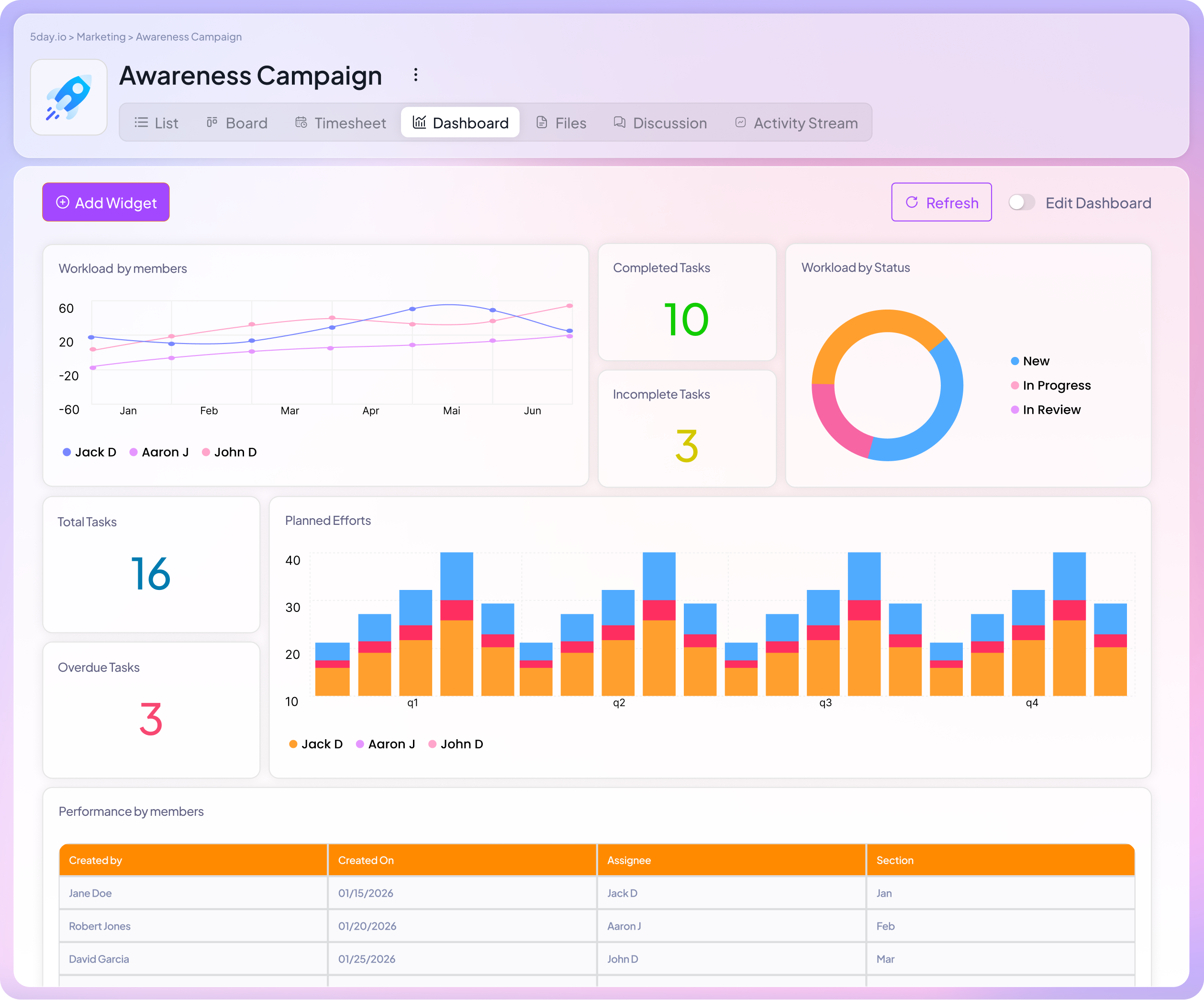
Stakeholders don’t actually want a meeting. They want to know things are on track, and a meeting is just the only way they’ve learned to get that.
We stopped relying on status calls to communicate progress. Between project analytics, time tracking, and the automated weekly rollups we mentioned earlier, most of what a stakeholder would ask in a sync is already visible before they ask it.
When someone can open a project and see exactly where it stands, you’ve turned a 30-minute meeting into a two-minute check. It leads to fewer interruptions and avoids pulling the team out of work to explain the work.
Since moving our workflow into 5day.io, we’ve cut task delays by 30% and reduced workload bottlenecks by 25%.
We hit 95% of our deadlines consistently now as we can see problems while they’re still small enough to fix.
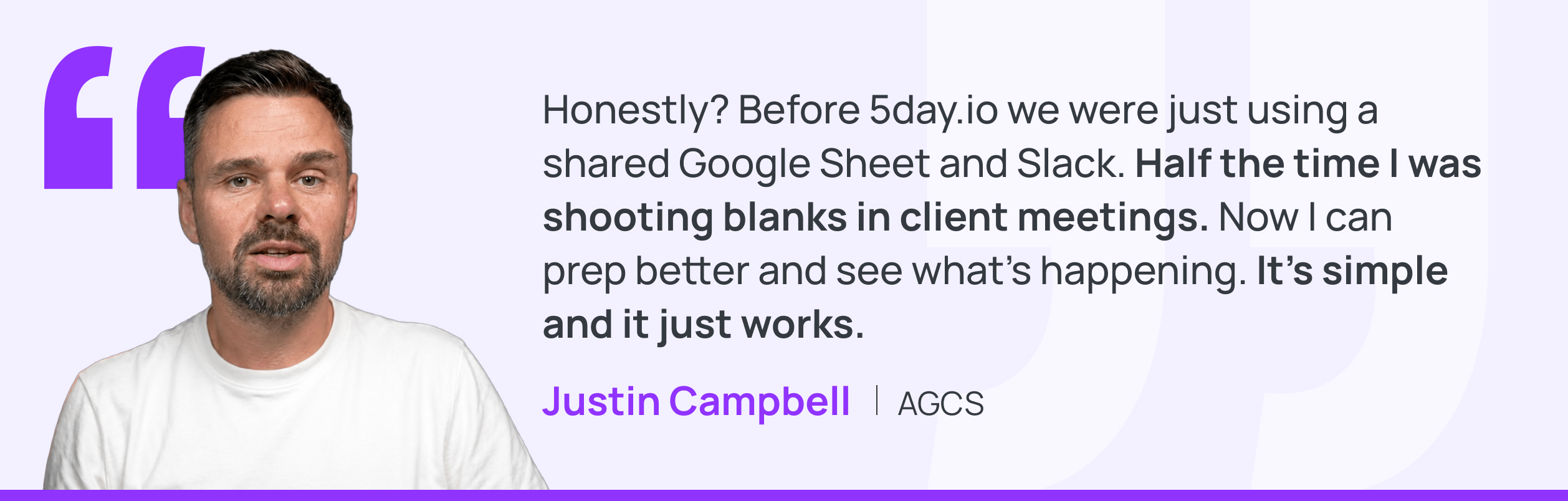
But this is not just the case with us, you can see how other marketing teams using 5day.io have seen similar impacts.
How does this stack up if you’re evaluating other tools
If you’re searching for the best project management software for a marketing agency, you’re probably comparing tools right now, not just reading for fun. Fair enough.
We’re not going to pretend 5day.io is the only project management tool that works for marketing teams. ClickUp, Monday, Asana, Trello, they all solve pieces of this. What we built 5day.io around is different: a system flexible enough for how marketing moves, without needing five other tools bolted on to make it work.
If you want the detailed breakdowns, we’ve written those up separately.
Worth a read if you’re still deciding.
There’s also where we’re headed next. Most tools are bolting generic AI onto existing workflows. You’ll see a chatbot here or a summarizer there.
We’re building Ace, a set of agents that live inside your actual marketing project: your files, your brand guidelines, your past feedback, your goals. It is not a general assistant you have to over-explain your brand to every time, but one that already knows it.
It’s not live yet, so we won’t oversell it here, but it’s built on the same idea as everything else in this piece: less time spent managing the system, more time spent doing the work that needs a human.
Get your marketing team the support it needs to win
Everything in this piece comes down to one thing, we stopped losing time to our own systems and started spending it on the work that moves campaigns forward.
If any part of this sounded like your team, you don’t have to keep working around it.
Start your 30-day free trial and set up your first campaign the way we do. Or if you’d rather see it in action first, book a demo and we’ll walk you through exactly how our own marketing team runs on 5day.io.