

You don’t compare Trello, Asana, and 5day.io unless something in your current setup is already breaking. At agencies, everyone is working, but progress feels dependent on constant checking and follow-ups.
The system shows motion, but it does not create momentum. That discomfort is what brings teams to compare Trello, Asana, and 5day.io. These three tools speak to different moments in that evolution.
Some teams need clarity and calm, a straightforward way to see work and stay aligned. Others are dealing with growing complexity and need a structure that holds under pressure.
Some are already operating at the edge and need execution discipline, where plans reflect real capacity and work reliably gets finished.
This Trello vs asana vs 5day.io comparison is for teams at that inflection point, where visibility alone is no longer enough, and the system must actively support delivery through stronger project resource management.
Quick at-a-glance overview
Trello
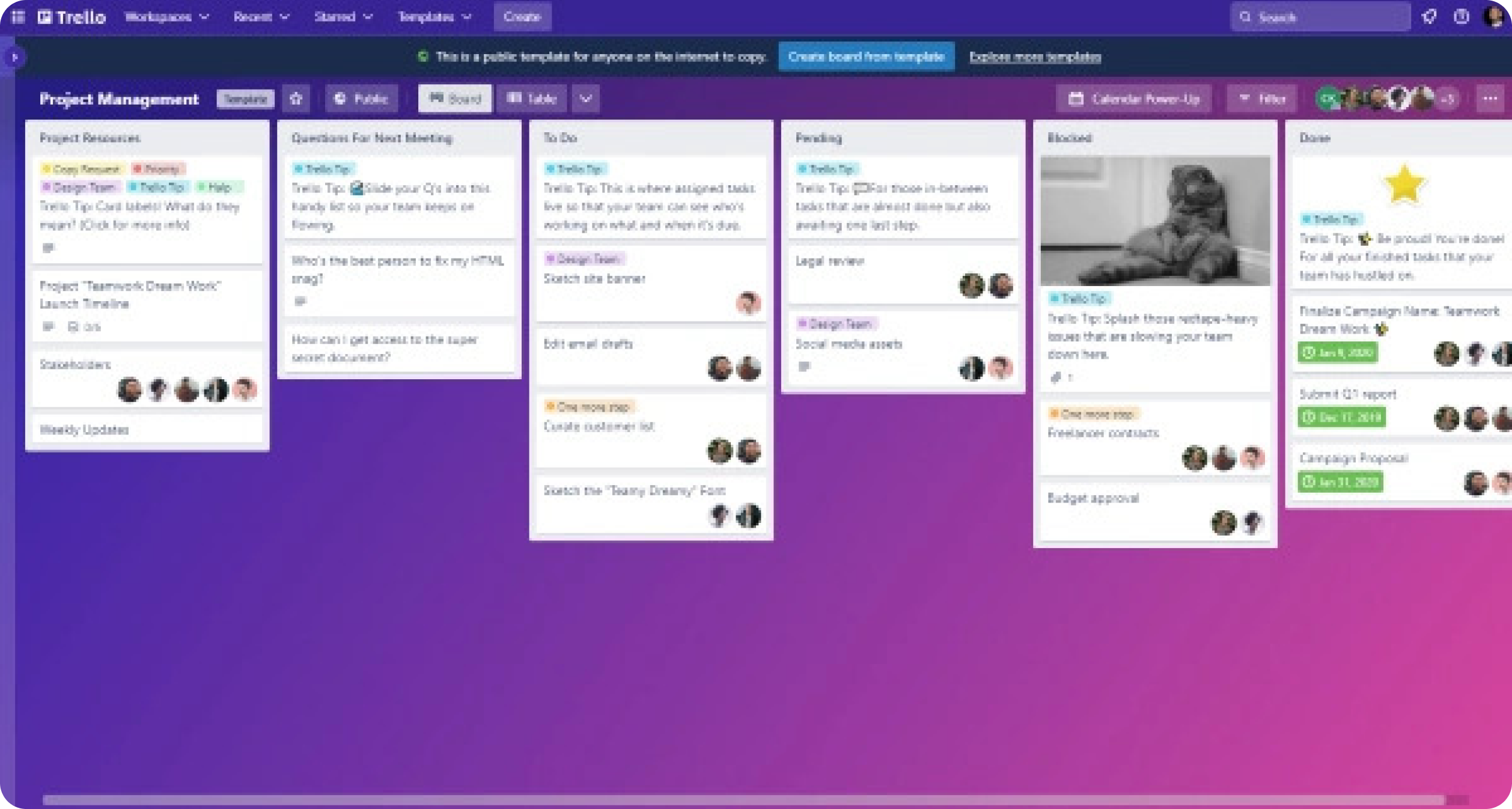
Trello is best known for its visual Kanban boards that make work instantly visible.
It has an extremely low learning curve, which makes it easy for individuals or small teams to start using it without training. It works well when the goal is simple task tracking and lightweight collaboration, without much process overhead.
Asana
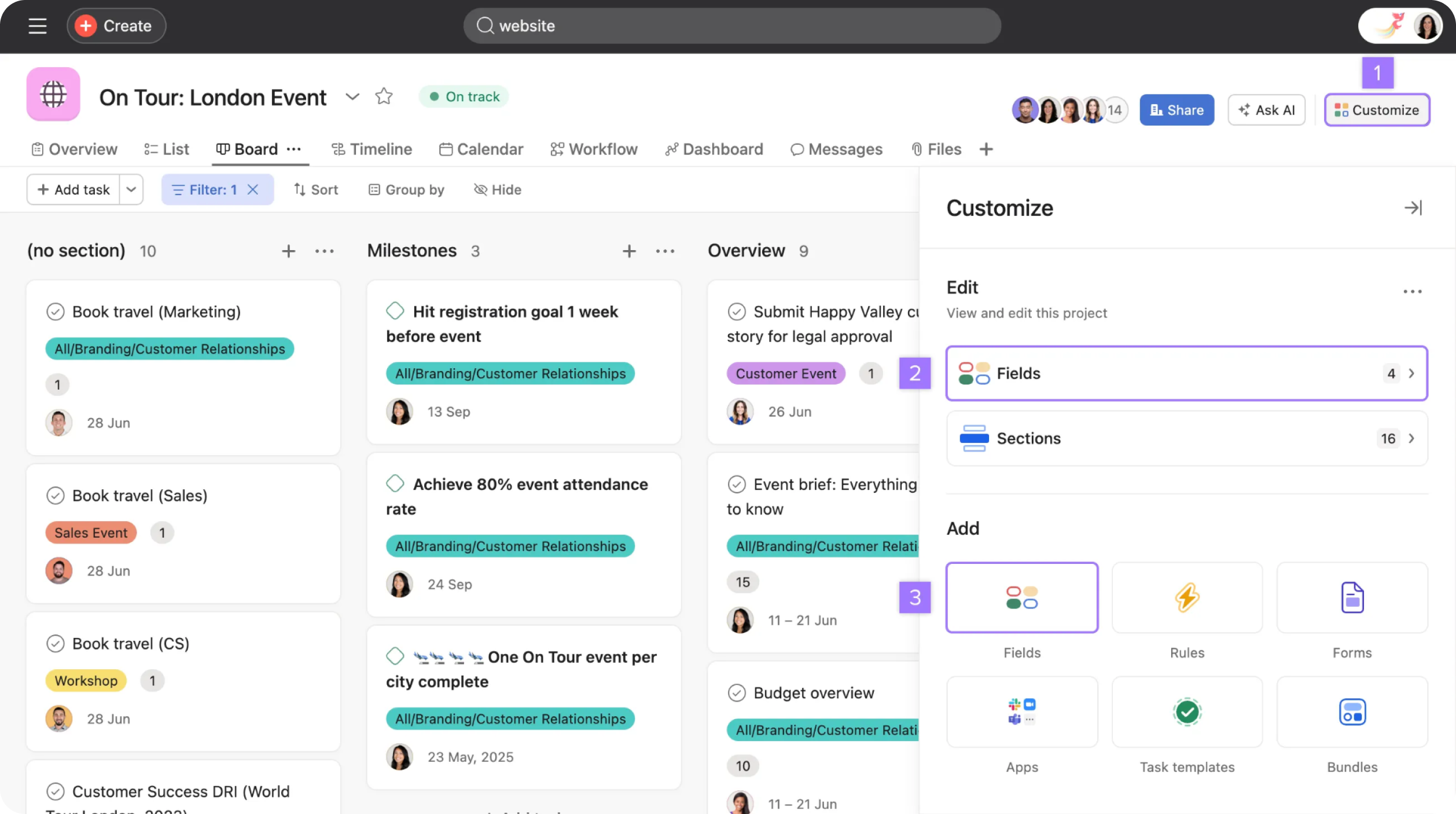
Asana is recognized for its structured approach to project and task management.
It offers deep hierarchies, timelines, workload views, and automation features that support planning across teams and functions. It is commonly chosen by growing organizations that need coordination, dependencies, and long-term visibility across multiple projects.
5day.io
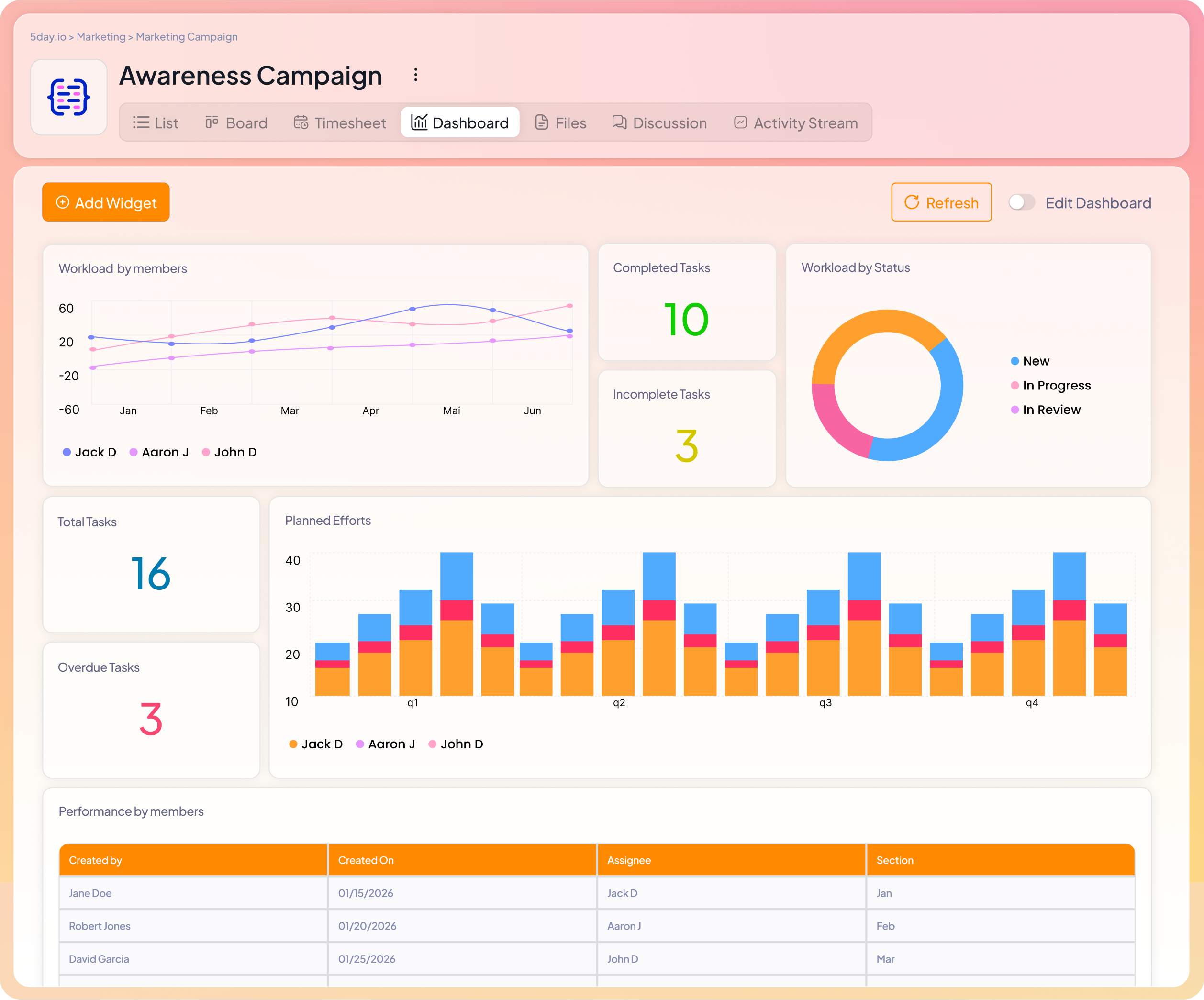
5day.io is designed around the real rhythm of marketing work, essentially the phases it moves through and the level of collaboration it depends on to succeed.
5day.io brings structure to this multi-part flow by organizing work around these natural phases, making it easier for stakeholders to stay aligned without friction.
Writers, designers, demand gen teams, performance marketers, and leadership all operate within a shared framework that reflects how work progresses. This creates clarity on responsibilities and handoffs, helping teams move initiatives forward smoothly.
The result is a more connected way of working.
Trello vs. Asana vs. 5day.io: Comparison table
Core Feature | Trello | Asana | 5day.io |
Task Structure | Cards on lists within boards | Tasks → subtasks → projects → portfolios | Work items are planned into weekly cycles |
Project Hierarchy | Flat | Deep, multi-level | Lightweight, execution-oriented |
Views Available | Board (Kanban) | List, Board, Timeline, Calendar | List, Board, Weekly execution views |
Task Ownership | Optional assignees | Required assignees | Mandatory single owner |
Due Dates | Basic | Advanced with dependencies | Required within the weekly scope |
Dependencies | Not native | Native and robust | Minimal, execution-focused |
Priority Setting | Labels | Custom priority fields | Explicit prioritization per week |
Planning Horizon | Indefinite | Medium to long term | Short-term (weekly) |
Progress Tracking | Manual card movement | Status fields, % complete | Progress + actual effort |
Time Tracking | Via add-ons | Via integrations | Native and built-in |
Capacity Visibility | Not available | Partial (workload view) | Native (capacity, availability) |
Collaboration | Card comments | Task & project discussions | Task-centric, execution-bound |
Automation | Basic (Butler) | Advanced workflow rules | Limited, intentional automation |
Integrations | Wide ecosystem | Very wide ecosystem | Key integrations (Slack, GitHub, Calendar, Zapier) |
Reporting & Analytics | Limited, add-ons required | Strong dashboards & portfolios | Execution & effort-based analytics |
Templates | Basic board templates | Extensive project templates | Execution-focused templates |
Scalability | Low–Medium | High | Medium–High |
Learning Curve | Very low | Medium–High | Medium |
Core feature-by-feature comparison
Task and project structuring
How a tool structures work determines far more than where tasks live. It decides how clearly ownership is felt, and whether work naturally moves forward or quietly piles up.
Trello
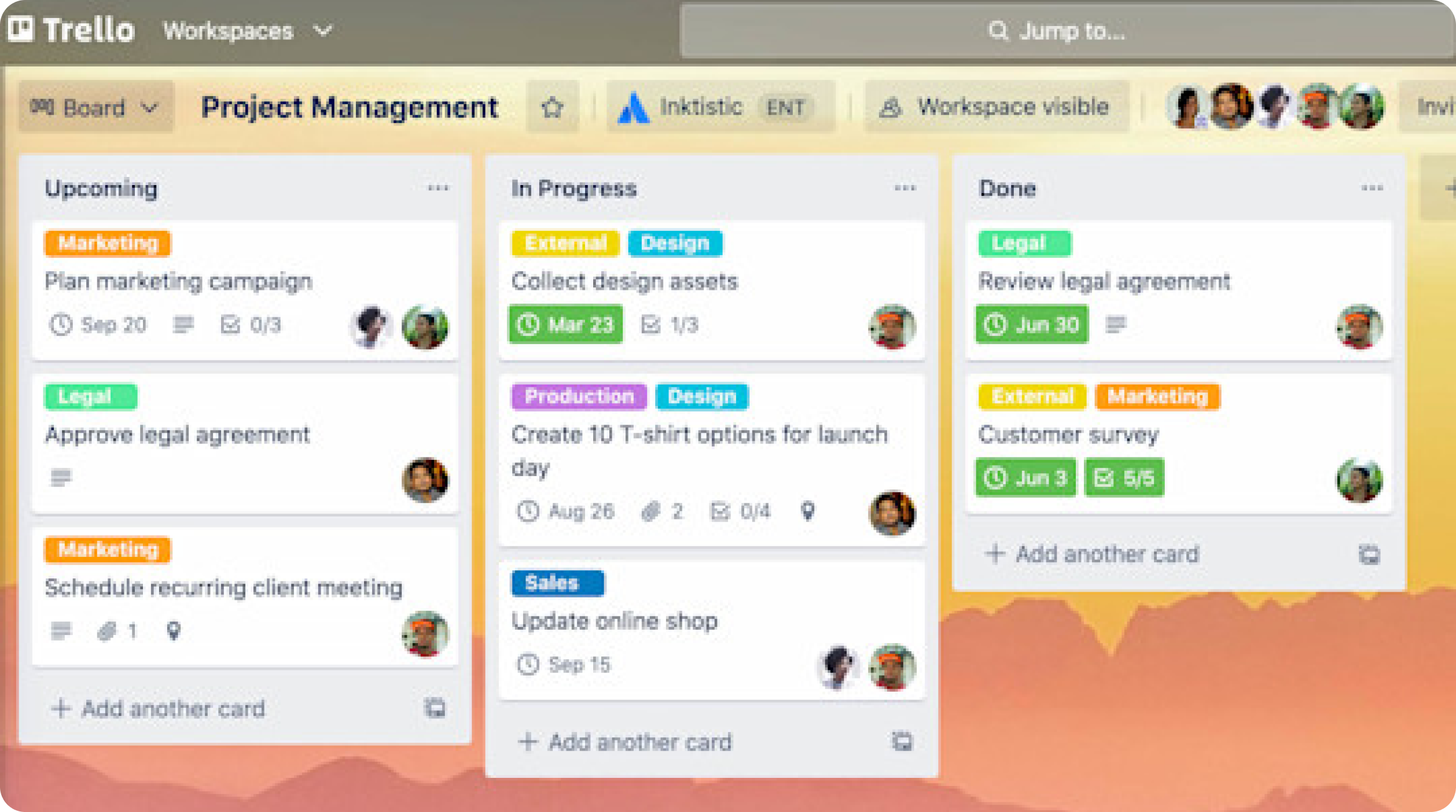
Trello feels effortless because it mirrors how people naturally think about work when things are small and fast-moving. A card represents an idea, a task, or a promise. Lists show rough states of progress.
On a good week, a team can glance at the board and immediately understand what is moving and what is blocked.
For early-stage teams, content calendars, lightweight ops work, or creative collaboration, this kind of visibility is liberating. No one needs onboarding. No one feels policed.
The tension appears when accountability needs to be sharper. Ownership is often implied rather than enforced. A card may have multiple contributors, comments from different people, and activity from several directions, but no single person feels fully responsible for pushing it to completion. Important tasks can sit beside trivial ones, equally visible, equally loud.
Trello shows what exists, but it relies on conversations, meetings, and personal follow-ups to create accountability. When teams grow, or stakes rise, that invisible layer of discipline becomes harder to sustain.
Asana
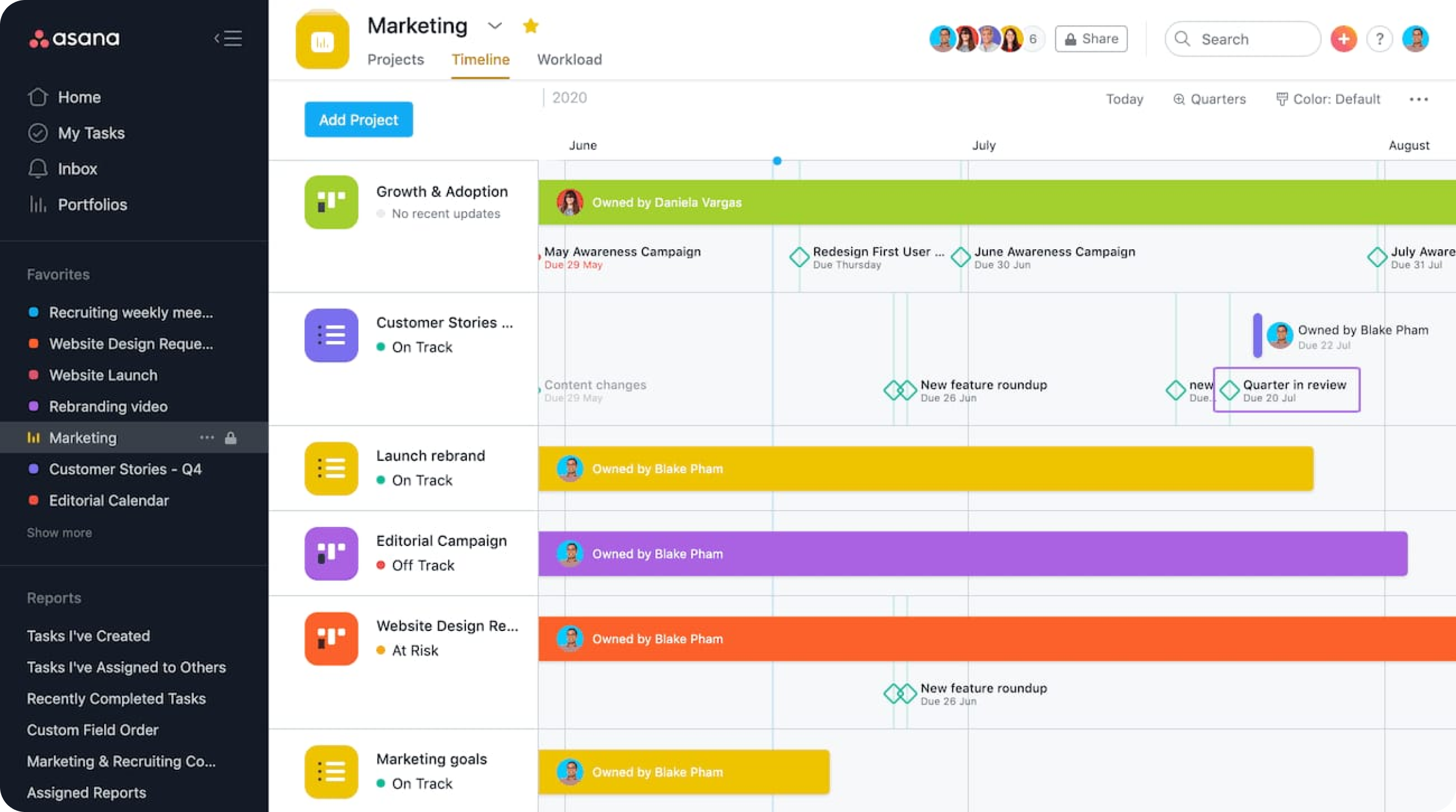
Asana is built for teams that want visibility to scale with complexity. Ownership is explicit, and progress is meant to roll up cleanly from tasks to projects to portfolios.
In a mature environment, say a product org coordinating releases across engineering, marketing, and sales, this structure brings confidence. Leaders can see dependencies, workloads, and timelines without asking ten different people for updates. The nuance shows up in day-to-day execution. A task may be “on track” in Asana while reality is messier on Slack, calls, or documents.
Accountability exists on paper, but progress visibility depends on constant upkeep. Teams often do the work first and update Asana later, which slowly turns the system into a planning artifact rather than a living execution surface.
5day.io
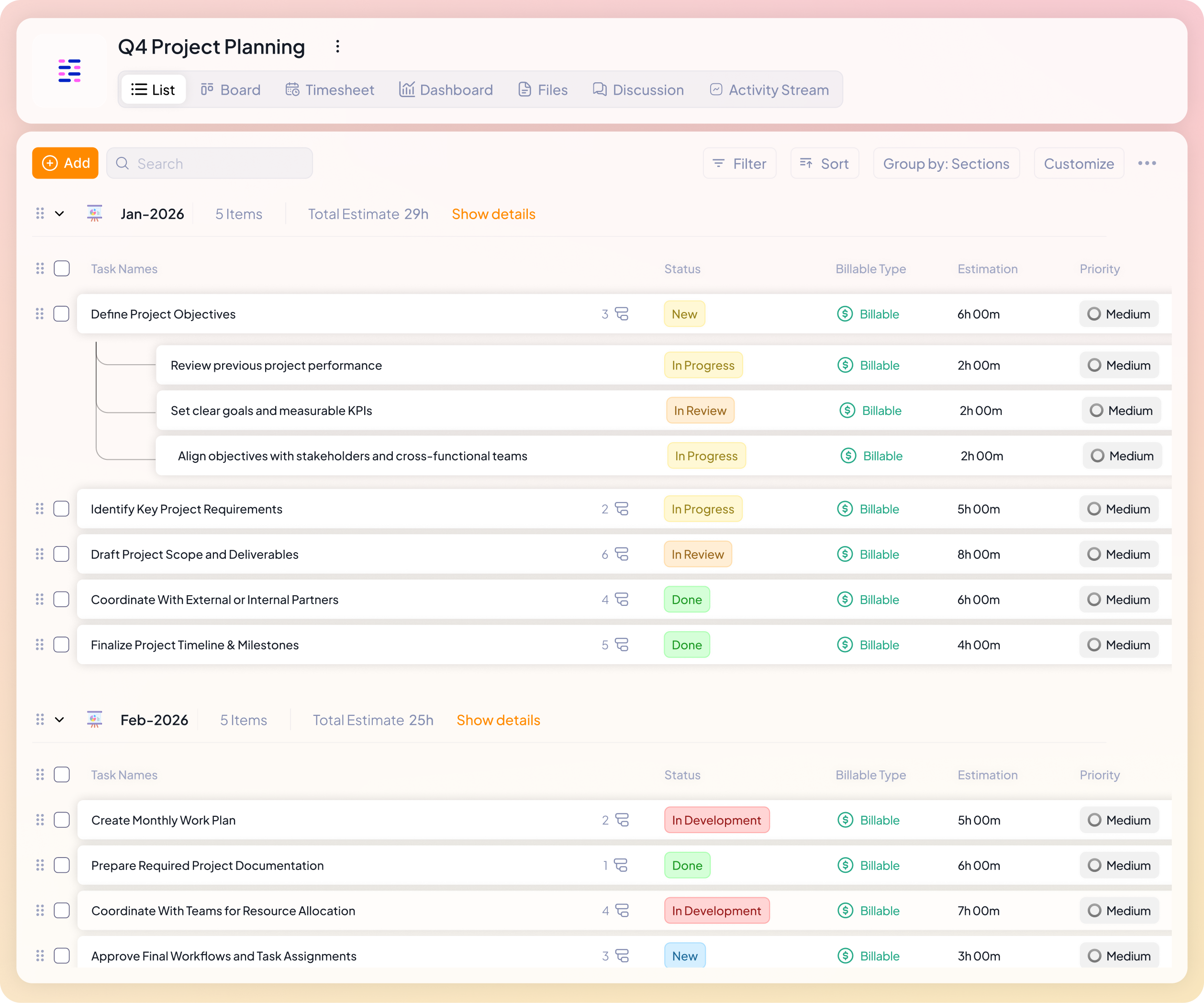
5day.io is built on a different way of thinking about how work should move.
Trello helps teams see work, and Asana helps teams organize work. 5day.io focuses on helping teams commit to work realistically.
Each task in 5day.io has one clear owner, a defined time window, and an effort estimate. This makes responsibility visible without needing follow-ups or reminders. There is no confusion about who is driving something forward.
Tasks are also connected to time tracking and capacity. Teams can estimate work in hours or days, and log time directly against tasks as the week progresses. Because of this, planned work and actual effort stay closely linked.
The system also helps teams see how their time is being spent, whether on billable work, internal work, or overtime. This makes it easier to understand not just what was completed, but how much effort it truly required.
Work is structured clearly from workspace to project to tasks and sub-tasks, so nothing exists without context. Progress is then reflected through simple project dashboards that combine task movement and time spent.
In practice, this means teams do not need to rely only on status updates or memory to understand progress.
Planning vs Execution philosophy
Most teams fail at carrying plans through. The difference between Trello, Asana, and 5day.io becomes clearest when you look at how each one supports execution management.
Trello
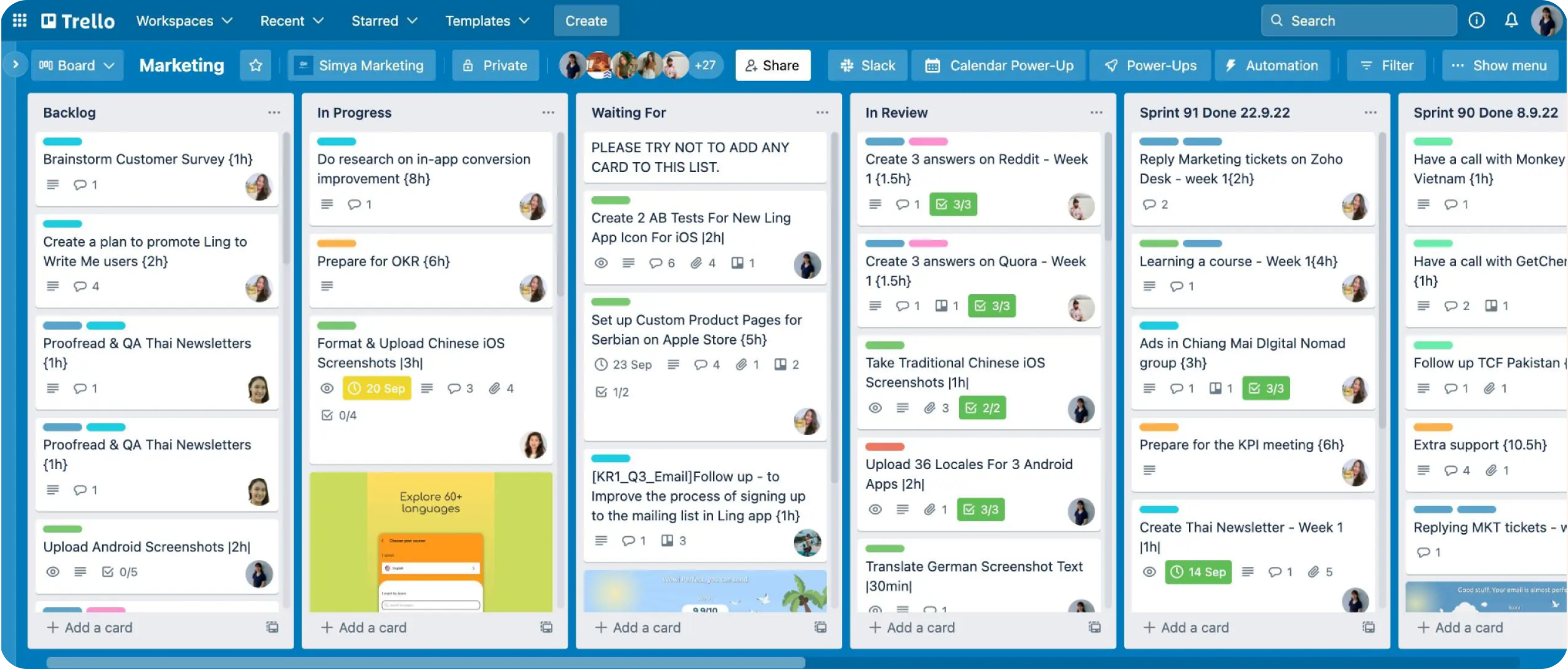
Trello fits teams whose execution lives outside the tool. A founder-led startup, a creative studio, or a tight-knit content team might plan work verbally and use Trello as a shared memory.
Cards are created quickly, moved instinctively, and commented on as conversations evolve.
The board reflects activity, not commitment. When energy is high, this works beautifully. When attention fragments, a card can sit in “In Progress” for weeks without friction. Execution depends on people, meetings, and habits that exist beyond the board. Trello mirrors execution maturity; it does not create it.
Asana
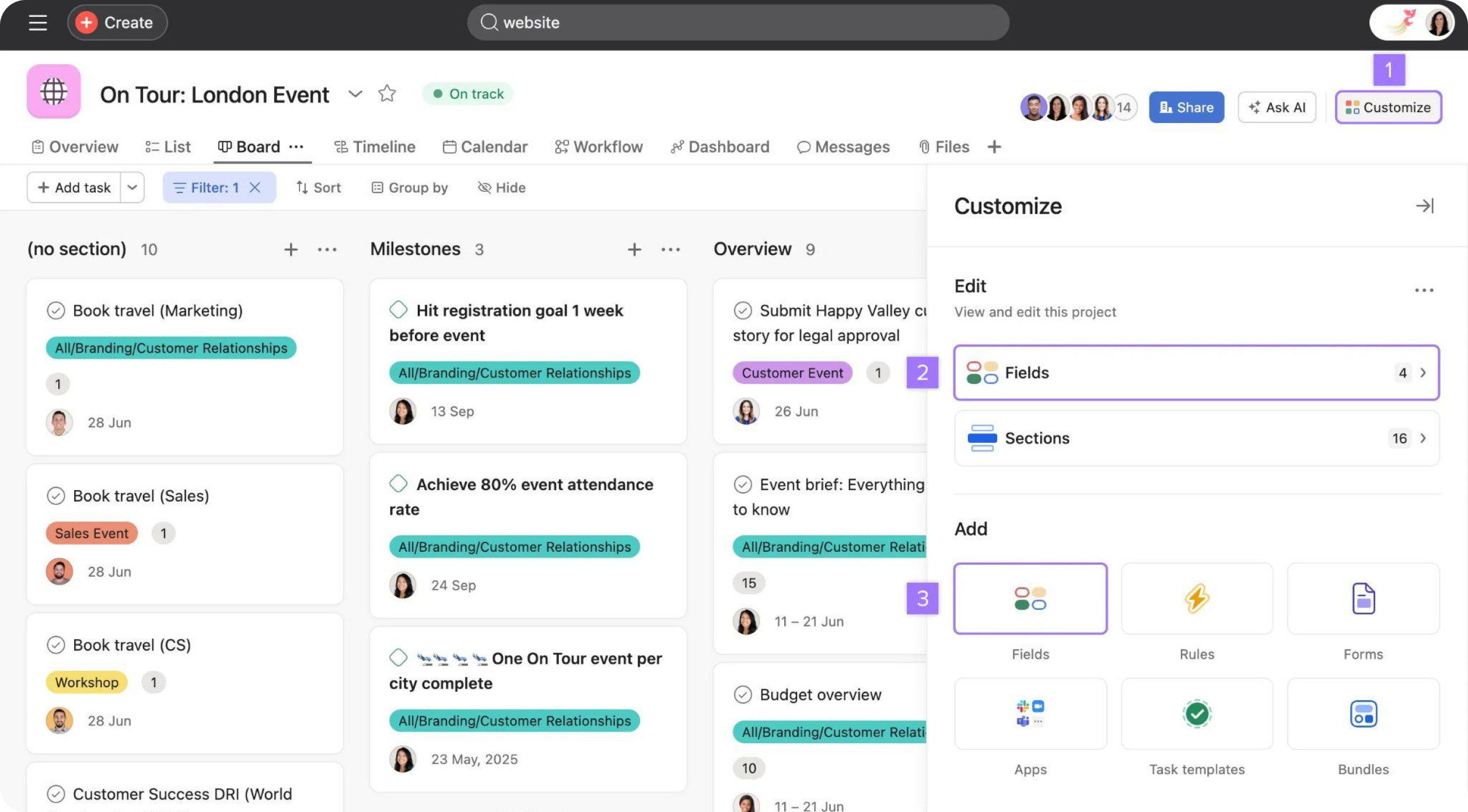
Asana attracts teams that want control before movement. Think of a product or marketing org coordinating launches across quarters. Plans are carefully structured, and timelines provide reassurance.
Execution unfolds against this planned backdrop. In practice, a quick fix ships before the dependency is updated and a task is completed, but waits days for a status change.
Asana becomes a representation of intent rather than a live execution engine.
5day.io
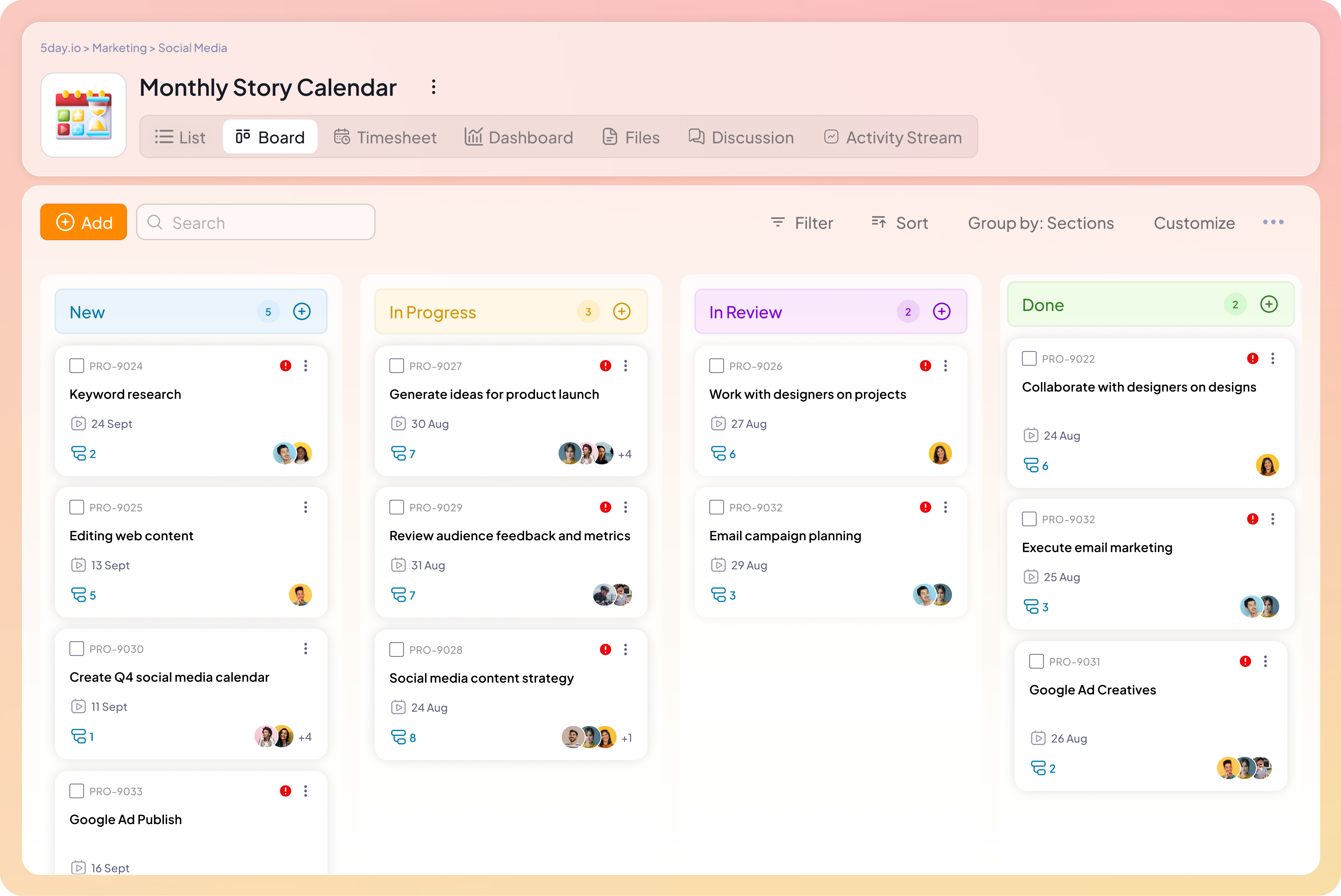
5day.io is designed for teams that struggle carrying plans through.
In 5day.io, planning is about committing to what can realistically be completed within the week.
Each task has a clear owner, defined dates, priority, and an effort estimate. This allows teams to plan work based on real capacity instead of assumptions.
Tasks are also connected to time tracking, which means progress is based on actual work done, not just status updates. Teams can see how time is spent across billable work, internal work, or overtime, which makes it easier to understand where effort really goes.
Work is structured from workspace to project to tasks and sub-tasks, so execution always sits within a clear context. Project dashboards combine task movement and time data to show real progress through the week.
When work slips, the system helps make the reason visible. The team can see whether effort was underestimated, priorities shifted, or unplanned work consumed available time.
In this way, 5day.io helps teams understand why execution succeeds or falls short.
Visibility, ownership, and accountability
Visibility only matters when it leads to responsibility, and responsibility only works when it feels clear rather than enforced. This is where differences between tools show up most sharply in everyday work.
Trello
Here’s where Trello shines the best. Picture an early-stage startup or a content team brainstorming ideas for the next quarter. Cards are created freely, and commented on by multiple people.
Visibility is high because everything is out in the open, but ownership is often shared implicitly.
A card might say “Landing page copy,” with three people discussing it, but no single person feels fully responsible for finishing it. Accountability exists, but it lives in relationships and verbal check-ins, not in the system.
Asana
Asana fits teams that operate with defined roles and longer planning horizons.
Each task has an assignee, a due date, and a place in a broader plan. Visibility improves as teams adopt timelines, status fields, and portfolio views, allowing managers to understand dependencies and workload at a glance.
Ownership is clearer than in Trello, especially when subtasks and milestones are used well. The nuance shows up in execution-heavy weeks.
Work often progresses through Slack calls, documents, and quick fixes, while Asana waits to be updated later.
5day.io
In 5day.io, visibility begins when the team plans its week. Each person commits to a specific set of tasks that they are responsible for completing. Every task has one owner, clear dates, priority, and an effort estimate.
This shifts ownership from being shared or assumed to being clear from the start.
As the week progresses, visibility comes from actual work done rather than discussion or updates. Time logged against tasks shows how effort is being spent across delivery work, internal work, or unexpected requests.
Because of this, leaders do not just see what is moving. They also see how team capacity is being used.
When work slips, the system makes it easier to understand why. It becomes clear whether the issue came from underestimated effort, changing priorities, or simply too much work planned for the week.
At the end of the week, teams review what was completed and what was not. Progress, pending work, and effort distribution are visible in one place.
This is what makes accountability feel different in 5day.io. Responsibility does not depend on reminders or check-ins. It comes from the way work is planned and tracked.
Collaboration and team communication
The difference between Trello, Asana, and 5day.io shows up in where conversations live and whether communication strengthens ownership or dilutes it.
Trello
Trello keeps collaboration deliberately simple and close to the task. Every conversation lives on the card itself, comments, mentions, checklists, and attachments all orbit around that single unit of work. For users, this feels intuitive and fast. A team member opens a card and immediately sees the latest discussion without navigating elsewhere.
This works especially well for teams who want creative project management, freelancers, or small groups where context is shared informally.
Asana
Asana is designed for users who need richer, more durable communication tied to complex work. Task comments, project-level discussions, mentions, and notifications create a detailed record of decisions and updates.
A user can open a task and trace its entire lifecycle, why it exists, who weighed in, what changed, and what is expected next.
This is powerful in cross-functional environments where context cannot live in people’s heads. At the same time, Asana asks more of the user. The system captures conversations effectively, but it also depends on users continuously feeding it.
5day.io
5day.io approaches collaboration with a clear purpose.
Trello makes communication easy and informal, Asana captures communication in detail, but 5day.io focuses on making communication useful for execution.
Each discussion happens within a task that already has a clear owner, priority, timeline, and effort estimate. This changes how people communicate.
Instead of adding general updates or long threads, team members use comments to clarify requirements, make decisions, or flag blockers related to work they have committed to finishing.
Files, replies, mentions, and task tagging all live inside the same discussion space. This keeps context from drifting into chats or separate tools.
Communication also connects to effort. When time is logged against tasks, teams can see how work is progressing. This adds clarity to discussions because conversations are grounded in real effort, not assumptions.
As a result, collaboration feels calmer and more focused.
Automation and integrations
Automation can either reduce friction or quietly increase it. The difference lies in whether a product uses automation to clarify responsibility or to simply move things around faster. Trello, Asana, and 5day.io take very different stances on this.
Trello
Trello uses automation to keep boards tidy. Butler rules handle simple, repetitive actions, such as moving a card when a checklist is completed, and sending reminders when dates approach. For users, this feels practical and approachable.
A small team can automate hygiene without changing how they work. The limitation shows up when automations move cards, but they do not explain why something moved or whether the outcome was achieved.
Asana
Rules trigger across projects, update custom fields, reassign tasks, notify stakeholders, and keep large workflows in sync.
For users managing cross-functional work, this reduces manual coordination. Integrations with tools like Slack, GitHub, and calendars help Asana act as a central planning hub. As workflows grow, users often spend time managing automations themselves, debugging rules, understanding triggers, and maintaining consistency.
Automation keeps plans aligned, but it can distance teams from the reality of execution.
5day.io
5day.io uses automation to support real work without taking ownership away from people.
In 5day.io, automation helps maintain clarity rather than just moving tasks faster.
Recurring work, status updates, and reminders are handled automatically so that teams do not need to manage routine steps manually. At the same time, ownership, effort, and responsibility always remain visible.
Integrations with tools such as Slack, calendars, GitHub, Zapier, and cloud storage bring updates into the places where teams already communicate. This allows teams to stay informed without constantly switching tools.
However, the system does not automate decision-making or progress itself. Work still moves forward because someone is responsible for it.
Automation also supports time tracking, approvals, and reminders in a way that helps teams understand how their time is being spent. This keeps effort visible without removing accountability.
As a result, automation reduces friction without creating distance from execution.
Reporting and progress tracking
Trello
Trello communicates progress in the same way it displays work: visually and informally.
You can see work moving from “To Do” to “Done,” but the tool doesn’t tell you how long tasks actually took, which ones slipped repeatedly, or where bottlenecks are forming without external add-ons or manual tracking processes.
For example, a marketing team launching a campaign might celebrate all cards shifting to “Complete,” yet still have no easy insight into what held certain tasks up or whether the estimated time aligned with reality.
Trello’s ecosystem of Power-Ups can generate charts and scheduled reports, but these feel bolted on rather than intrinsic to the workflow.
Asana
Asana builds reporting frameworks that appeal to leaders who need structured insights. Custom dashboards, real-time charts, goals, and portfolio views help teams understand progress against strategic objectives as well as granular task states.
In a cross-functional product delivery, for instance, Asana can show how work on dependencies is tracking across teams and whether objectives are aligning with timelines.
Its goal-tracking features tie execution back to high-level outcomes, so you can see whether the work your team completes actually supports larger company priorities.
The nuance here is that work reporting often depends on how meticulously teams update statuses and timelines.
5day.io
5day.io anchors reporting in delivery, not documentation.
Because work in 5day.io is tied to weekly commitments, every reporting cycle starts with real execution data: what was promised, what was completed, and how time was spent. This gives leaders a clearer delivery management view instead of relying on static status updates.
In practical terms, this means a team can see not just a list of completed tasks but comparisons between estimated and actual effort, uncover patterns in workload distribution, and understand how non-billable work, time off, or unexpected work influenced delivery. This helps teams improve team utilization without increasing burnout.
For example, a consulting team can run a report that shows:
- Which work items were completed on time
- Which slipped and why (based on logged effort vs. estimates)
- How much capacity was consumed by internal vs. client work
- Which projects are consistently underestimating effort
These insights are grounded in the weekly rhythm that teams live by. Because time tracking is built in and tied directly to tasks and projects, reporting does not require post-hoc updates or reconciliation.
Dashboards reflect the truth of delivery, not just planned progress. This creates a feedback loop that helps teams improve future commitments, make better estimates, and build accountability through shared insight rather than guesswork.
Pros and cons
Trello
Pros
Trello excels at lowering the emotional barrier to work.
Teams feel less intimidated opening Trello than most serious project tools, which makes it surprisingly effective during chaotic phases, early product discovery, creative exploration, or transitional periods.
People actually open it without resistance, which is an underrated advantage.
Trello does not impose a process, which works well for senior teams or founders who already have strong execution habits and don’t want a tool telling them how to work.
Cons
Over time, Trello tends to become a shared memory board rather than a delivery system. Teams remember what they meant to do, but the tool rarely forces uncomfortable conversations about what didn’t happen.
This makes Trello deceptively calm even when execution is slipping.
Asana
Pros
Asana gives teams a sense of control during complexity.
There is comfort in knowing everything has a place, a dependency, and a status. This makes Asana especially effective during scale-up phases or high-visibility initiatives where coordination matters as much as execution.
Another quiet strength is institutional memory.
Asana becomes a record of how decisions were made and how priorities shifted over time. For organizations with churn or compliance needs, this historical trace is valuable.
Cons
Asana can unintentionally reward maintenance over momentum.
Teams often feel successful because the system looks healthy, statuses are updated, timelines adjusted, dashboards reviewed, even when real-world execution is lagging. The tool can create a false sense of progress if teams equate “well-managed plans” with outcomes.
Asana assumes teams have the bandwidth to keep the system accurate in real time.
5day.io
Pros
5day.io changes how teams feel about commitments. Because work is planned in short, visible cycles, teams stop hiding behind long timelines.
A week is small enough that missed work feels immediate but safe to discuss. This creates a culture of honesty. This improves project delivery predictability over time.
A major, often overlooked strength is how 5day.io normalizes constraint.
Capacity, time off, internal work, and client work are all visible, so teams stop treating overload as a personal failure. Leaders don’t need to micromanage because the system surfaces the truth early.
Another advantage is behavioral alignment. Backlogs shrink, and prioritization becomes habitual in the team.
Cons
5day.io is uncomfortable for teams that avoid trade-offs. It forces prioritization and exposes overcommitment quickly. For teams used to keeping everything “open,” this can feel restrictive at first.
It is also less forgiving of vague work. Teams that thrive on ambiguity or exploratory work without clear outcomes may feel constrained until they adapt their way of defining work.
5day.io does not provide the illusion of long-term certainty. Leaders who prefer seeing six-month plans neatly laid out may find the weekly cadence too grounded, even though it is more truthful.
Which project management tool is best for you?
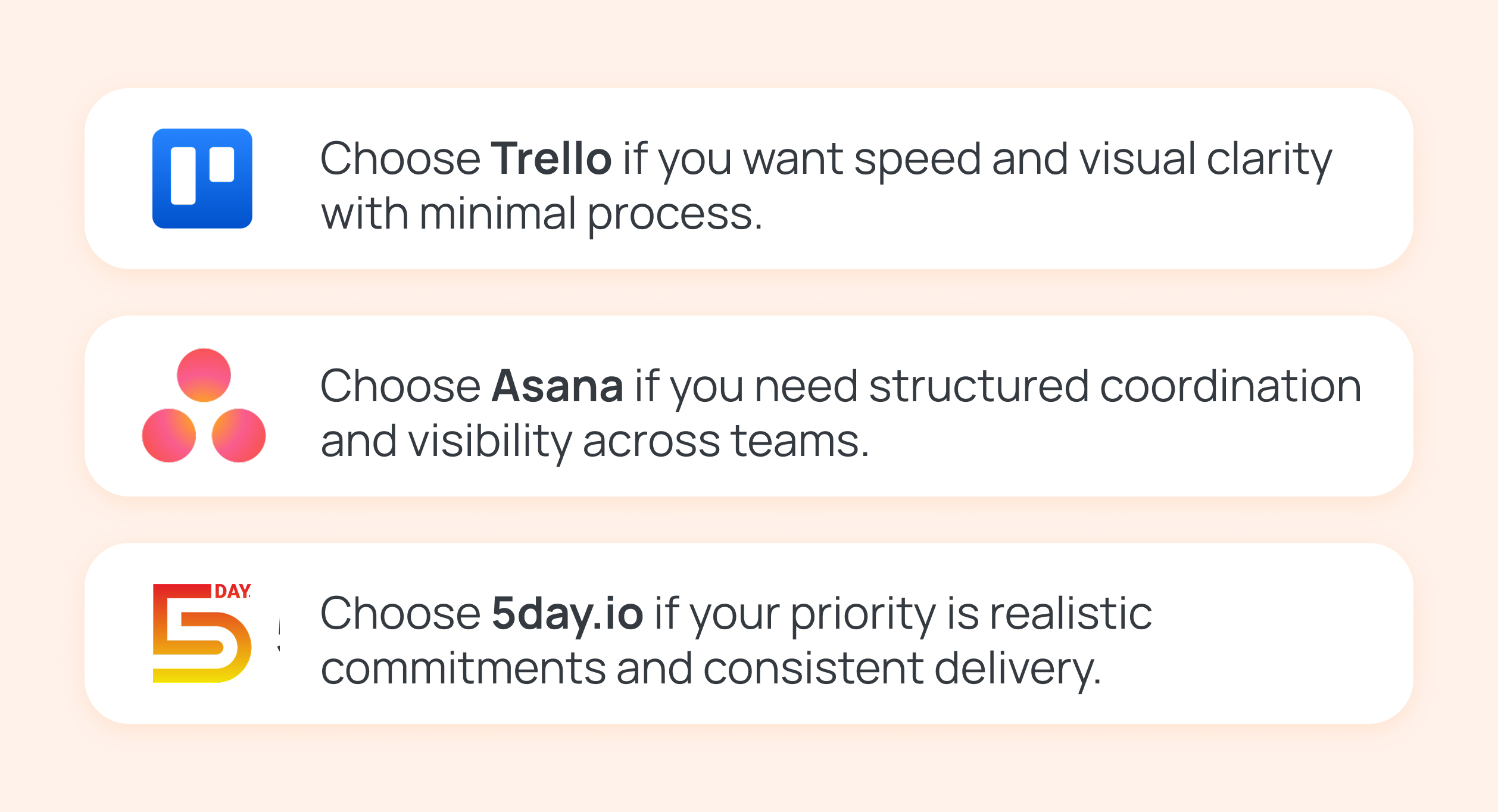
Instead of asking “Which tool has more features?”, the better question is: what kind of problem are you actually trying to solve right now? Answer the questions below honestly.
Do you need planning depth or execution clarity?
If your biggest challenge is coordinating work across teams and aligning timelines months in advance, you need planning depth.
In that case, Asana is built for you. It helps you visualize dependencies and maintain control as work scales.
If your challenge is that work gets planned but not finished, and you want a sharper focus on what actually ships week after week, execution clarity matters more. That’s where 5day.io fits best.
If you don’t need either yet and simply want a clear place to see tasks, Trello is often enough.
Is your team overwhelmed or under-structured?
If your team feels overwhelmed, has too many tasks, too many priorities, and constant firefighting, you likely need a system that limits work and surfaces capacity constraints. 5day.io is designed for this exact moment.
If your team feels under-structured, unclear ownership, scattered projects, and poor coordination, then structure is the missing piece. Asana provides the scaffolding to bring order without relying on tribal knowledge.
If your team feels neither overwhelmed nor under-structured, and work is relatively light or informal, Trello keeps things simple without adding process weight.
Do tasks slip through the cracks, or do they just take longer than expected?
If tasks quietly stall, linger in “in progress,” or resurface only during deadlines, you need stronger accountability signals. 5day.io makes slippage visible quickly and shows why it happened.
If tasks don’t disappear but timelines keep shifting, and plans need constant adjustment, Asana handles that planning complexity better.
If tasks rarely slip and issues are caught through conversation or meetings, Trello can still work.
How often do you review work?
If your team reviews work weekly and cares about what was actually completed versus planned, 5day.io aligns naturally with that cadence.
If reviews happen around milestones or leadership updates, Asana supports those periodic, plan-based check-ins well. If reviews are informal or ad hoc, and visibility is more important than rigor, Trello fits comfortably.
When 5day.io makes the most sense
This is not the tool teams pick when they want more features. It’s the tool teams reach for when they’re done compensating for tools that look busy but don’t move the needle. 5day.io becomes especially valuable for teams searching for work management software that reflects real availability instead of theoretical effort.
Teams are tired of complex tools
If your team already knows how to work but feels slowed down by the tool meant to support them, 5day.io lands differently. It asks one practical question every week: What are we actually committing to finish?
By anchoring work to short execution cycles and keeping task details tight, the tool removes the overhead that accumulates in feature-heavy systems without stripping away what teams genuinely need to deliver.
Founders who want outcomes, not dashboards
Founders and operators need answers to what was shipped and what wasn’t. Why? 5day.io makes those answers unavoidable by tying reporting to weekly commitments and real effort. Because time tracking spans billable work, internal work, time off, and overtime, delivery conversations stay grounded in capacity and trade-offs, not assumptions.
Weekly execution rhythm as a competitive advantage
Teams that practice agile work planning through weekly reviews tend to learn faster.
5day.io bakes that rhythm into the product: plan → execute → review → adjust.
Missed work explains itself.
Over time, estimates improve, backlogs shrink, and prioritization becomes muscle memory. This cadence compounds, which is often the real differentiator in competitive markets.
Why simplicity + discipline beats feature overload
5day.io is intentionally restrained with automation and integrations. Automations exist to support execution hygiene, recurring work, clean status transitions, and reminders without abstracting away ownership or effort.
Integrations surface context where teams already work (Slack, calendars, GitHub, Zapier), while keeping 5day.io as the source of truth for commitments and progress.
That balance preserves clarity.
Sign up for 5day.io’s 30-day free trial to see how the tool can work magic for you.