

How 5day.io handles multi-client delivery
5day.io was built for marketing agencies doing client work at scale. It’s a marketing agency project management software where every feature described below exists because of a specific, recurring failure point in multi-client operations.
One unified view across all your client projects
In most setups, getting a picture of the full week means opening eight different projects, tabbing between views, and mentally assembling what’s due, what’s blocked, and who’s carrying the most load. That assembly work of constructing a view that should just exist is one of the most expensive invisible taxes on agency project managers.
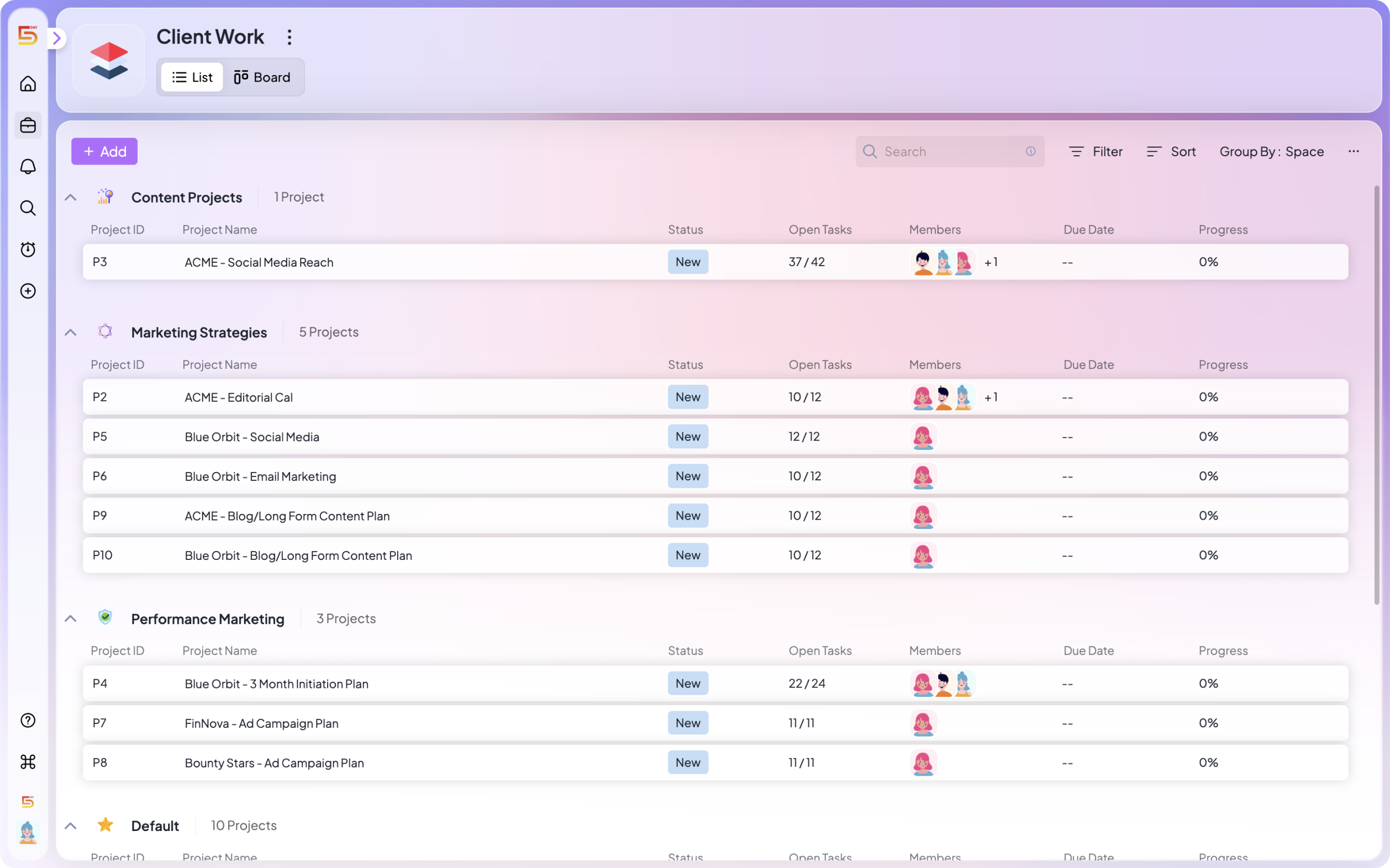
In 5day.io, cross-client visibility is the default instead of something you have to build. The my work-level view aggregates all active pieces of work simultaneously. You can see what’s due this week across every account without opening a single individual project.
Ownership that travels with the work
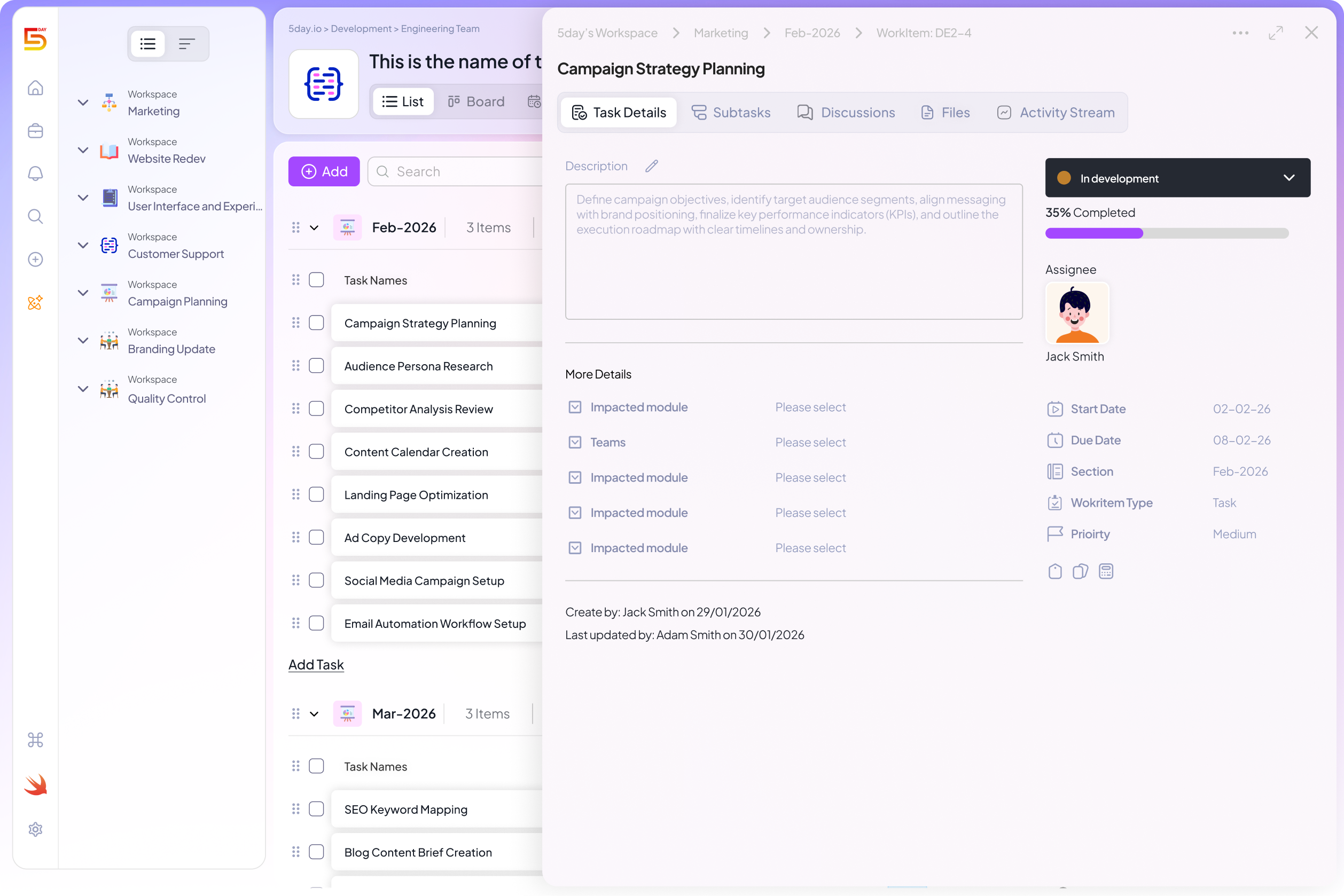
Here’s a scenario that plays out at almost every agency: a deliverable moves from the strategist to the designer to the copywriter. At each handoff, the person passing it off assumes the next person has fully taken over. The person receiving it assumes the previous owner is still monitoring it. Nobody is.
5day.io makes ownership explicit at the task level and keeps it visible as work moves through stages. Every task has an assignee. When work moves between stages, ownership changes explicitly and there’s no ambiguity about who holds what.
The My Work view means team members don’t need to scan twelve project views to understand their own week. Every task assigned to them, across every account, appears in one list based on due dates or priorities. That single change reduces the cognitive overhead of managing multiple clients significantly.
Approvals as a workflow stage
Most agencies have a version of a review process. What they usually don’t have is a review stage that’s embedded in the actual workflow one that creates clarity and urgency without someone having to manually create both.
In 5day.io, review stages live inside the project. You configure approval stages with named reviewers and deadlines. When work reaches that stage, the reviewer is notified automatically. Feedback is captured in context, attached to the specific task and file being reviewed.
The question ‘what are we waiting on for Client X?’ becomes a two-second check of the project view, not a trawl through email threads. And approval bottlenecks become visible before they become crises, because the system shows when a review has been sitting longer than expected.
Templates that standardize delivery across every account
The single highest-leverage thing most agencies can do is stop rebuilding their project structure from scratch for every client. Every time a new account onboards and someone creates a fresh project from memory, there’s a chance the stages are slightly different, the task types don’t match, and the new team member assigned to it has to figure out how it’s supposed to work.
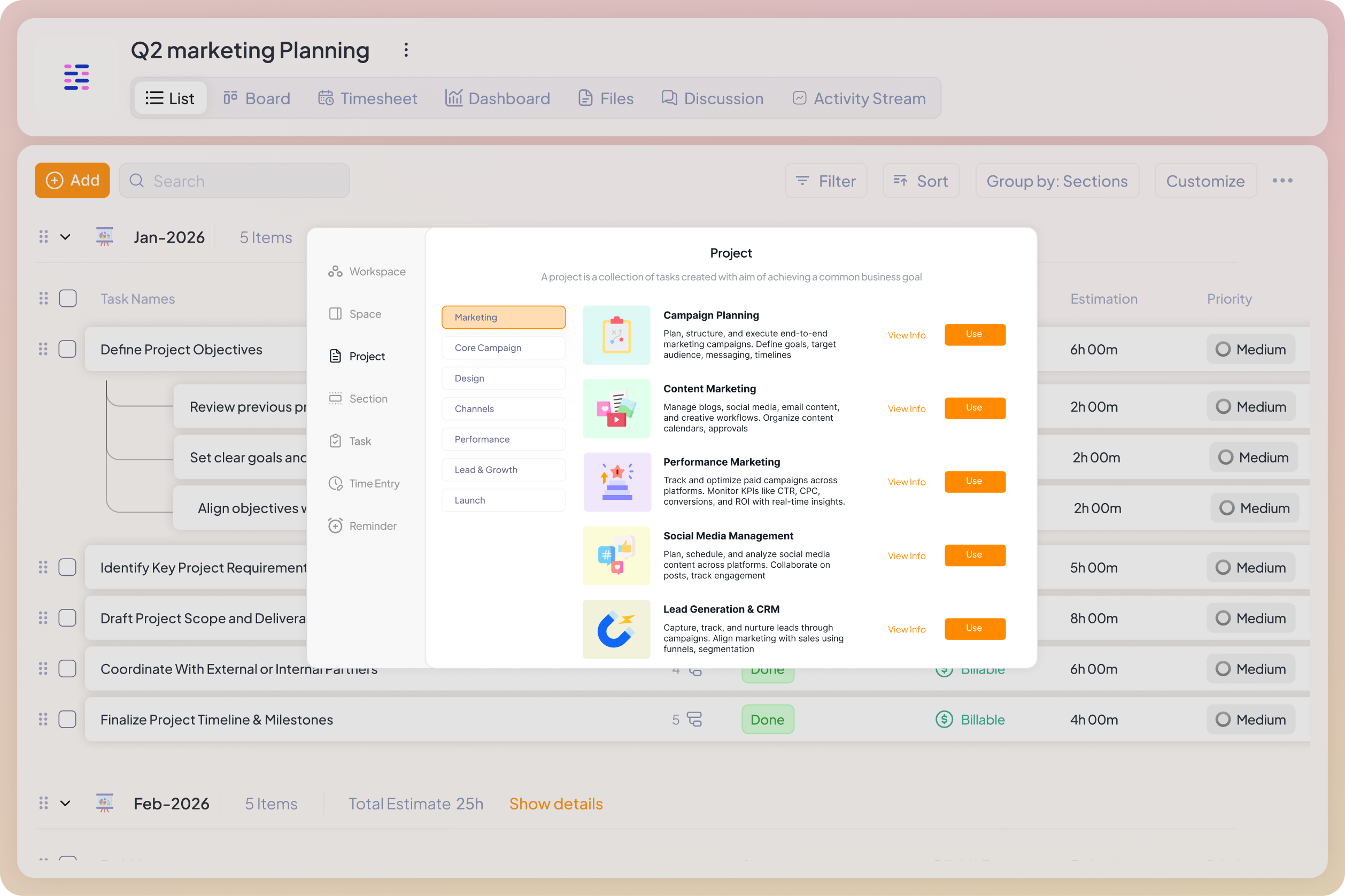
5day.io lets you build project templates that capture your entire delivery structure, the stages, task types, ownership logic, and workflow sequence that you know works. When a new client comes on board, you apply the template. The architecture is already there.
Additionally, if you do not want to set up a structure from scratch, you can also find more than 75+ marketing templates that you can tweak based on your team’s work style and apply immediately.
For agencies running similar campaign types across multiple clients like content programs, paid media, SEO retainers and more, this is where the operational leverage compounds. The same proven structure, applied consistently, builds a delivery engine that gets more reliable over time rather than more chaotic.
It also dramatically reduces how long it takes to bring on a new team member. They don’t need to be taught how each client project is set up as the structure is the same across every account. They can navigate a new client project on day one because it looks and works like all the others.
What you get | What it solves |
Project templates | Build once, apply to every new client — stages, tasks, ownership, and workflow all included |
Consistent status logic | Statuses mean the same thing across all client projects, so cross-client reporting doesn’t require manual translation |
Faster onboarding | New team members can navigate any client project immediately because the structure is standardized |
Client visibility that reduces status calls
Most agency-client communication is reactive: the client asks, the agency answers. The client emails asking where things stand, the project manager spends 20 minutes assembling an accurate response, and the whole exchange is repeated the following week.
5day.io supports role-based client access that lets clients see their project’s progress without seeing the internal operations behind it. Clients get a view of what’s in progress, what’s waiting on their review, and what’s complete on demand, without needing to ask.
This changes the dynamic in a specific way. When clients have real-time access to their project’s current state, reactive status updates drop significantly. Clients ask fewer ‘where are we?’ questions because they can already see. And the agency’s time shifts from answering status queries to delivery.
Where to start if you’re setting this up now
If your current setup is a combination of spreadsheets, Slack, and a PM tool, the migration feels bigger than it is. But the biggest shift will be deciding if the structure is worth investing in before the next client crisis, not after.
Step 1: Build your standard project template
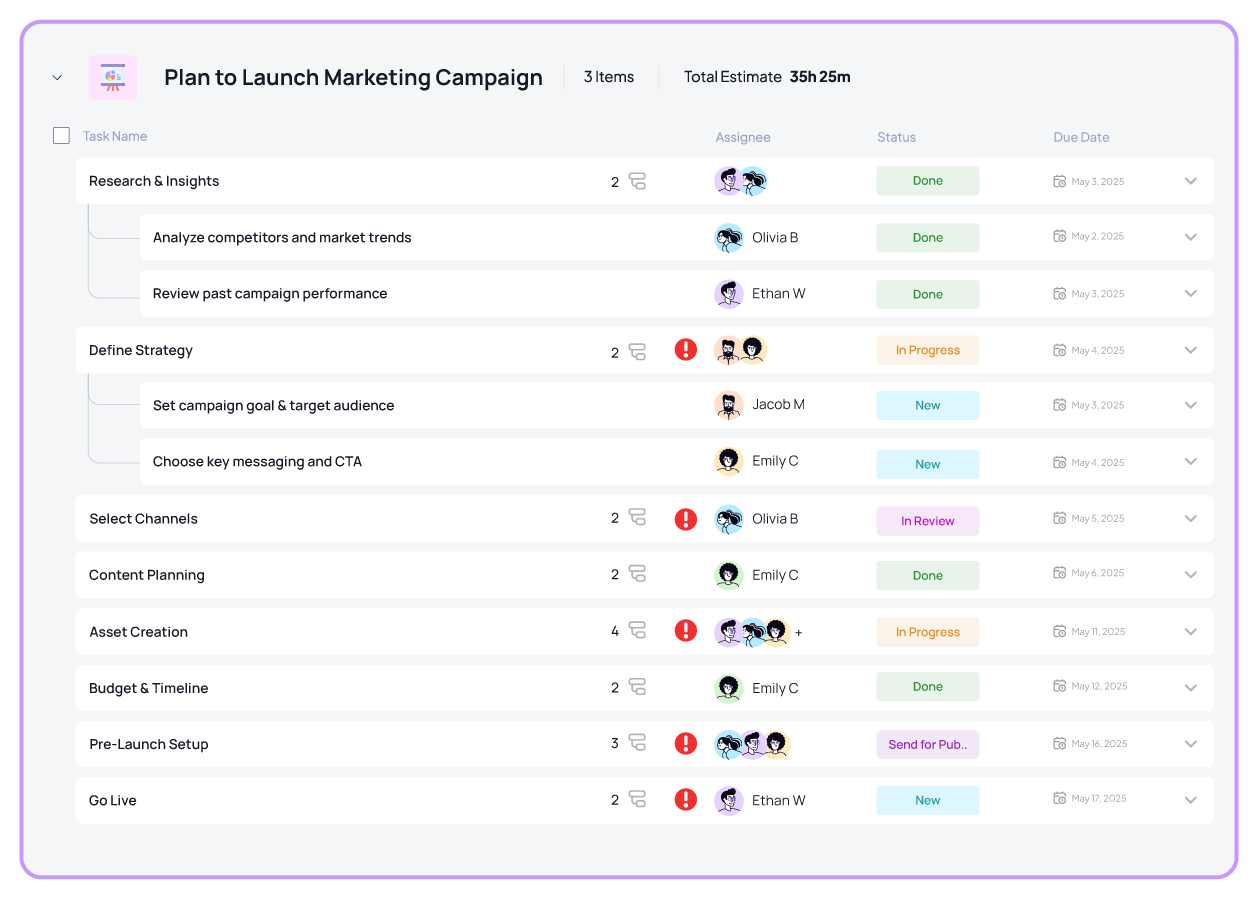
Before anything else, map out how your best-run recent projects moved. Not how they should move in theory, how the smooth ones moved. What stages did work go through? Who was involved at each stage?
For most marketing agencies, a working template covers: brief and intake, internal strategy, creation, internal review, client review and approval, revisions (if needed), and final delivery. Build this once in 5day.io or use the template. Use it for every client from that point forward.
Step 2: Define what ‘owner’ means at your agency
Before you can assign ownership correctly, you need a shared definition. One owner per task,. It should always be the person accountable for the outcome, not just a contributor. Write it down. One sentence is enough. Post it somewhere the team sees it.
In 5day.io, every task has an explicit assignee. When work moves between stages, ownership transfers explicitly. There’s no ambiguity, and the My Work view makes the accountability visible to everyone.
Step 3: Build approvals into the project, not around it
Every deliverable that goes to a client for review should have three things embedded before it leaves: a link to the specific asset and version, a deadline, and a named reviewer. In 5day.io, approval stages handle all three. You’ll have to configure it once and it works the same way across every account.
Step 4: Give clients a project window, not a status update
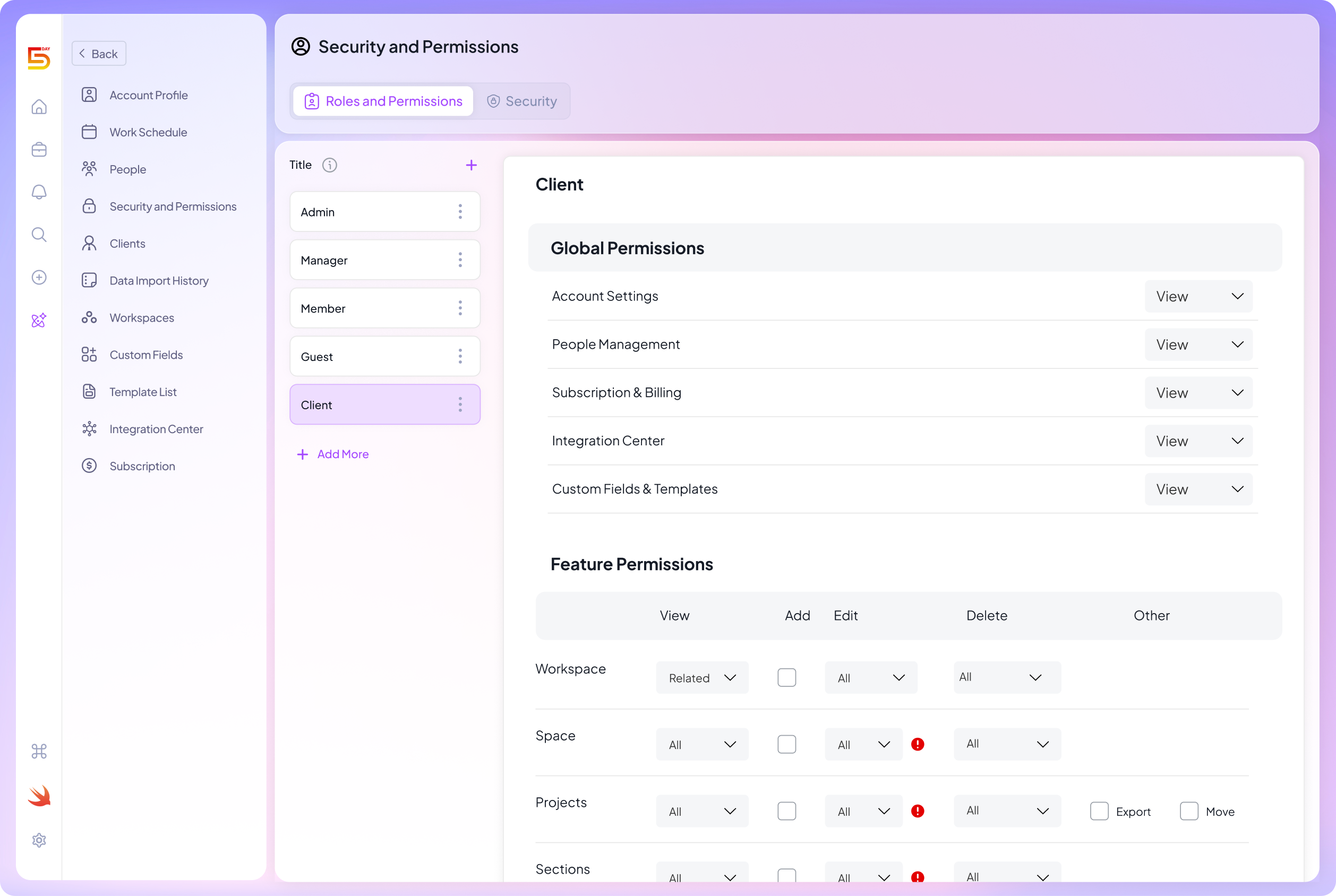
Set up client-facing access in 5day.io for your accounts. Clients see what’s in progress and what’s awaiting their input. You stop composing status emails for questions they can answer themselves.
The real cost of running on informal systems
Every month an agency manages multiple clients on informal systems is a month of invisible costs: the project manager rebuilding a status report on Friday afternoon, the client relationship quietly eroding because updates arrived slightly wrong, the team always reactive because nobody can see priority across accounts.
These costs don’t appear in any report. They show up in staff turnover, client churn, and a ceiling on how many clients you can realistically take on before delivery quality starts slipping.
The agencies that scale confidently are built on operational infrastructure that holds the work without requiring heroic individual effort to keep it together.
Build that infrastructure with 5day.io
See how 5day.io works for agencies managing multiple clients.
Marketing-specific features in 5day.io are worth knowing
Most project management tools are built for generic task tracking. The features below exist in 5day.io because marketing and agency work has specific operational needs that generic tools paper over. If you’re evaluating whether 5day.io fits the way your team works, these are the ones that will matter most.
Campaign-phase workflow structure
5day.io’s project architecture, workspaces, spaces, projects, sections, tasks, subtasks, maps directly to how campaign work moves. Task management in 5day.io are all connected to your workflow. Sections within a project reflect delivery phases: brief and intake, strategy, creation, internal review, client review, revisions, final delivery. Each phase is a real stage in the work.
Multiple views let different roles work the way they need to without breaking shared structure. Leadership uses the calendar or timeline view for oversight. Managers use list or board view for day-to-day execution. Everyone’s working in the same system, just looking at it the way that makes sense for their role.
Time tracking built for agency billing logic

Most project management tools bolt on a basic timer. 5day.io’s time tracking is built around how agencies account for time: billable vs. non-billable, internal time, overtime, and time off, all categorized consistently and visible at the project and team level.
Approvals and reminders are built into the time logging flow, so time tracking becomes a routine part of delivery rather than an afternoon scramble. The result is that utilization and margin become visible in real time, not at the end of the month when it’s too late to do anything about them.
What you get | What it solves |
Billable / non-billable tracking | Categorize every hour logged — no more guessing at project margin at invoice time |
Time approval workflows | Managers approve logged time before it feeds into reports, keeping data clean |
Capacity visibility | See true team utilization across all accounts — not just ‘everyone is busy’ |
Timesheet reminders | Automated prompts so time logging happens consistently, not selectively |
Role-based client access without exposing internal operations
5day.io supports external member roles specifically designed for client access. Clients can log in and see their project’s current state without seeing your internal task notes, team discussions, or the work happening behind the scenes on other accounts.
This isn’t just a permissions toggle. It’s a structural decision about how client relationships work. When clients have default visibility into their own project, the nature of status calls changes. They come in already knowing where things stand. The conversation shifts from ‘where are we?’ to ‘what do we need to decide next?’
Customizable dashboards for project and client reporting
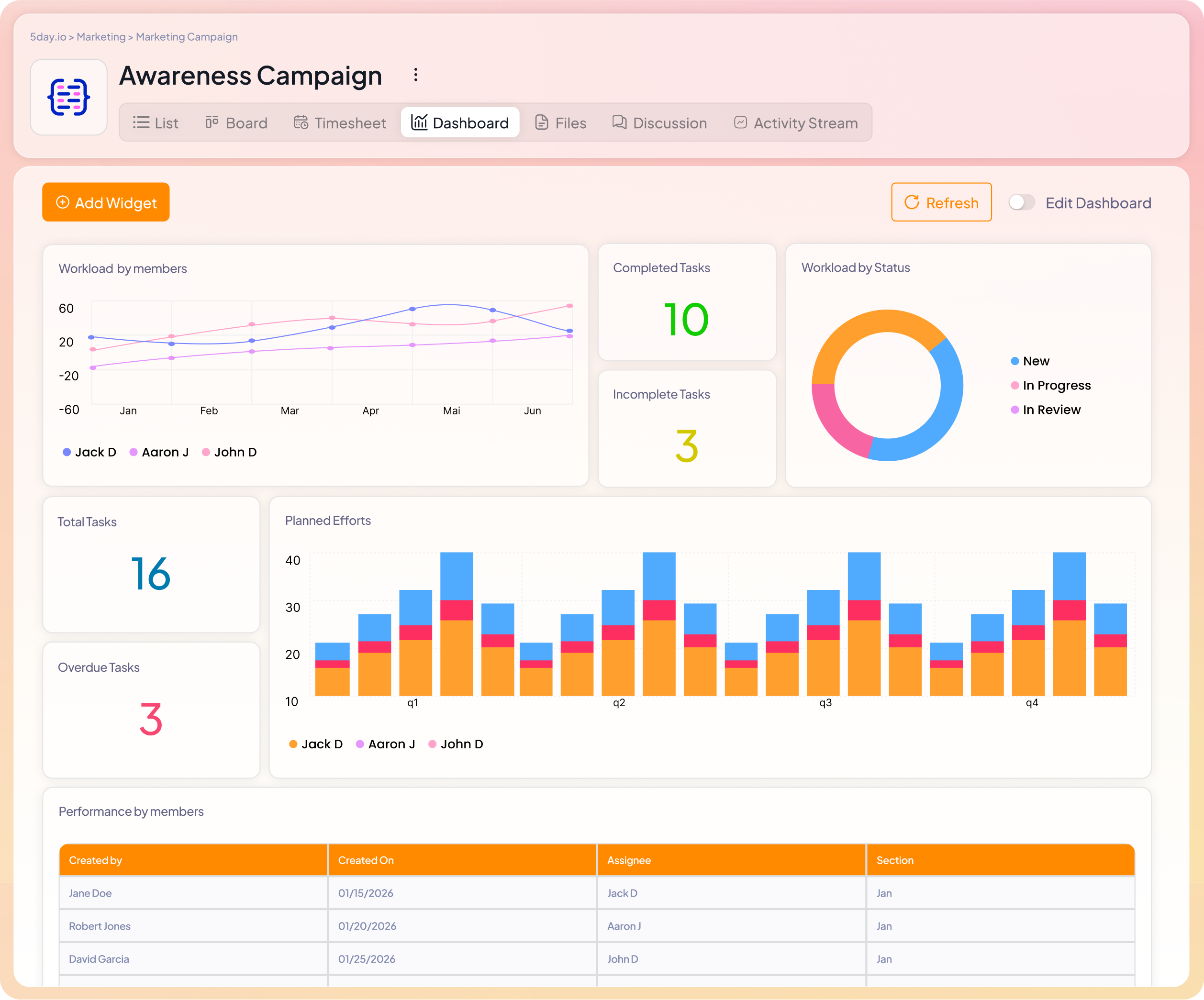
5day.io’s dashboards support multiple widget types and can be configured to track both task progress and time entries simultaneously. You can build a client-facing dashboard that shows campaign progress without surfacing internal workload data.
Reporting in 5day.io is a natural output of how work is tracked, not a separate activity. Because tasks, time, and collaboration all happen in the same system, the data that feeds reports is always current, no export, no manual update required.
Automation for marketing-specific handoffs
Marketing delivery depends on clean handoffs. When handoffs are manual, they accumulate lag. Someone forgets to notify the next person. A task sits in ‘done’ for three days before anyone picks it up.
5day.io’s automation handles the operational layer of these transitions: status changes trigger notifications, stage completions route work to the next owner, review deadlines surface before they’re missed. The process runs consistently whether or not a senior project manager is watching it. That’s what makes it scalable.
Sprint management for retainer-based accounts
For agencies running ongoing retainer accounts like content programs, paid media or SEO, their work doesn’t move project-by-project. It moves in recurring cycles. 5day.io’s sprint management lets you organize retainer work into defined periods, track what was committed vs. what was delivered, and carry incomplete items forward in a structured way.
This matters because retainer work is where agencies most often lose scope control. Without a defined cadence and a clear record of what was promised vs. delivered each cycle, scope creep accumulates invisibly. Sprint structure makes the conversation with clients concrete: here’s what was in scope, here’s what was delivered, here’s what rolls into the next cycle.
Run your marketing agency on a system built for it
You’ve been managing the coordination gap with extra effort, more check-ins, more status updates, more afternoon spreadsheets. It works until it doesn’t. And by the time it visibly breaks, you’ve already lost a client or burned out a project manager.
If you are looking for project management software for a marketing team, 5day.io is the perfect fit. It is a marketing agency project management tool that gives agencies running multiple client accounts a single operating system. Get a unified project view, built-in approvals, client visibility, billable time tracking, and repeatable templates, all in one place.
The 30-day free trial costs nothing. The price you pay for the software costs less than the cost you spend to keep running on informal systems. Try it once.
Start your free 30-day trial. No credit card required. Full access from day one.