
Every company follows their own type of client onboarding process. Having it in place, and the client retention skyrockets. However, if your team is still struggling on onboarding clients smoothly, it clearly means that there are some loop holes in the client boarding process.
Let’s fix it with the only client onboarding checklist you will need to streamline the onboarding process.
HubSpot reports that 86% of customers are more likely to stay loyal when they receive onboarding content. It can ensure long tied small retention gains, which leads to major profit gains later.
For marketing agencies, that early setup work matters even more. You are not only onboarding a customer. There is a basket of expectations that comes along like onboarding experience, approvals, assets, access, reporting expectations, the working relationship itself, etc.
What Is Client Onboarding for Marketing Agencies?
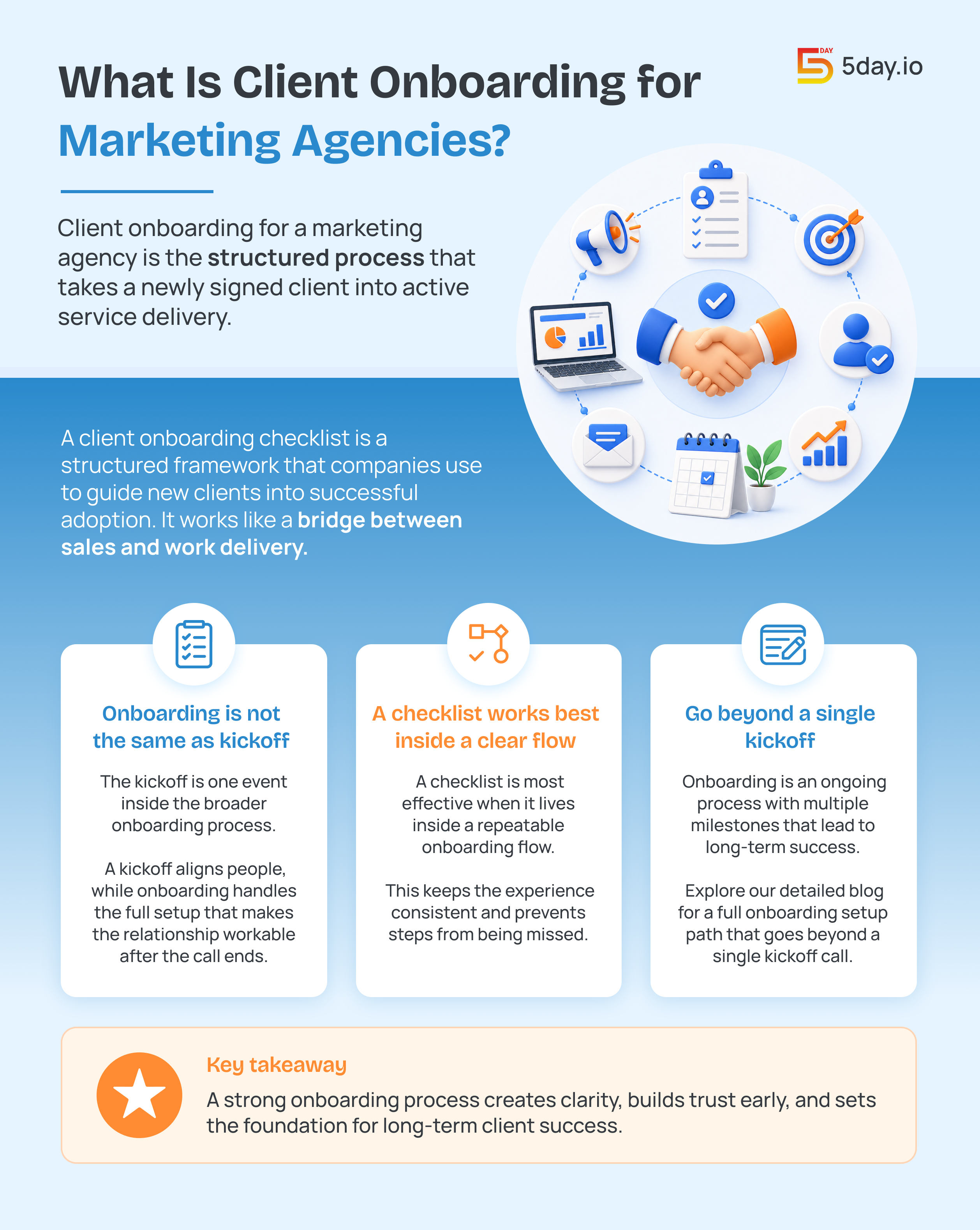
Client onboarding for a marketing agency is the structured process that takes a newly signed client into active service delivery. It covers scope confirmation, welcome communication, intake, tool access, kickoff alignment, workflow setup, first delivery milestones, etc.
A client onboarding checklist is a structured framework that companies use to guide new clients into successful adoption. It can work like a bridge between sales and work delivery.
In agency work, onboarding is not the same as a kickoff call. The kickoff is one event inside the broader onboarding process. A kickoff helps align people while onboarding handles the full setup that makes the relationship workable after the call ends.
A checklist works best when it sits inside a clear onboarding flow that repeats across accounts. Read our detailed blog about client onboarding for marketing agencies that shows a full setup path beyond a single kickoff call.
Client Onboarding vs Project Kickoff
A simple way to explain the difference is this:
Area | Client onboarding | Project kickoff |
Scope | Full early-stage process | One meeting or milestone |
Goal | Set up the relationship and delivery system | Align on plan, people, and next steps |
Timeline | Usually runs across days or weeks | Usually one scheduled session |
Includes | Intake, access, scope, goals, roles, workflows, kickoff, check-ins | Goals, timeline, introductions, responsibilities, questions |
Outcome | Client is ready for active service delivery | Team is aligned on immediate work |
If your agency treats kickoff as the whole onboarding process, gaps start showing up fast. Access arrives late. Brand voice stays unclear. Approval paths stay fuzzy. Then the first deliverable takes longer than it should.
A kickoff is only one part of onboarding, but it still sets momentum for delivery. Reading our detailed guide about how to master a project kickoff meeting helps keep that meeting tight and action-led.
Why Do the First 30 Days Matter So Much?
The first month sets the tone for the whole account. This is when the client decides if your agency feels organized, proactive, and trustworthy. It is also when your team either builds a clean operating rhythm or starts firefighting.
Effective onboarding leads to better loyalty and satisfaction, where you can also expect stronger collaboration and reduced human error.
That is why a customer onboarding checklist should not be treated as admin work. It is retention work. It protects the relationship before performance reports and campaign wins have time to do that job.
Onboarding reduces churn when collaboration rules stay clear and visible to both sides. Improving client collaboration for marketing agencies supports this shared working model.
Why Client Onboarding Matters for Agencies
A good onboarding process solves four problems at once.
It aligns expectations.
The client learns how you work and what the timeline looks like. Also, who owns what and how success will be measured. Thus, collecting goals and success metrics early is beneficial as you can then map them to milestones so the team knows what success looks like.
It speeds up the time to value.
Track onboarding metrics like milestone completion as those signals connect onboarding delivery to long-term health. Similarly, agencies can use this logic too. If access is late, or approvals are slow, the first visible result gets pushed back.
It reduces tool mashups.
Onboarding often becomes messy when it lives across spreadsheets, emails, and scattered notes. A structured process keeps the account team and client aligned much earlier.
It makes scale possible.
5day.io’s marketing pages emphasize reusable templates and smoother project initiation, including a claim that templatizing repetitive client projects can save up to three hours during setup. That is exactly why client onboarding best practices matter more as the client count grows.
The 5-Phase Agency Client Onboarding Framework

Most onboarding advice stays too loose. A better approach is to split the process into phases with clear deliverables and clear risk if skipped. Here’s the full framework:
Phase | Timeline | Agency actions | Client actions | Key deliverable | Churn risk if skipped |
1. Pre-onboarding | Before Day 1 | Finalize scope, assign internal owner, send welcome email, confirm paperwork | Sign contract, confirm main contact, complete payment if needed | Signed agreement and welcome message | High |
2. Welcome and account setup | Days 1-3 | Create workspace, send access requests, share onboarding timeline | Fill intake form, grant platform access, confirm communication preferences | Intake form and access path | Medium |
3. Discovery and strategy alignment | Days 4-14 | Review intake, run discovery, audit current state, draft strategy brief | Attend discovery session, review brief, clarify business context | Approved strategy or onboarding brief | Very high |
4. Workflow and tool integration | Days 7-21 | Set up dashboards, calendar, portal, approvals, integrations | Review workflow, approve reporting view, confirm process | Live working setup | Medium |
5. Kickoff and first deliverable | Days 14-30 | Run kickoff, deliver first meaningful asset, collect feedback, schedule 30-day review | Attend kickoff, review first asset, provide feedback | First approved deliverable and 30-day review date | Very high |
Phase 1: Pre-onboarding
This phase starts as soon as the deal is won. It is not glamorous, but it is where trust starts. The internal team should confirm scope, and who owns the account. Also, they should consider what success means, and what the client should receive in the first 24 to 48 hours.
A solid welcome email should include:
- the primary point of contact
- the onboarding timeline
- the intake form
- the kickoff booking link
- any immediate access requests
Phase 2: Welcome and account setup
This phase is about reducing friction. The goal is to get the client into the process fast without overloading them. At this stage, your team should gather core access, confirm user roles, create the project workspace, share the onboarding roadmap, etc.
This is also the stage where a customer onboarding form becomes useful. Instead of asking everything on a live call, collect the basics before the call so the meeting can focus on higher-value discussion.
Phase 3: Discovery and strategy alignment
This is the phase most rushed agencies underinvest in. It is also the one that prevents weeks of revisions later.
Discovery should clarify:
- Goals
- Audience
- Offers
- Competitors
- Approval paths
- Brand voice
- Existing marketing systems
- Success metrics
Structured onboarding gives agencies the information they need to execute and reduces the human error that shows up when onboarding lives in random threads and sheets. That is exactly why discovery deserves its own phase instead of being squeezed into the last ten minutes of kickoff.
Phase 4: Workflow and tool integration
Once discovery is clear, the process needs to become operational. In short, set up the content calendar, reporting dashboard, communication channel, client portal, approval workflow, etc. It will help decide how often the client sees progress.
Also, content work becomes smoother when the calendar is visible early in onboarding, not built after the first revision cycle. Content calendar management tools techniques can help set that structure fast.
Phase 5: Kickoff and first deliverable
The kickoff meeting should confirm what has already been prepared. It should not be the first time your team thinks seriously about the account. The first deliverable matters too. It creates the client’s first real proof that your process works. That is why this phase carries very high churn risk when skipped or rushed.
The Complete Client Onboarding Checklist for Marketing Agencies
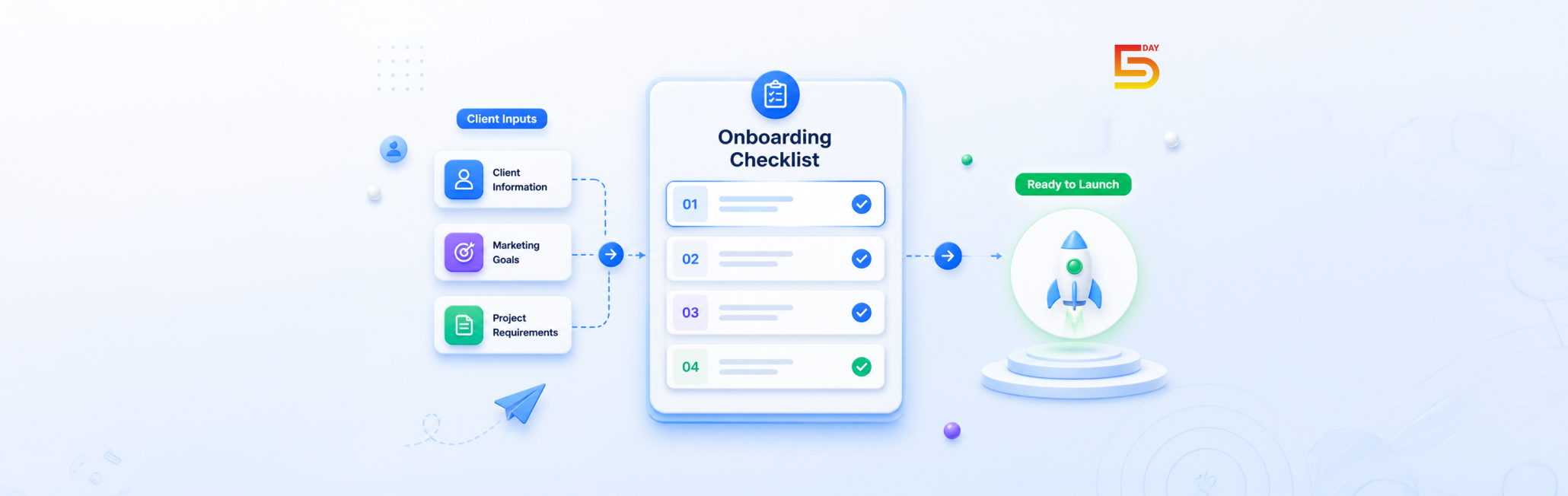
A good onboarding checklist for new clients should be clear enough to use tomorrow. It should also be structured enough to drop into a project tool. Follow this 20 step checklist to never fail on smoothly onboarding and managing a client:
Category | Checklist item | Owner | Timing |
Pre-onboarding | Contract signed and filed | Account Manager | Before Day 1 |
Pre-onboarding | Welcome email sent within 24 hours | Account Manager | Day 0-1 |
Pre-onboarding | Intake form sent to client | Account Manager | Day 1 |
Pre-onboarding | Internal account brief created | Account Manager | Day 1-2 |
Account setup | Project workspace created | Project Manager | Day 1 |
Account setup | Client added to communication channel | Project Manager | Day 1-2 |
Account setup | Platform access requested | Account Manager | Day 1-3 |
Account setup | NDA or data agreement completed if needed | Operations | Day 1-3 |
Discovery | Intake form reviewed and gaps followed up | Strategist | Day 3-5 |
Discovery | Brand and audience discovery session booked | Account Manager | Day 3-5 |
Discovery | Competitor review completed | Strategist | Day 5-10 |
Discovery | Strategy brief drafted and reviewed internally | Strategist | Day 8-12 |
Discovery | Strategy brief sent for client approval | Account Manager | Day 10-14 |
Kickoff | Kickoff agenda sent 48 hours in advance | Account Manager | Day 12-14 |
Kickoff | Kickoff meeting run and recorded if allowed | Account Manager | Day 14-21 |
Kickoff | Same-day follow-up and action list sent | Account Manager | Day 14-21 |
30-day review | First deliverable produced and reviewed internally | Delivery Team | Day 21-28 |
30-day review | First deliverable sent to client | Account Manager | Day 25-30 |
30-day review | 30-day check-in scheduled | Account Manager | Day 28-30 |
30-day review | KPI baseline report delivered | Analyst | Day 30 |
A baseline report in the first 30 days helps set expectations and reduces future reporting stress. Building marketing reports with 5day.io fits the KPI baseline step in your checklist.
How to Use the Checklist Without Slowing the Team Down?
The checklist should stay inside the actual workflow, not in a dead document. 5day.io offers templates that are built as a reusable project framework
These custom templates can reduce a lot of manual work and add gears to repeatable work as well. That means the checklist will be tied to dates, owners, and status together so your team can actually use it, not just stored as a reference file.
What to Customize by Service Line?
The base process can stay consistent. The details should change by service.
- SEO onboarding needs access to analytics, Search Console, CMS, past reports, and competitor context
- social media onboarding needs brand guidelines, approval paths, content examples, platform access, and community rules
- paid media onboarding needs ad account access, conversion setup, historical spend data, and landing page ownership
- full-service retainers need all of the above plus a clearer reporting and prioritization cadence
That is why a client onboarding plan should be templated, but not rigid.
Client Intake Form: What to Ask and Why

A good intake form saves time later. It reduces back-and-forth, makes kickoff sharper, and catches the details that agencies often forget until the first revision cycle starts.
Business and goals
What does your business do and what do you sell?
This sets the commercial context. A team cannot write a strong strategy if they only know the service category.
What are your top three goals in the next 90 days?
This makes priorities visible early.
How will you judge success after 90 days?
This pushes the client to define real outcomes.
Is there one campaign or project you want us to tackle first?
This helps your team sequence work around the highest-value item.
Brand and audience
Who is your ideal customer?
This is one of the most important questions in the whole form.
How would you describe your brand voice?
Skipping this is expensive. It often creates weeks of revision loops.
What do you want people to feel or understand after seeing your marketing?
This helps shape the message and tone.
What examples of your existing content or campaigns best represent your brand?
This gives the team a usable reference point.
Competition and market context
Who are your top competitors?
This speeds up market review.
What do those competitors do well?
Clients usually notice things your team should hear early.
What makes your business different?
This helps prevent generic messaging later.
Workflow and approvals
What tools are you already using for planning, reporting, and collaboration?
This shows what needs to be replaced, kept, or integrated.
Who needs access to the workflow or reporting view?
This clarifies permissions and reporting setup.
Who gives final approval on content or deliverables?
This is one of the most skipped questions and one of the most important.
What is your expected turnaround time for feedback?
This question protects the whole delivery schedule.
How to Run a Perfect Agency Kickoff Meeting?
A kickoff meeting should build clarity and momentum. It should not turn into a contract recap call.
Who Should Attend?
On the agency side, the account manager should always attend. The strategist or service lead should usually attend too. If setup or integrations matter early and bring the project manager or onboarding specialist. On the client side, you need the main point of contact and at least one decision-maker or approver.
The 60-minute kickoff agenda
Time | Agenda item | Purpose | Owner |
0:00-0:05 | Welcome and introductions | Put names, roles, and decision paths on the table | Account Manager |
0:05-0:15 | Onboarding overview | Confirm timeline, phases, and what happens next | Account Manager |
0:15-0:25 | Intake form review | Clarify missing answers and priorities | Account Manager |
0:25-0:40 | Strategy and use-case discussion | Confirm goals, audience, and first project focus | Strategist |
0:40-0:50 | Tool access and workflow setup | Confirm integrations, reporting view, approvals, contacts | Project Manager |
0:50-0:55 | Training and check-in schedule | Lock training dates and review rhythm | Account Manager |
0:55-1:00 | Questions and next steps | Confirm owners and deadlines before close | Account Manager |
This agenda works because it gives each part of the relationship a place: strategy, workflow, people, and next steps.
What to send before the kickoff
Send these 24 to 48 hours early:
- the meeting agenda
- a clean onboarding timeline
- the list of attendees
- any missing intake questions
- access requests that can be completed early
What to send after the kickoff
Send the recap the same day if possible:
- decisions made
- open questions
- owners
- deadlines
- the next call date
- the first deliverable milestone
That follow-up matters because it turns a good meeting into an operating document. A kickoff goes smoother when the agenda and pre-work are locked early. We recommend you cherish the marketing project kickoff checklist to know the steps in-detail.
Tips to Setup Client Portals and Access
This is the section many onboarding articles underplay. But for agencies, tool setup is where the process becomes real.
Which Tools to Set Up During Onboarding
Tool area | What to set up | Why it matters |
Project workspace | client board, tasks, statuses, owners, due dates | gives the account one operating home |
Communication | email group, Slack channel, meeting cadence | reduces scattered updates |
Analytics | GA4, Search Console, ad dashboards, reporting permissions | supports performance visibility |
CMS or site access | website, landing pages, publishing rights | prevents delays later |
Social or ad platforms | account access, roles, billing visibility | supports campaign launch and changes |
File storage | drive folders, asset naming, access permissions | avoids missing files and version confusion |
Reporting view | KPI dashboard, baseline, reporting schedule | aligns expectations early |
Approval workflow | reviewer list, turnaround times, sign-off path | protects timelines |
Permissions and Security
Access setup should not be rushed. Confirm who needs admin rights and who only needs view or comment rights. Also confirm who can approve content and who should be kept out of day-to-day task detail.
This is where a project management software for marketing industry workflow helps. It will ensure controlled client visibility and faster project initiation through reusable templates, which is exactly the kind of structure onboarding needs when agencies want client access without internal chaos.
Build the Client-Facing View Early
The client does not need every internal note. They usually need:
- Current progress
- Next milestone
- Key files
- Approval items
- Core KPIs
- Upcoming meetings
A cleaner client view reduces status-chasing and makes your agency look more organized.
Onboarding Mistakes That Kill Client Retention (How to avoid them)
Mistake 1: no defined scope or success metric
If the team does not know what the correct onboarding process is, success becomes tough. So, always focus on collecting goals and success metrics early.
Mistake 2: skipping brand and audience discovery
This is one of the fastest ways to create poor first deliverables. When agencies skip this step, they often pay for it in revisions.
Mistake 3: over-promising in the sales process
Onboarding cannot fix a bad promise. It can only expose it. Use onboarding to reset expectations clearly and early.
Mistake 4: no single point of contact on both sides
Accounts move slower when nobody operates the relationship process correctly.
Mistake 5: treating onboarding like admin
Good onboarding is not paperwork. It is relationship architecture. Another success metric of the right onboarding is loyalty. It is the foundation for strong collaboration and long-term success.
How to Automate Your Agency Client Onboarding Process?
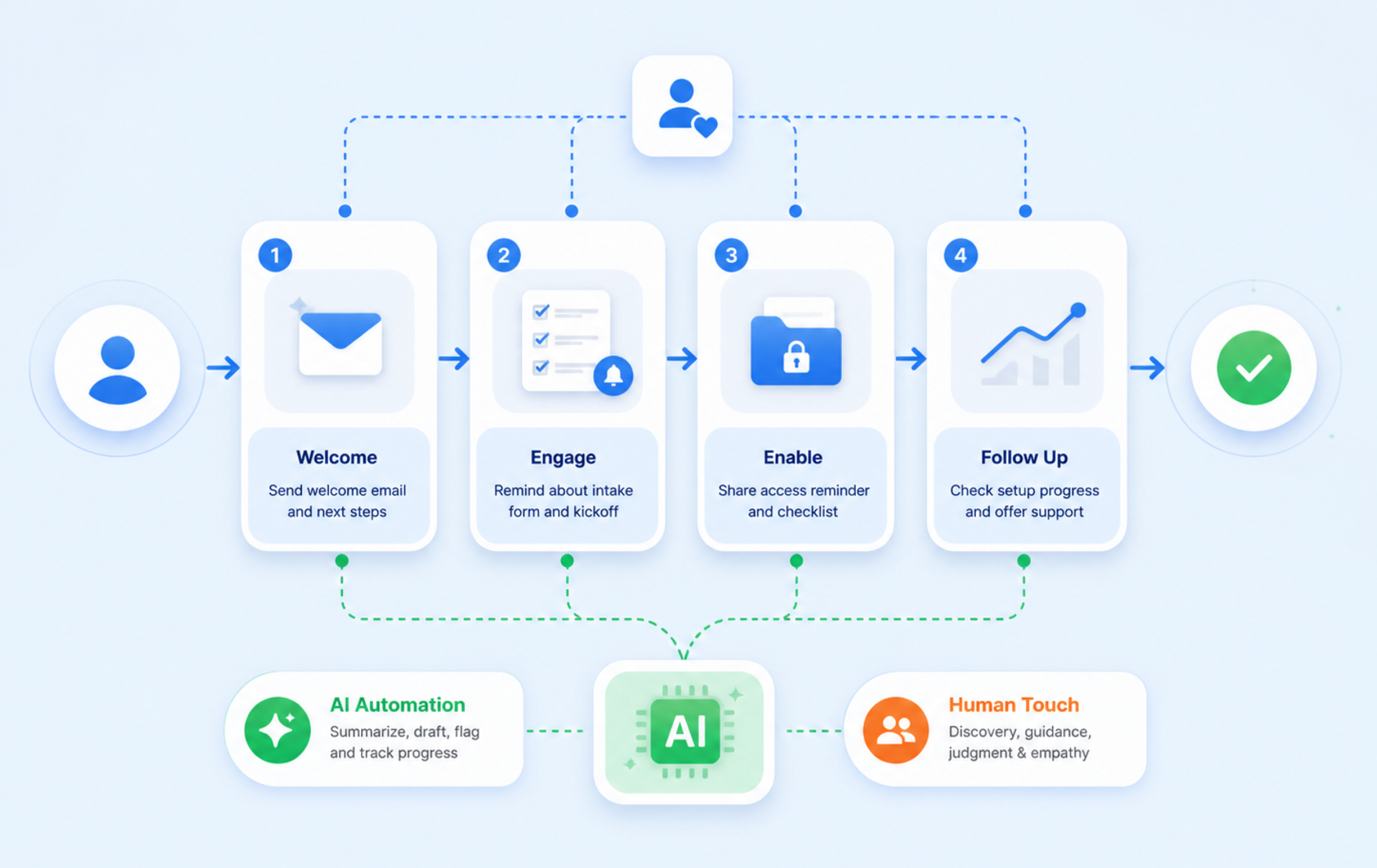
Automation helps most when it handles repeatable admin tasks. Here are some tips about how automation can help you:
What can be automated safely
There are various parts that take time if operated manually. For example, document handling, follow-ups, system handoffs, etc. To be more precise, automate the following to save time:
- welcome email sequences
- intake form reminders
- contract and invoice delivery
- calendar booking triggers
- task creation after a signed deal
- report schedule setup
- access request reminders
What should stay human
Keep these steps human-led:
- discovery calls
- brand and audience alignment
- high-risk expectation setting
- kickoff facilitation
- first-feedback handling
- any step that needs judgment or empathy
Technology should sharpen visibility and guidance, not replace the people who own the relationship. Keeping that in mind, keep these important tasks only human-led.
Build a simple welcome sequence
A light automated sequence works well:
- Day 0: welcome email and next-step overview
- Day 1: intake form reminder and kickoff link
- Day 3: access reminder and checklist preview
- Day 7: setup progress note or check-in
That kind of sequence keeps momentum high without making the experience feel robotic.
Use AI carefully
AI can help summarize intake responses, draft onboarding follow-ups, flag missing data, create progress summaries, and do a lot more. AI helps move customer success work away from reactive firefighting and toward more proactive guidance.
However, only if AI is used carefully. If the entire process is AI-led, clients might feel a lack of human input and that will kill the client retention rates. So, follow the guidelines above, and separate both AI and human tasks carefully. That’s how you can follow client onboarding best practices.
How to Templatize Your Onboarding for Scale?
Templatizing onboarding does not mean making every client feel the same. Personalization still should be a top factor to consider. Using a template means standardizing the repeatable parts so your team can personalize the parts that matter.
Turn each phase into a reusable workflow
Start with reusable versions of:
- welcome email
- intake form
- kickoff agenda
- access checklist
- reporting setup
- 30-day review
- handoff sign-off
Keep one master version, then adapt by service line
Your agency can keep one core onboarding system and then create variations for SEO, paid media, social media, design, or full-service accounts. That is the best way to scale without rebuilding the process every time.
Manage multiple new clients without losing quality
Once you are onboarding three or more new clients at once, a spreadsheet alone starts to bend. That is where marketing team project management software becomes more useful than scattered docs.
You need owners, deadlines, permissions, templates, a client-safe view, etc. in one place. Therefore, a project management software like 5day.io works around that exactly to automate these repeatable tasks and campaign easily, while maintaining client setup work.
Free Client Onboarding Checklist Template for Marketing Agencies
A strong free client onboarding template doesn’t mean it is supposed to just list tasks. It should also help your team collect information and close the onboarding period cleanly.