


A character counter tool has become a base for marketers. Reason? The limit of characters in each platform, and for marketing, every word matters.
Now, if you know the exact character count for the most active platforms where audiences engage in 2026, you can create some solid marketing content.
Furthermore, you can input the exact character values to help fine tune your AI prompts if you prefer getting your marketing content ideas ready with AI tools.
There are facts that show how character counter tools for marketers have become a necessity.
For example, 55% of emails are opened on mobile; standard X posts still cap at 280 characters. On the other hand, LinkedIn posts cap at 3,000, and Google Ads’ responsive search ads still limit headlines to 30 characters while keeping descriptions to 90.
If your team writes across several channels, character count stops being a tiny copy of detail and becomes a workflow issue.
This guide gives you the best free character count calculating platforms, along with the latest character counts from the trending platforms that marketers use in 2026.
What Character Count Means in Marketing
The character count is the number of characters in a copy. In most tools, that includes spaces, but some counters also show a separate count without spaces.
A few platforms add extra rules too. X, for example, does not treat every character the same way because some Unicode characters and URLs are counted differently.
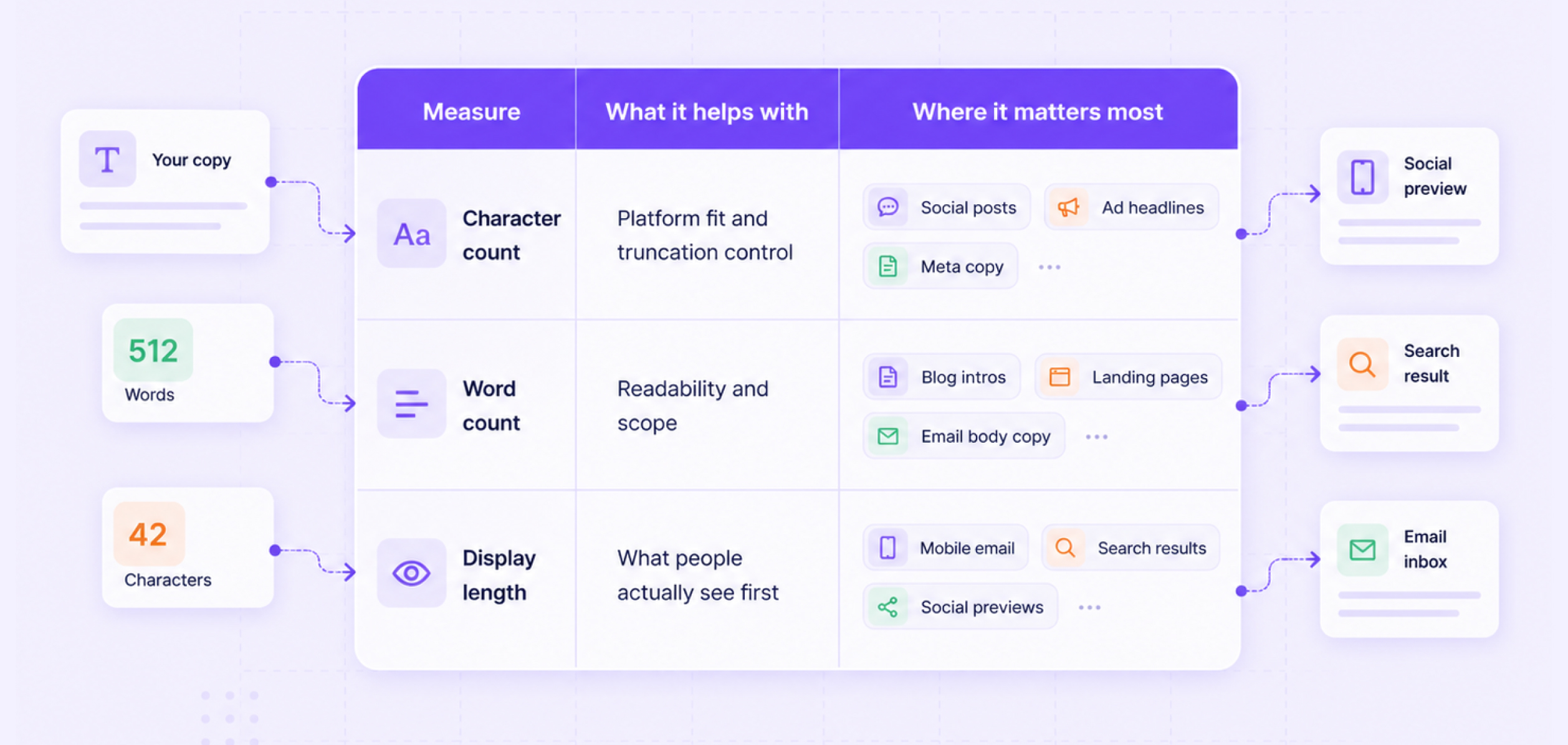
That is why marketers should look at three things, not one:
Measure | What it helps with | Where it matters most |
Character count | Platform fit and truncation control | Social posts, ad headlines, meta copy, subject lines |
Word count | Readability and scope | Blog intros, landing pages, email body copy |
Display length | What people see first | Mobile email, search results, social previews |
A word count checker helps you manage readability. Also, a character counter helps you stay inside channel rules and UI constraints. Good marketing teams usually need both, and there are platforms that offer both. We will discuss them soon in this blog post.
Important advice: Character checks work best when they stay inside real marketing workflows, not as a polish step to do at the last minute.
Why Marketers Should Care About It
Characters count matter because every channel has two different realities. One is the hard platform limit. The other is the shorter length that usually works better in real use. Those are not the same thing.
A Facebook post can be extremely long. However, that does not mean it should be. A LinkedIn post can run 3k characters, but the first part still does most of the work as people decide quickly if they want to expand it. Also, email subject lines work the same way.
There is no single universal hard cap across email tools. However, mobile reading behavior makes shorter subjects safer. For example, 50 characters or around 41 characters as a strong starting point.
This is also why the importance of character counter tools keeps growing in marketing workflows. It is not only about copy polish. It affects approvals, campaign setup, speed, channel fit, etc. The faster your team moves, the more useful a simple count check becomes.
When teams post across channels, small checks need to happen fast and in the same place. Marketing workflow automation helps prevent repeated fixes right before publishing.
That is especially true when AI-generated drafts start long and need channel-specific trimming before they are ready to publish. HubSpot says 80% of marketers now use AI for content creation, and 75% use it for media production, which means more teams now need quick review systems for length and channel fit.
Free Character Counter and Word Counter Tools
A good counting tool is all you need to count both wordcount and character length. Not just that, there are some platforms that allow you to check the exact reading time too.
So, the right tool depends on the job, and that’s the reason we have listed the best character counter platforms below.
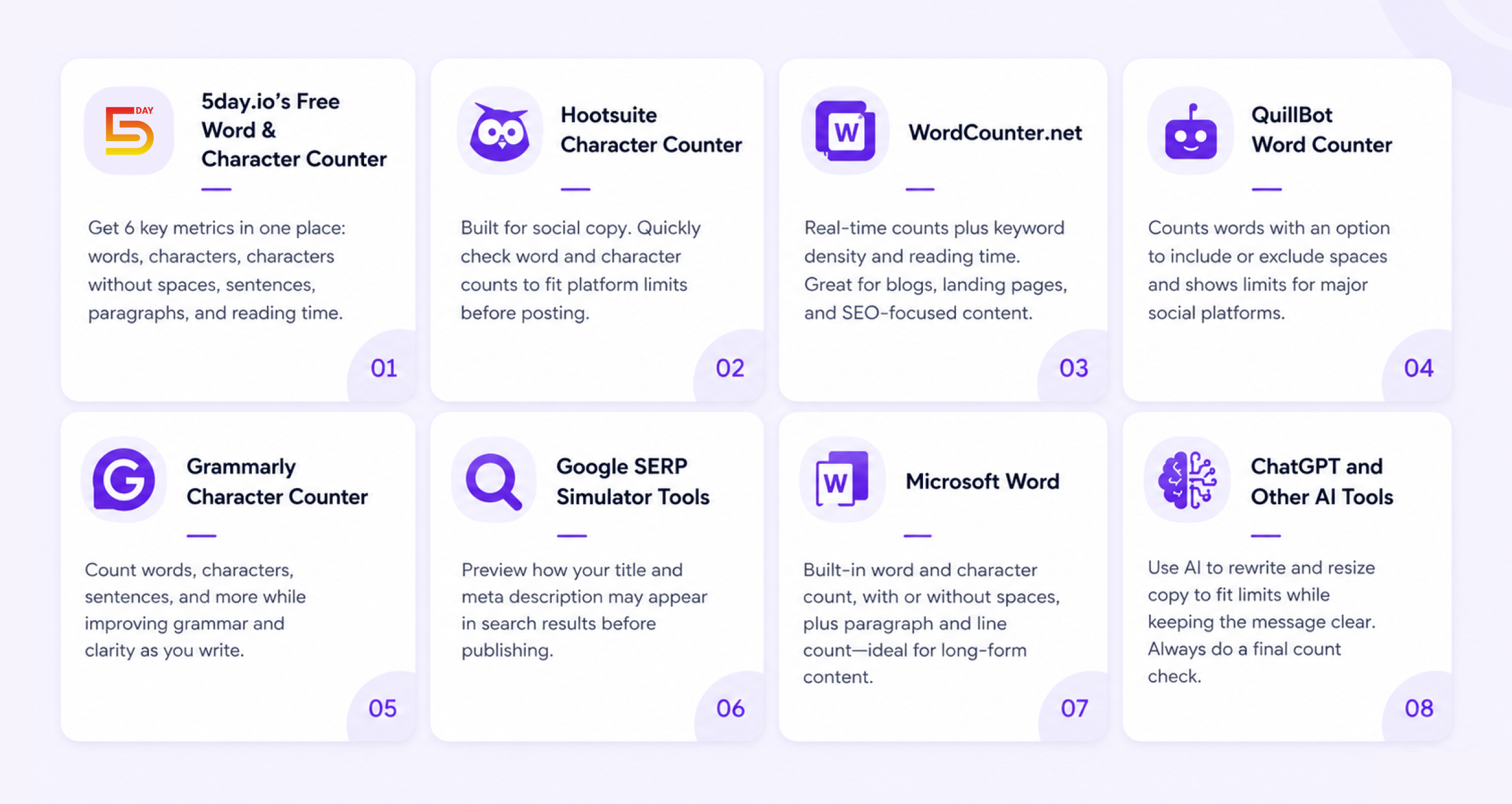
5day.io’s Free Word & Character Counter
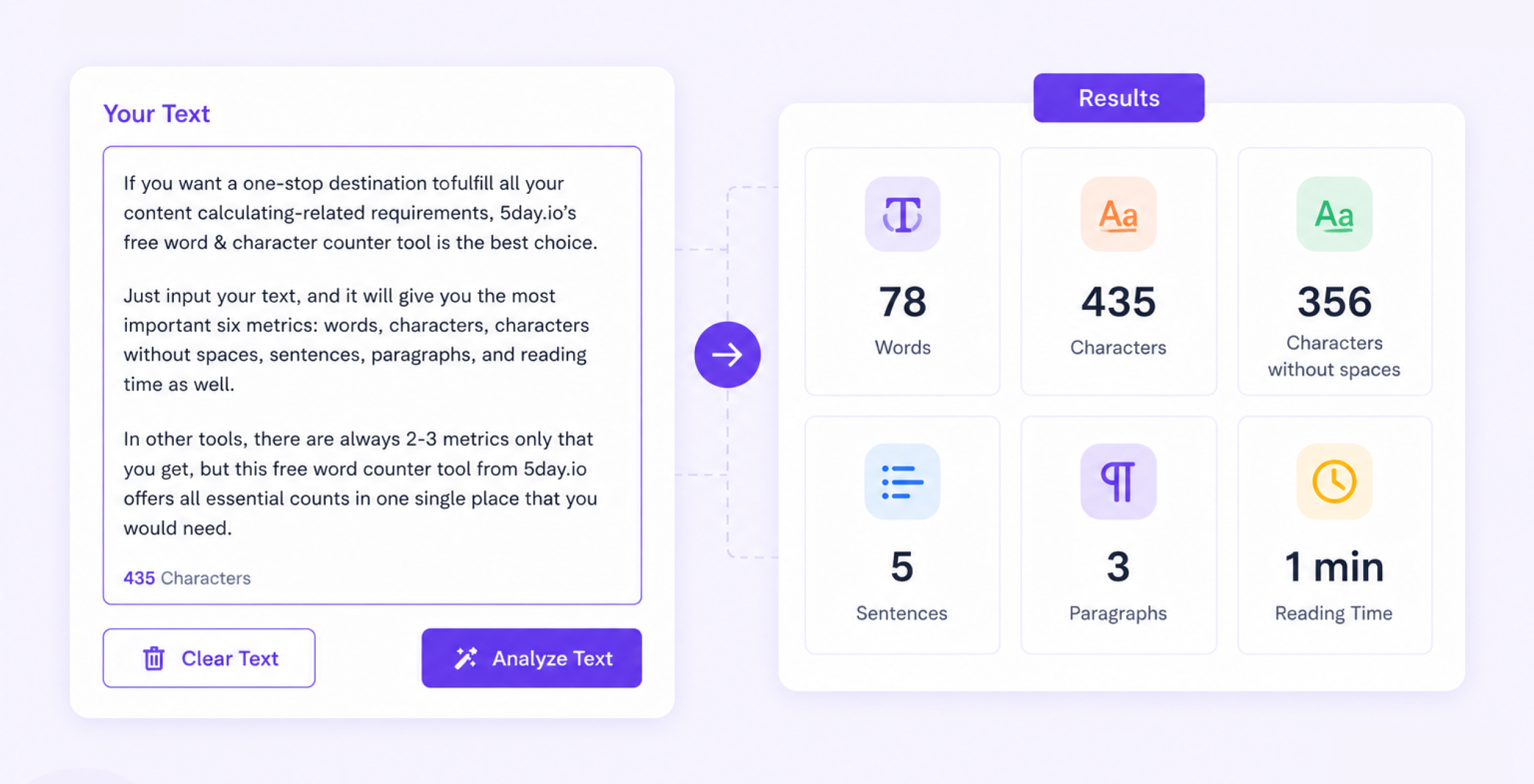
If you want a one-stop destination to fulfill all your content calculating-related requirements, 5day.io’s free word & character counter tool is the best choice. Just input your text, and it will give you the most important six metrics: words, characters, characters without spaces, sentences, paragraphs, and reading time as well. In other tools, there are always 2-3 metrics only that you get, but this free word counter tool from 5day.io offers all essential counts in one single place that you would need.
Hootsuite character counter
Hootsuite’s free character counter is a practical pick for social teams because it is built around social copy needs, not just raw counting. It gives you a quick way to check character count and word count while drafting posts for networks with tighter limits. This makes it useful when the job is simple: trim a caption, tighten a hook, or make sure a post fits the channel before it goes to review.
WordCounter.net
WordCounter is a stronger fit when you want a little more than a basic count. Its editor tracks words and characters in real time and also shows keyword density and reading-time style details. That makes it useful for blogs, landing pages, long captions, and SEO-first drafts where the team wants a broader view of copy length and repetition, not just a raw count.
QuillBot word counter
QuillBot’s word counter is a good middle-ground option. It tracks words and lets users choose if spaces should count as characters, and its tool also shows restrictions on social platforms with character limits. That makes it helpful for marketers who move between email, social, and ad copy during the same work session and want one tool that feels simple but still gives channel context.
Grammarly character counter
Grammarly’s character counter works well when count and polish need to happen together. It shows words, characters with spaces, characters without spaces, sentences, paragraphs, reading time, etc. while also layering in grammar and clarity support. For marketers, that is useful in email drafts, polished social copy, and internal approval rounds where the copy needs to fit the limit and read cleanly too.
Google SERP simulator tools
A SERP simulator is the right choice when the real problem is not platform limits but search-result display. There are tools that let you preview how your title tag and meta description may appear in search results as you write them.
It comes handy for SEO teams as Google does not work on one simple character cap for titles and descriptions. A preview tool helps you test visibility before publishing instead of relying on guesswork.
Microsoft Word
Microsoft Word is still useful for long-form drafts because it gives word count and character count. Also, you can see it without spaces or paragraph count while line counts directly inside the document.
Simple, right? As a marketing team, writing articles, landing pages, proposals, email sequences, etc. where they do not need a dedicated web tool but still want reliable count tracking inside the drafting environment is now simple.
ChatGPT and other AI tools
AI tools are useful here. Why? The goal is not just to count but to reshape copy around a target length. OpenAI explains that response length can be controlled with clearer prompts and output limits.
In marketing use, that means you can ask an AI tool to shorten a subject line or rewrite a post to fit a tighter limit while keeping the same message. The count still needs a final check, but AI is now a practical editing layer for length control, not just a drafting tool.
Which tool should marketers use?
The best tool depends on the workflow. If the team needs a fast social copy check, 5day.io, Hootsuite or QuillBot makes sense. If the team needs broader writing stats, WordCounter or Grammarly can be the quick pick.
If the job is SEO metadata, a SERP simulator is the better fit. If the team is working on longer drafts, Microsoft Word is still enough for many cases. If the draft already exists but needs to be cut down fast, AI tools can help produce a shorter version before final review.
A tool alone still does not solve the workflow problem. The real value comes when count checks sit inside the actual review process. Count checks get easier when they are planned inside the calendar, not handled in chat. Content calendar management tools techniques can help set a clean review routine.
If writers draft in one place and reviewers count in another while approvals happen in chat. Thus, the work still slows down. That is why the stronger long-term setup is a shared system where copy, ownership, review status, and final checks stay together.
There’s a solid way to handle that. 5day.io, the leading project management platform with a simple interface, offers a clean workflow layer after the draft moves beyond a simple count check.
Social Media Character Count Guide for Marketers (Updated 2026)
The smartest way to use a marketing character count guide is to separate hard limits and better targets. Hard limits keep you compliant. Better targets help your copy perform and display well.
X posts
Standard X posts still cap at 280 characters. That is the official limit, but X also notes that not all characters are counted equally. URLs and some Unicode characters follow different counting rules. For planning, Hootsuite still recommends aiming around 71 to 100 characters if you want a stronger chance of engagement and easy scanning.
Working rule:
Use the 280-character limit as the hard stop but try to land the core message much earlier.
LinkedIn posts
LinkedIn’s official help pages say posts can contain up to 3,000 characters. That is the platform rule. In practice, shorter openings usually work better because people see only the early part before deciding to expand the post. Hootsuite’s current guidance says the most important part is usually the first 150 characters, and it also recommends keeping the main point close to the start.
Working rule:
Use the full 3,000-character limit only when the post truly needs it. Put the hook and pay off early.
Instagram captions
Current social marketing references place Instagram caption limits at 2,200 characters. But shorter working captions for routine marketing use can be better. For example, around 125 to 150 characters or roughly 138 to 150 as a practical target. That does not mean longer captions cannot work. It means the opening needs to carry the message quickly.
Working rule:
Treat 2,200 as the limit, not the goal.
Facebook posts
HubSpot says Facebook posts can run up to 63,206 characters. That is the technical ceiling, but it is not a useful daily target for most marketers. Hootsuite recommends keeping many Facebook posts much shorter, often around 1 to 80 characters for high engagement, while other current social references also point to short, direct copy as a stronger default.
Working rule:
Use a long Facebook copy only when the story or context genuinely needs it.
TikTok captions
TikTok caption limits around 2,200 characters for manual posting. Practical marketing guidance suggests keeping captions closer to 100 to 150 characters for the first line as they tend to hook attention fast.
Working rule:
Write the hook first, not the cap.
Pinterest descriptions
Pinterest description limits 800 characters, but Hootsuite still recommends about 200 characters as a practical target for discoverability and readability. Pinterest works more like a search-and-save channel than a pure feed channel. Therefore, concise and keyword-aware copy can be a better strategy here to implement.
Working rule:
Stay concise and front-load the search terms or value point.
YouTube titles and descriptions
YouTube titles can be up to 100 characters, and descriptions can run to 5,000. But Hootsuite still recommends shorter titles like 70 characters as that length displays more cleanly and stays easier to scan.
Working rule:
Use the first 60 to 70 characters as the real headline zone.
Email subject line character count
This is one of the most practical places to use a word count checker and a character counter together. There is no one universal hard limit across every inbox and email platform, but current email guidance is consistent on one thing: shorter subject lines are safer on mobile.
HubSpot says 55% of emails are opened on mobile and recommends keeping subject lines under 50 characters. Mailchimp recommends under 50 too, while Campaign Monitor highlights 41 characters and seven words as a useful benchmark.
Working rule:
Aim for 41 to 50 characters for most campaigns, then test by audience and device mix.
Email preheader character count
Campaign Monitor recommends preheader text of around 85 to 100 characters. This gives you enough room to support the subject line without burying the main point. Preheaders are often wasted, but they can do a lot of work when the subject line stays short.
Working rule:
Use the subject line for the main promise and the preheader for extra detail.
Google Ads headline character limit
Google Ads responsive search ads allow headlines for up to 30 characters and descriptions for up to 90 characters. Path fields allow up to 15 characters each. These are hard product limits, not planning suggestions.
Working rule:
Do not write 30 characters by accident. Write it on purpose. Every word in a paid headline needs a job.
LinkedIn message character limit
LinkedIn Message Ads allow a subject line up to 60 characters, message text up to 1,500 characters, and a call-to-action label up to 20 characters. Those are official product specs and worth checking early if your team builds sponsored message campaigns.
Working rule:
Use the subject line like a headline and keep the body front-loaded, because the full allowance is much larger than what most readers will absorb.
SEO and web copy
SEO is where many marketers still misunderstand character counts. Google Search Central says there is no hard character limit for title links or meta descriptions. Google truncates based on device width and its own systems, not a single fixed character number. That means your job is not to chase a mythical 60-character title rule. Your job is to write concise, useful copies that place important words early.
Working rule:
For SEO, optimize for visible meaning and front-loaded relevance, not a fake hard limit.
The Master Marketing Character Count Reference Table
The table below combines current hard limits and practical working targets for the channels marketers use most. The hard limits come mainly from official platform docs where available.
The “better target” column is the more useful day-to-day planning range for marketers. It reflects current platform guidance and current channel best-practice references, not a universal performance law.
Channel or asset | Hard limit | Better target for marketers | Why the shorter target helps |
X post | 280 characters | 71 to 100 | Cleaner hook and easier engagement |
LinkedIn post | 3,000 characters | Front-load value in first 140 to 150 | Helps more people see the key message before expansion |
Instagram caption | 2,200 characters | 125 to 150 | Better first impression and faster scanning |
Facebook post | 63,206 characters | 40 to 80 for many posts | Stronger readability and less clutter |
TikTok caption | About 2,200 | 100 to 150 | Faster hook and cleaner on-screen framing |
Pinterest description | 800 characters | About 200 | Easier search-friendly writing |
YouTube title | 100 characters | Around 70 | Better display and faster comprehension |
Email subject line | No single universal cap | 41 to 50 | Safer on mobile inboxes |
Email preheader | No strict universal cap | 85 to 100 | Enough support without overflow |
Google Ads RSA headline | 30 characters | 25 to 30 | Helps you write deliberate paid copy |
Google Ads RSA description | 90 characters | 70 to 90 | Leaves space for readable phrasing |
LinkedIn Message Ad subject | 60 characters | Close to 50 to 60 | Cleaner sponsored inbox preview |
LinkedIn Message Ad body | 1,500 characters | Keep the lead-in short | Readers rarely reward bloated sponsored copy |
SEO title link | No hard Google limit | Write for readable display | Truncation depends on width, not a strict cap |
Meta description | No hard Google limit | Write for readable display | Truncation depends on width, not a strict cap |
A few notes will help you here that we’d love to include. X counts some characters differently. SEO title links and meta descriptions do not have hard Google character limits. And ad or UI truncation can still happen before a formal platform limit if the design surface is narrow.
How to Audit and Fix Character Count Issues Across Your Site
A lot of teams know the limits but still miss them in real life. The problem is not awareness. It is a process.
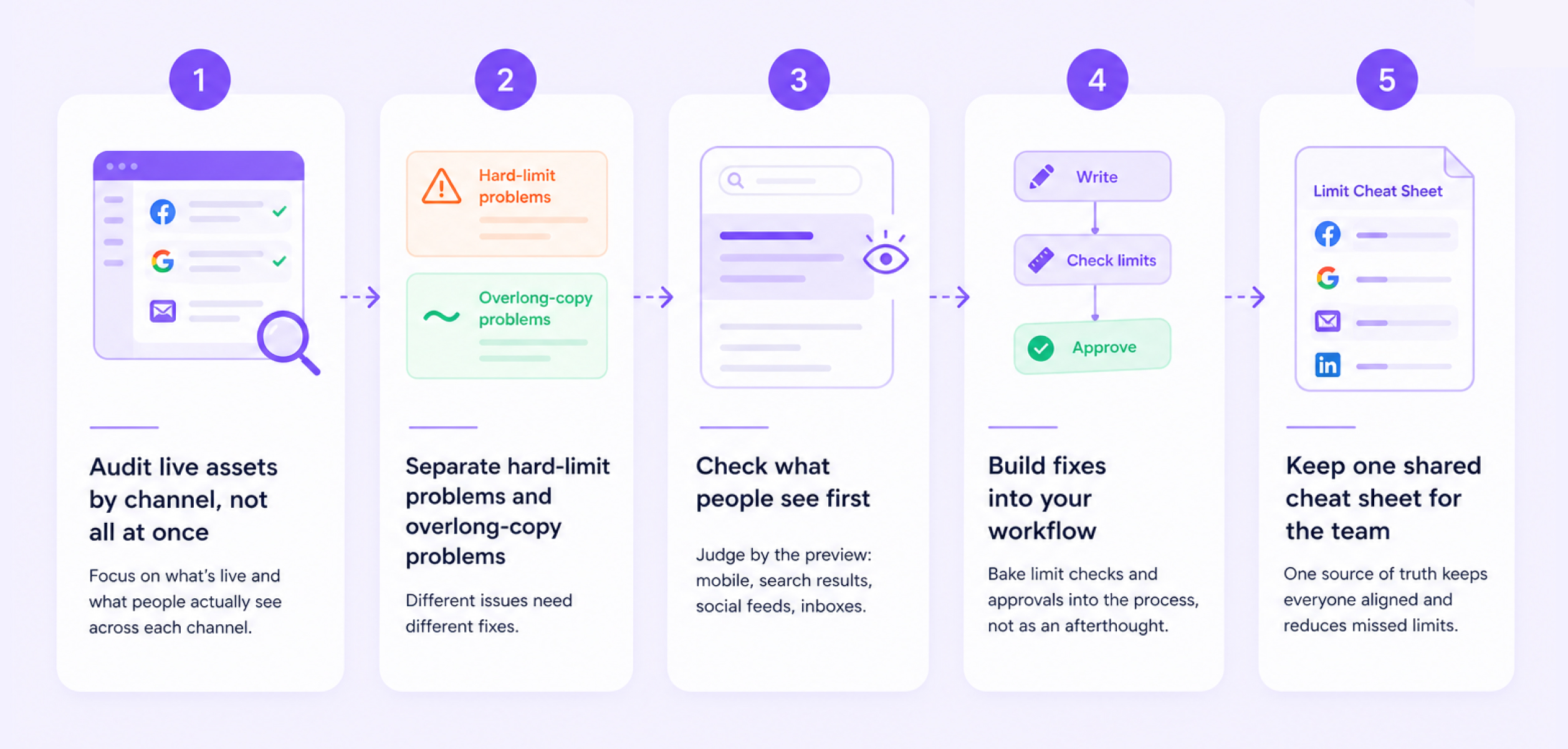
Step 1. Audit live assets by channel, not all at once
Start with the channels that create the most volume or the most cost. For most teams that means:
- social posts
- email subject lines
- paid ad headlines
- SEO title and meta copy
Pull a recent sample and compare each asset against the channel rules and your own better target ranges.
Step 2. Separate hard-limit problems and overlong-copy problems
These are different issues.
Problem type | What it means | What to do |
Over limit | Copy exceeds the platform rule | Fix immediately |
Under limit but too long | Copy technically fits but is weak or cluttered | Rewrite for clarity |
Fine length but weak front-load | The important point appears too late | Move the main value earlier |
This is why a marketing character count guide should never stop at raw numbers. A post can be under the cap and still be too long for the channel.
Step 3. Check what people see first
This is where the audit becomes useful. Do not only ask, “Does it fit?” Ask, “What does the audience see before the cutoff?”
For example:
- the first line of a LinkedIn post
- the first few words of an email subject
- the full Google Ads headline
- the first screen of a mobile social caption
That check matters more than raw count in many cases.
Step 4. Build fixes into your workflow
The easiest fix is not more manual review. It is a better process.
If your team already uses a free social media content calendar template, add fields for draft count, final count, platform limit, and approval-ready count. If launch work lives inside a free product launch marketing plan template, add checks for subject lines, ad headlines, and CTA lengths before launch week.
And if SEO work stays inside a free SEO marketing plan template, add one review step for title links and meta descriptions before publishing.
5day.io makes that kind of structured execution easier because the platform connects templates, tasks, approvals, AI-assisted, and other such useful features with drafts in one working system.
Step 5. Keep one shared cheat sheet for the team
This is especially useful for agencies and multi-channel teams. One short reference sheet with platform limits and better targets can prevent a lot of revision loops. It also helps when new team members join or when client approvals slow down because copy keeps breaking format rules.
Also, a shared calendar keeps copy limits visible before the team locks assets and approvals. Read about how to manage your content calendar that helps you fit a perfect strategy in this planning-first approach.
The SEO Character Count Rules That Actually Matter
SEO is full of fake, hard rules. This is the section where marketers usually need the most cleanup.
Rule 1. Google does not use a hard character cap for title links
Google says title links do not have a fixed character limit. Truncation depends on device width and Google’s rendering systems. So the practical rule is to put the important words early and write titles that still make sense if the tail gets cut.
Rule 2. Meta descriptions also do not have a fixed Google character cap
Google says snippets do not have a fixed length either. Again, the real job is not to hit an exact number. It is to write a concise, useful copy that helps the searcher understand the page fast.
Rule 3. Character count still matters in SEO, just differently
Even without hard caps, character count matters because search snippets compete for attention in a limited display area. Tight copy tends to communicate faster. Loose copy tends to waste the visible space. So, for SEO, think of character count as a clarity tool, not a compliance rule.
How 5day.io Can Become a One Stop Solution to Character Counter in Marketing?
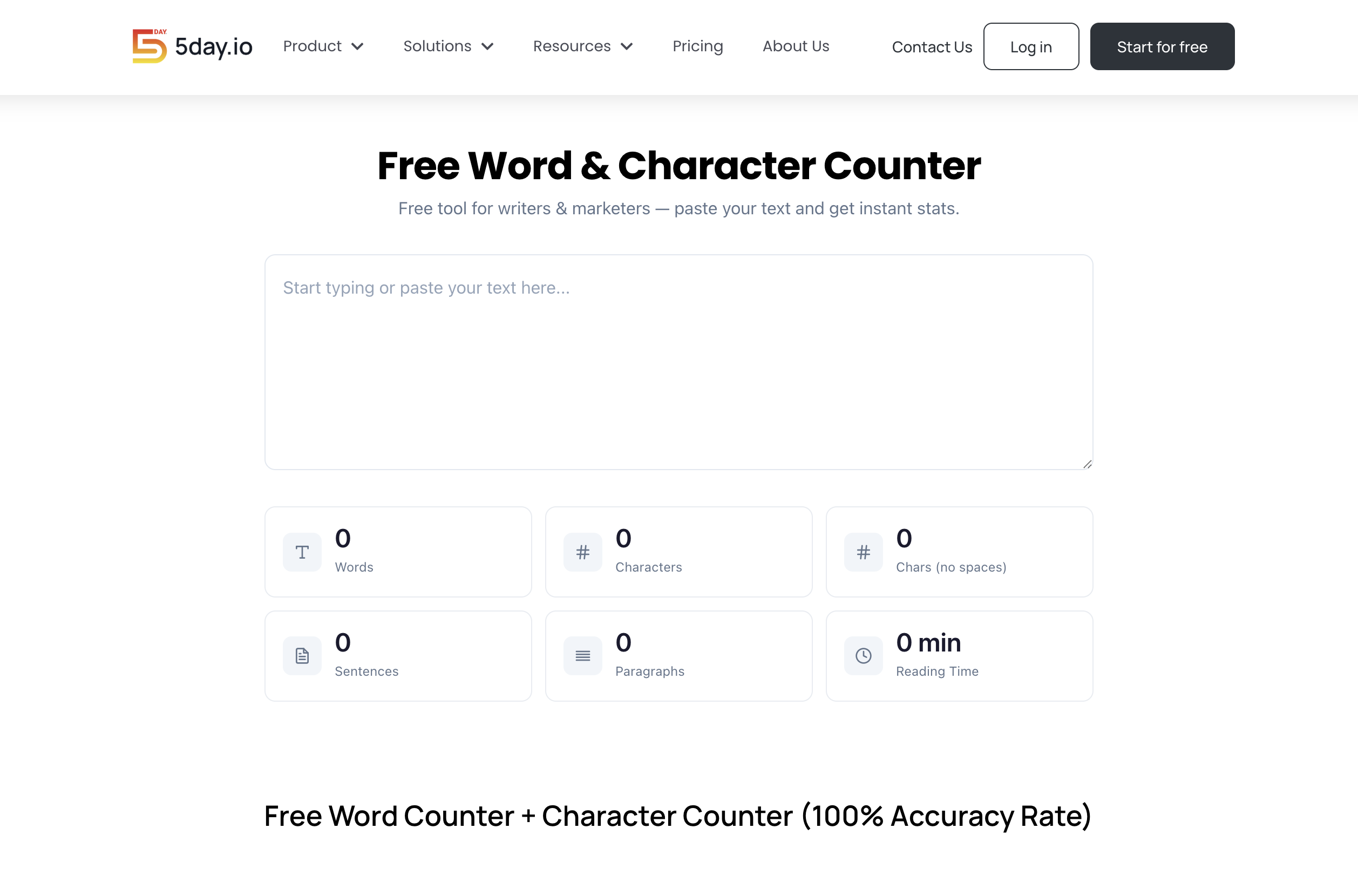
If your current process stays across sheets, chats, last-minute fixes, etc. 5day.io is a useful next step because it connects planning and execution more cleanly.
Its free social media content calendar template gives teams a practical place to track channel details and approvals. Also, there is a solid marketing workflow that users love as they get an easier way to keep drafts, updates, owners, reviews, etc. in one system.
That is useful for teams that need a marketing agency project management software setup to keep workflows aligned without adding more tool chaos.
Let us suggest you a simple way to use it in 5day.io:
- Keep platform count rules in your task or template fields
- Review AI-generated drafts inside the same workflow
- Assign one owner for each channel asset
- Track approval status before publish day
- Store your shared character-count cheat sheet where the team already works
That turns character count into a repeatable workflow habit instead of a last-second edit.
Final Advice
The character count is small until it is everywhere. Then it becomes one of the easiest ways to improve fit and consistency across your marketing. Use hard limits to stay compliant. Use better targets to write cleaner copy.
And build the review step into your workflow so the team does not keep solving the same problem every week. The best character count for marketers practice is simple: count early and make the rules visible where the work already happens.
You can also use a project management tool for marketing industry to not jump between multiple tools to count words and characters.