
Why Marketing Agencies Need Specialized Project Management Tools
Marketing agencies do not work like in-house teams, and honestly, that is where half the chaos begins.
An in-house team runs behind one brand with one set of goals, and there is just one internal chain of command. However, an agency manages multiple clients, which means engagement in multiple campaigns, deadlines, and multiple people saying, “just one small change.”
That is exactly why agencies cannot survive generic task tools that simply let people tick boxes and feel productive. A marketing agency does not need a tool that only stores tasks. It needs a solid tool that can handle all the projects in one basket.
There are deadlines, approvals, revisions, ownership, visibility, and a lot more to take care of. So, the right project management software for marketing agencies must keep internal work tidy. Also, they make client work look polished and under control, even when the team is quietly fighting for survival behind the scenes.
The 9 Best Project Management Tools for Marketing Agencies (2026)
These are the marketing project management tools that can sharpen the marketing blades of growing service teams in 2026. We’ve compiled this list after in-depth research instead of including a giant list of random platforms picked from the internet.
Operating in the project management and marketing industry, we’ve personally tried all the tools, implementing them on ongoing tasks to see which tool performs the best, and then brought this list with all honesty.
So, if you’re on the boat comparing the best marketing project management software for real agency operations, we’ll show you the correct destination for your boat to be docked.
- 5day.io
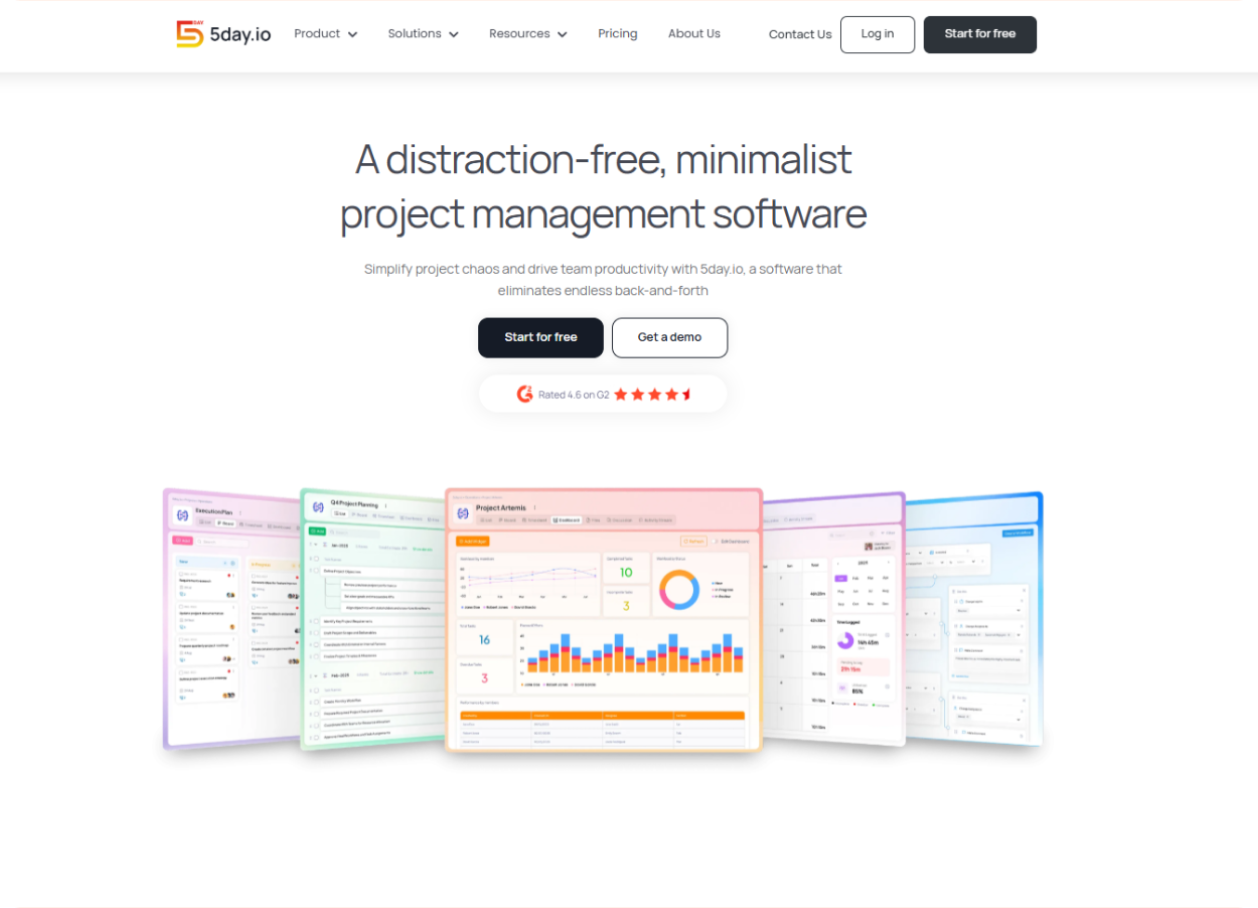
Is it a surprise that we are our top recommendations? Every one of my content pals knows this struggle. But give me a minute to tell you why 5day.io works for marketing teams.
5day.io was built after years of market research to eliminate the friction marketing teams face in their work. Currently, most marketing teams use generic project management software for their work, and it kind of works. They patch together features that create friction in their day, but they make do.
No tool understands that marketing does not need more friction; it needs reliability. 5day.io is built around this very idea.
How is 5day.io a suitable option for your marketing team?
Marketing agencies that want one workspace to manage campaign marketing planning, client work, internal collaboration, time tracking, automation, and a lot more without forcing the team into a bloated system. It looks especially suitable for agencies handling multiple clients at once and needing clean visibility without the usual setup fatigue.
5day.io out-features all tools in the market while being the easiest to use. There are a lot of positive reviews about the same. It seems to understand a very specific agency’s pain: too many moving campaigns and too many people needing visibility, but not everybody needs the same level of access.
Where it is strongest for agencies
Teams can plan campaigns, assign work, log time, set automations, and keep client access controlled without needing a second tool just to make the first tool understandable.
This looks especially strong for agencies running retainer work, campaign calendars, content production, and approval-heavy delivery where a clear shared system matters more than deep enterprise complexity.
Features
- Project hierarchy with workspaces, spaces, projects, sections, tasks, automations, calendars, and a lot more for structured planning.
- Pre-made and customizable templates (45+ templates included).
- List and Kanban views for different ways of tracking work.
- Custom roles and permissions for controlled access to project information.
- Custom task types, fields, and statuses for workflow flexibility.
- Global search functionality to find users and tasks quickly.
- Reminders, My Work view, bulk updates, assignee-wise estimation, and recurring tasks.
- AI features include Write with AI, smart recommendations, and AI project updates.
- Team collaboration tools like file storage, task discussions, guest and external access, activity stream, mentions, notifications, and hybrid work schedules.
- Timesheet management with time tracking, bulk or auto timer support, time submission and approval, day/week/month/list timesheet views, overtime support, and timesheet reports.
- Analytics and dashboards with customizable widgets and project progress visibility.
- Workflow automation with smart triggers for repetitive actions.
- Integrations with Google Drive, OneDrive, Slack, Teams, calendar apps, Zapier, and more to be released soon.
Pros and Cons
Pros | Cons |
5day.io covers a wide range of day-to-day agency needs. It is a strong fit for marketing teams that want clarity while meeting the real operational depth. | Does not have invoice generation |
Marketing-agency relevance is clearer than in many generic tools because 5day.io explicitly targets marketing agencies by providing features like approvals, campaign execution, collaboration, integrations, controlled visibility, etc. | Is not for teams like HR, IT, manufacturing and more |
Native timesheets, approvals, analytics, automation and a lot more features, all easy to use to reduce the need to patch together separate tools for delivery and reporting. | |
Custom roles, guest access, and external access make it easier to involve clients or vendors without exposing everything. | |
Public customer reviews repeatedly mention ease of use, fast implementation, visibility, cleaner collaboration, and reduced email clutter, which supports the product’s usability angle. | |
The platform offers a 30-day trial on its Growth plan with no credit card needed, which lowers adoption friction for teams evaluating it. |
Final take
5day.io is one of the more sensible options if you’re looking for a marketing teams project management tool that if your team is tired of managing projects manually with excel sheets or basic software. It understands how agency work gets messy and then tries to remove that mess without turning setup into its own side project. If you’re interested to know more about this software, read our guide about why 5day.io is the best marketing agency project management software.
- Monday.com
Here comes one of the strongest agency-focused platforms after 5day.io. Once you spend time inside Teamwork, you can immediately tell it was built with client service businesses in mind. It does not behave like a generic task board pretending to understand agency pressure.
It leans heavily into delivery control, resource planning, billable work, and profitability, which makes it a serious option for agencies that want more operational grip. Teamwork officially positions itself as a platform suitable for project and financial management.
How is Teamwork.com a suitable option for your marketing team?
Marketing agencies that handle recurring client work and multi-step campaign delivery can use Teamwork well because it is clearly built around client projects rather than only internal work. It fits teams that want project tracking, time visibility, resource planning, and budget awareness in one system. For agencies that are already feeling the pain of over-servicing accounts or losing margin in hidden hours, Teamwork starts making a lot of sense.
What stood out in our review?
What makes Teamwork interesting is that it feels less like a “productivity” tool and more like an agency operations platform. Once you review its agency positioning, you can see that it is trying to solve a bigger problem than task completion. It wants agencies to stay on time and budget and understand team utilization. Also, it can automate repetitive work and keep client delivery under control. That makes it more mature than many generic tools, but also a bit more serious in the tone.
Where it feels strongest for agencies
Its strongest angle is visibility into agency operations. Teams can manage client work, track time, and plan resources while monitoring profitability without bouncing between disconnected systems. This looks strong for agencies that have moved past simple campaign checklists and now need stronger control over workload and margin.
Features
- Project and task management built around client work.
- Resource planning and capacity visibility.
- Time tracking and billable-time support, including dedicated apps.
- Financial management and profitability visibility.
- Automations to reduce repetitive admin work.
- Agency-focused workflows and reporting.
- Mobile, desktop, and timer apps.
Pros and Cons
Pros | Cons |
Teamwork is clearly more agency-aware than most general project tools. It understands client delivery and resourcing very well. | Can feel more operations-heavy than creative teams may want day to day. |
Strong visibility into billable work, utilization, and profitability. | May feel too process-led for small agencies that mainly want a clean campaign workspace. |
A serious option for agencies that need delivery and business control together. | Not a simple-feeling option for fast adoption across mixed teams. |
Useful for agencies handling retainers and recurring service work. |
Final take
Teamwork.com is a very solid choice for agencies that want stronger control over client delivery, team capacity, and profitability. It feels like software for agencies that already know where the margin gets lost.
- ClickUp
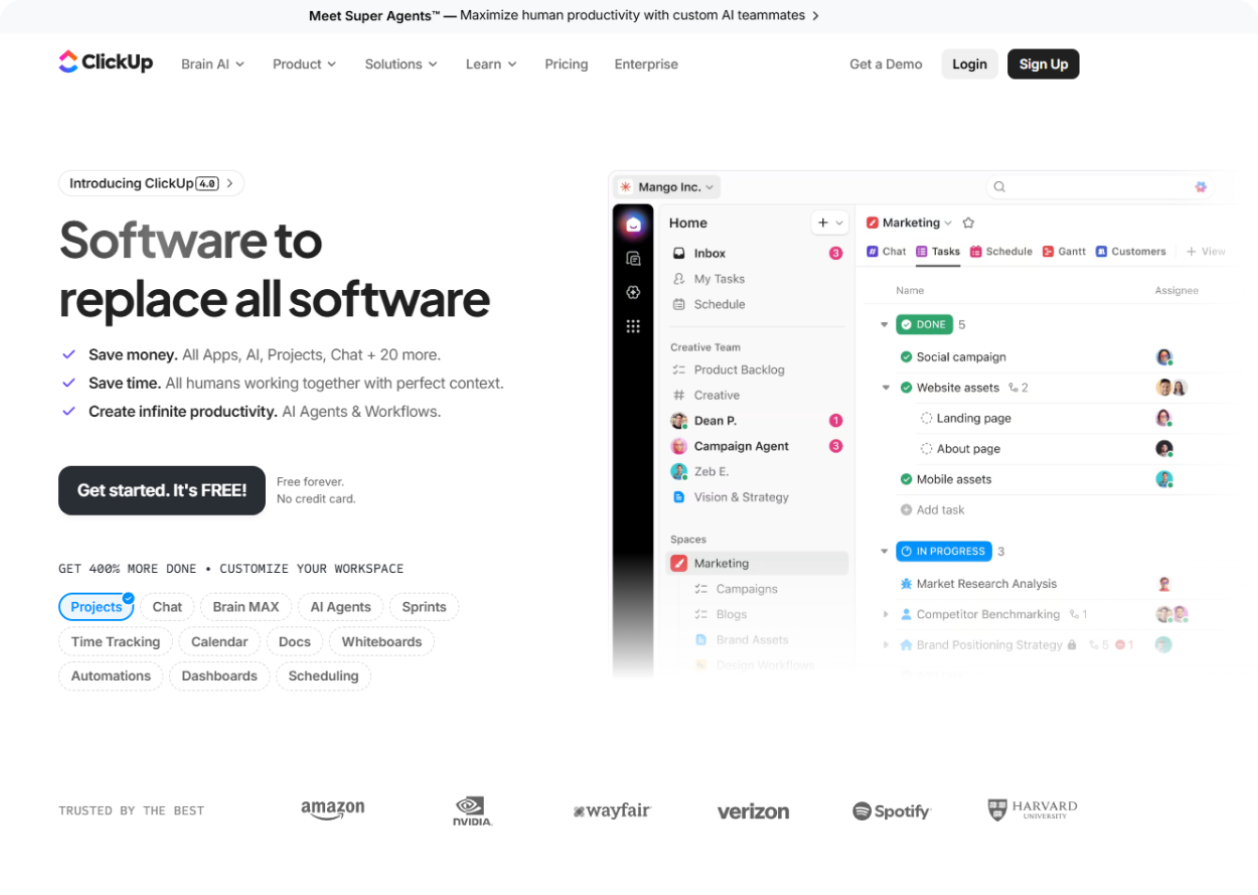
ClickUp is one of those project management tools that looks exciting the moment you enter it because it tries to do almost everything in one place. Projects, docs, dashboards, chat, automation, AI, and more all stay inside the same environment.
That makes it attractive for agencies that want one platform to handle many work types. But it also becomes very clear that ClickUp gives teams a lot of freedom, and freedom inside project software can either look flexible or like a very organized mess.
ClickUp officially markets itself as “the everything app for work” and highlights projects, docs, chat, dashboards, automations, AI, and time tracking.
How is ClickUp a suitable option for your marketing team?
Marketing teams that want one highly customizable place for campaign planning, content calendars, docs, creative work, dashboards, approvals, etc. can make strong use of ClickUp. If you want campaign management, content calendars, creative proofing, and marketing dashboards all in one platform, ClickUp can be a suitable pick.
What stood out in our review?
What makes ClickUp interesting is the sheer amount of capability packed into it. It can adapt to many agency styles, which is great if your team actually knows how it wants to work. It also pushes AI hard, with ClickUp Brain and newer AI agent functionality aimed at approvals and campaign coordination. The upside is obvious. The downside is also obvious. A platform this flexible can become crowded if the team does not set clear rules.
Where it feels strongest for agencies
Its strongest angle is breadth. Agencies can run campaigns, manage docs, track work, centralize updates, automate repetitive actions, and create custom views. Also, agencies won’t require a stack of smaller tools. This looks especially strong for agencies with an operations-minded lead who enjoy building systems.
Features
- Task and project management with a highly flexible structure.
- Docs, chat, dashboards, whiteboards, and automation on one platform.
- Time tracking and connected search.
- Campaign management tools for marketing teams.
- Content calendar support.
- Creative proofing and approvals.
- AI with ClickUp Brain and AI agents.
- 1,000+ integrations including Google Workspace, Microsoft tools, Slack, Zoom, and GitHub through native connections and Zapier.
Pros and Cons
Pros | Cons |
Very deep feature set for teams that want one tool for many needs. | Can become complex without strong governance and naming rules. |
Strong for agencies that like customization and dashboard-driven work. | Too much flexibility can slow adoption for mixed-skill teams. |
Useful marketing workflows including proofing, calendars, and campaign management. | Teams can create too many views and statuses if nobody controls the setup. |
AI depth is stronger than many tools in this space. |
Final take
ClickUp is definitely a powerful option in the list of best management tools for marketing agencies. It offers a customizable all-in-one system that can manage a lot in a single basket.
ProofHub
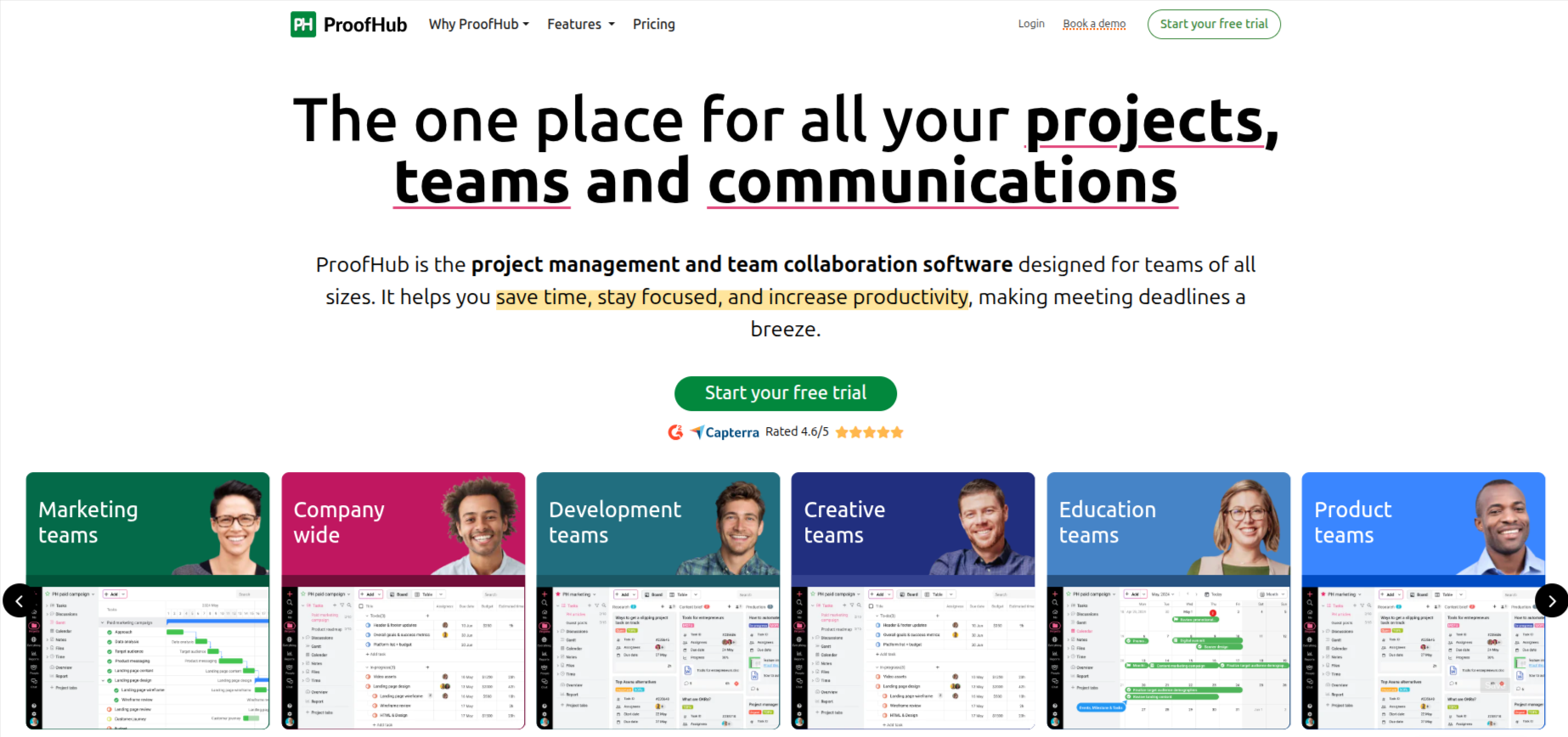
ProofHub has built a strong reputation among marketing agencies for centralizing creative work from email threads, every task, feedback, file, discussion, and building a strong approval process.
ProofHub positions itself as an all-in-one project management and team collaboration software built for teams that want structure, clarity, an intuitive interface, and reliable execution.
How is ProofHub a suitable option for your marketing team?
Marketing agencies juggle multiple client campaigns, scattered feedback, and approval cycles that never seem to close on time. ProofHub isolves that by bringing every part of the process into one organized workspace.
What stood out in our review?
ProofHub stands out because it directly goes after the messy side of creative agency work. The part where feedback is scattered, somebody approved the wrong version, and the revision count is doubled.
ProofHub’s built-in proofing tool lets teams annotate directly on design files, images, and PDFs inside the platform. So the feedback stays attached to the asset rather than being lost across messages and forwarded emails. This single feature eliminates the coordination friction that consistently consumes agency time and ensures every round of review remains clear, trackable, and actionable.
Where it feels strongest for agencies
Its strongest angle is creative review and campaign coordination without the tool-switching. Agencies can manage tasks, run feedback cycles, track time, and keep client communication organized inside one workspace. This looks especially strong for agencies that want a reliable system without a long implementation process or a steep learning curve.
Features
- Task and project management with Kanban boards, Gantt charts, table views, and calendar views.
- Custom workflows and task lists for campaign and content operations.
- Group chat, one-on-one messaging, threaded discussions, and announcements for centralized communication.
- File storage and document management within individual projects.
- Reporting and resource utilization visibility for project managers.
- Integrations with Google Drive, Dropbox, OneDrive, Slack, Google Calendar, QuickBooks, FreshBooks, and Box.
Pros and Cons
Pros | Cons |
Flat-rate pricing with unlimited users makes the cost predictable as the agency grows | Integration options could be expanded to cover more third-party tools |
Built-in proofing keeps creative feedback tied to one tool | Rule- based automation capabilities are missing |
Clean interface with a low learning curve supports fast team adoption | No free plan available, only a 14-day free trial |
White-labeling adds a professional layer for client-facing delivery |
Final Take:
ProofHub is a strong pick for agencies that want an emphasis on creative reviews. The built-in proofing capability and pricing model makes it more approachable for growing agencies.
- Wrike
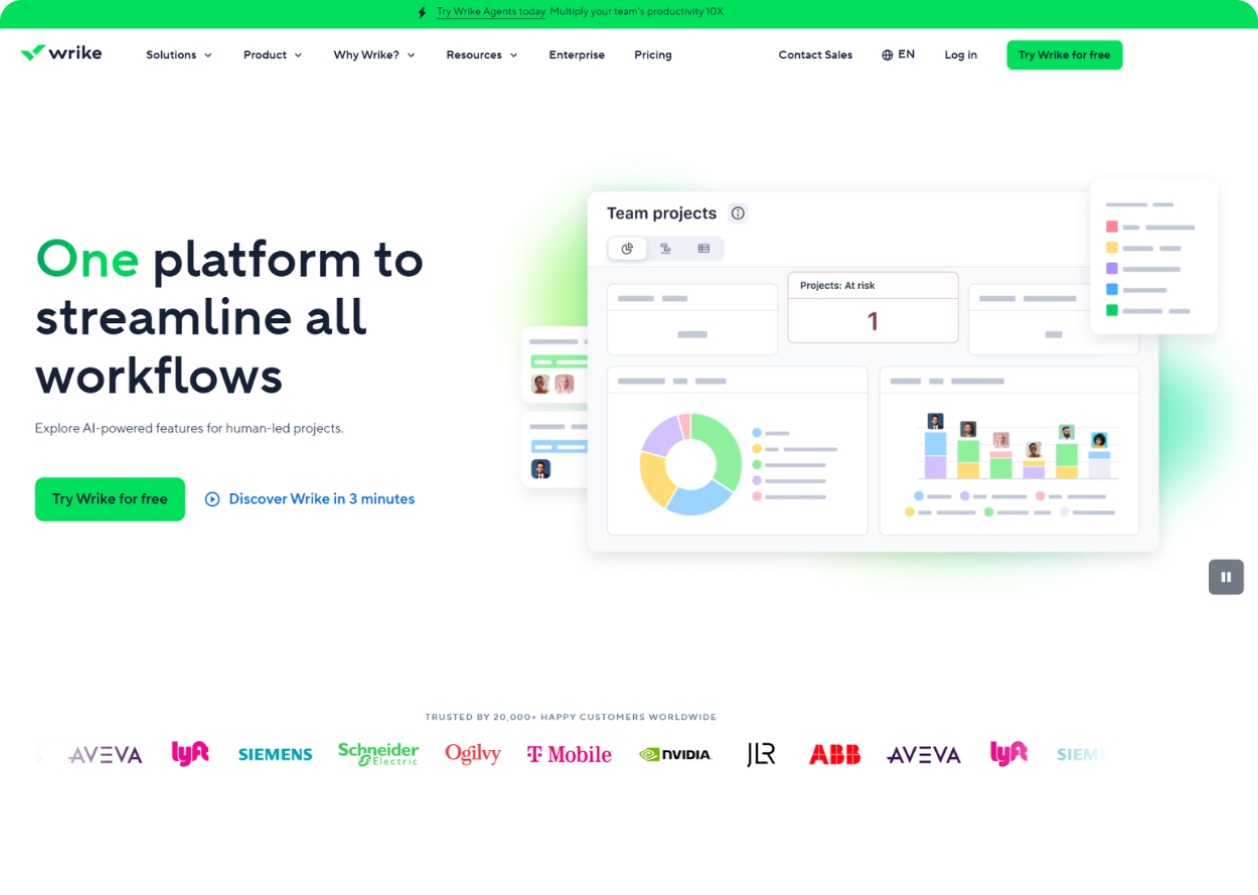
Wrike takes review workflows very seriously, and that is exactly why many marketing teams keep it on their radar. The moment you look at its marketing-focused pages, the emphasis is clear: proofing, approvals, workflow structure, and campaign coordination.
It is not trying to win with “just operate tasks.” It is trying to win with “stop losing your mind in approval loops.” Wrike officially highlights proofing and approvals for documents, webpages, images, and videos, including Adobe Creative Cloud workflow support.
How is Wrike a suitable option for your marketing team?
Wrike suits marketing agencies and creative teams that work on high volumes of assets and need many rounds of signoff. If your work includes ad creatives, landing pages, PDFs, videos, and stakeholder-heavy review cycles, Wrike is an easier to manage solution than simpler task tools.
What stood out in our review?
What makes Wrike interesting is how clearly it leans into the messy middle of creative work. Not the planning stage, and not the done stage. The messy part where people have comments and want changes asap. The pace where one has approved the wrong version, and somebody is still replying on email to ask for a revised deadline. Wrike’s approval capabilities are the main draw here, especially because it keeps feedback closer to the asset itself.
Where it feels strongest for agencies
Its strongest angle is creative review control. Agencies can intake work, route it through approval flows, gather in-context feedback, and keep version discussion more organized. This looks especially strong for design-heavy and approval-heavy agencies. Wrike feels more specialized around review flow.
Features
- Project and task management for marketing work.
- Proofing and approvals for documents, webpages, images, videos, PDFs, Office files, and web links.
- Request forms for work intake.
- Boards and progress tracking.
- Adobe Creative Cloud extension support for review workflows.
- Structured reviewer assignment and approval visibility.
Pros and Cons
Pros | Cons |
Excellent for agencies with heavy proofing and approval needs. | May feel too heavy if the team mainly needs simple campaign tracking. |
Keeps comments and approvals tied closer to the asset. | Best value shows up mainly in review-heavy workflows. |
Strong fit for creative agencies handling complex asset review. | Smaller agencies may not use all of its depth. |
Good structure for creative operations and intake. |
Final take
Wrike is one of the better picks for agencies that struggle most with approvals and creative asset review. It is less about lightweight daily simplicity and more about controlling complex feedback cycles. It feels stronger in proofing depth especially.
- Asana
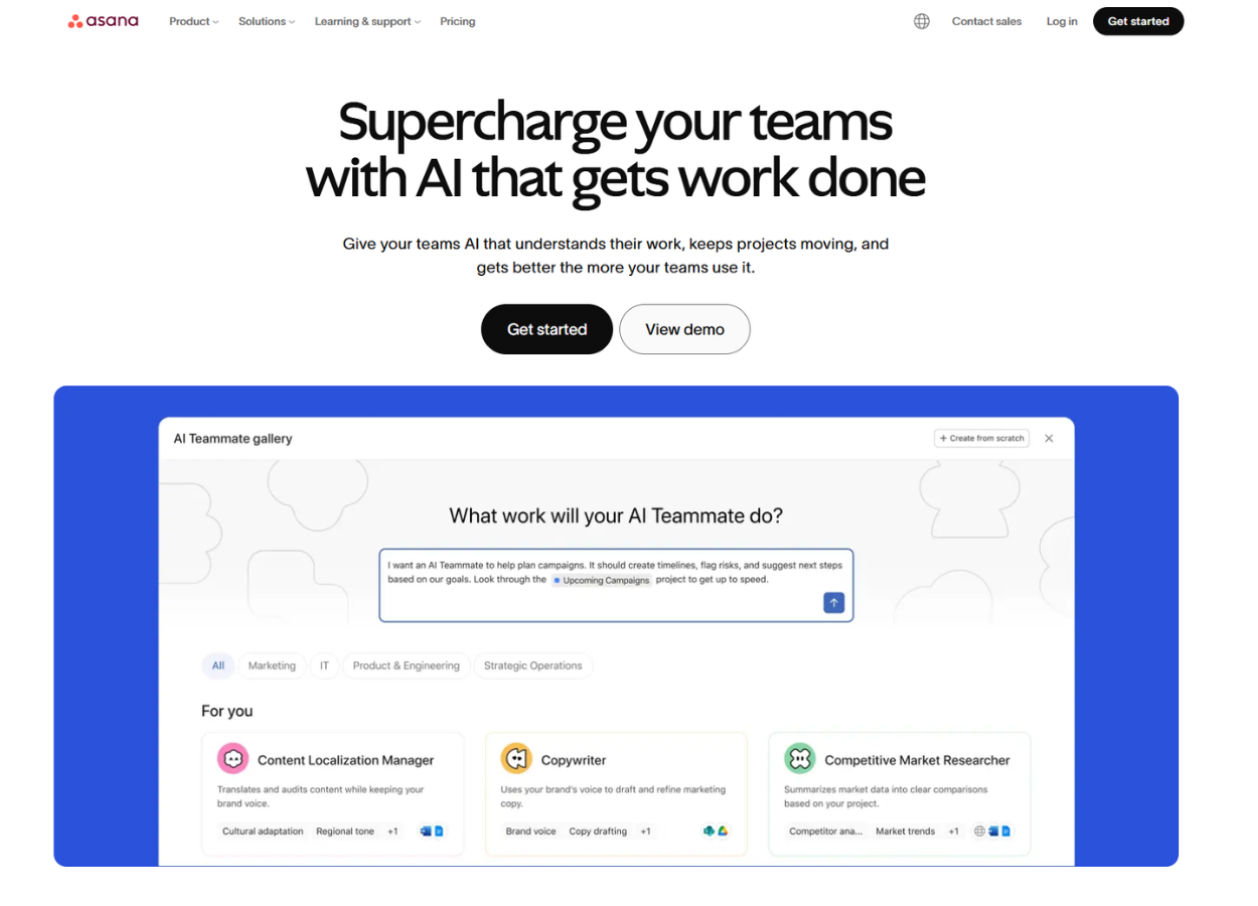
Asana has always been good at making work look readable, and that matters more than people admit. Some project tools feel like they want you to admire the software. Asana usually feels like it wants you to understand the work. That makes it a comfortable option for marketing teams that need clarity and repeatable processes without a huge learning curve. Asana highlights smart workflows, approvals, automation, integrations, campaign coordination, and many amazing features that come handy in project management.
How is Asana a suitable option for your marketing team?
Marketing agencies that run recurring campaigns, content operations, and cross-team deliverables can use Asana well because it is strong at turning work into a structured and visible process. It is particularly suitable for teams that want to campaign assets, timelines, requests, and approvals in one readable system.
What stood out in our review?
What makes Asana interesting is how calm it feels compared with many feature-heavy tools. It still offers automation, approvals, proofing, and a large integration ecosystem, but the product experience remains more about clean execution than endless configuration. That makes it a safer recommendation for teams that want consistency and less setup complexity.
Where it feels strongest for agencies
Its strongest angle is campaign coordination with clean process visibility. Agencies can organize requests, track approvals, centralize assets, and keep teams aligned without making the workspace feel too technical. This looks especially strong for agencies that want dependable processes over experimental customization. The only improvement some teams might seek in Asana is its lack of native agency tools.
Features
- Project and task management.
- Approvals to streamline sign-off workflows.
- Smart workflows and built-in automation.
- Customizable project views.
- Marketing and creative workflow support.
- 300+ integrations.
- Proofing and forms for requests and asset review.
- AI-powered features for organization and workflow support.
Pros and Cons
Pros | Cons |
Very readable and process-friendly for campaign work. | Less agency-specific in operational depth |
Good balance of simplicity and workflow power. | Some stronger features stay higher in the product stack rather than the most basic usage path. |
Approvals and marketing workflows are well suited to repeatable team processes. | Can feel more general-purpose than built-for-agencies. |
A large integration ecosystem helps teams connect existing tools. |
Final take
Asana is a dependable and clean option for agencies that want clear workflows and easy visibility. It is one of the safer picks for team adoption. Still, compared with top competitors, it feels a bit less tailored to the daily realities of agency operations and client-facing delivery.
- Monday work management
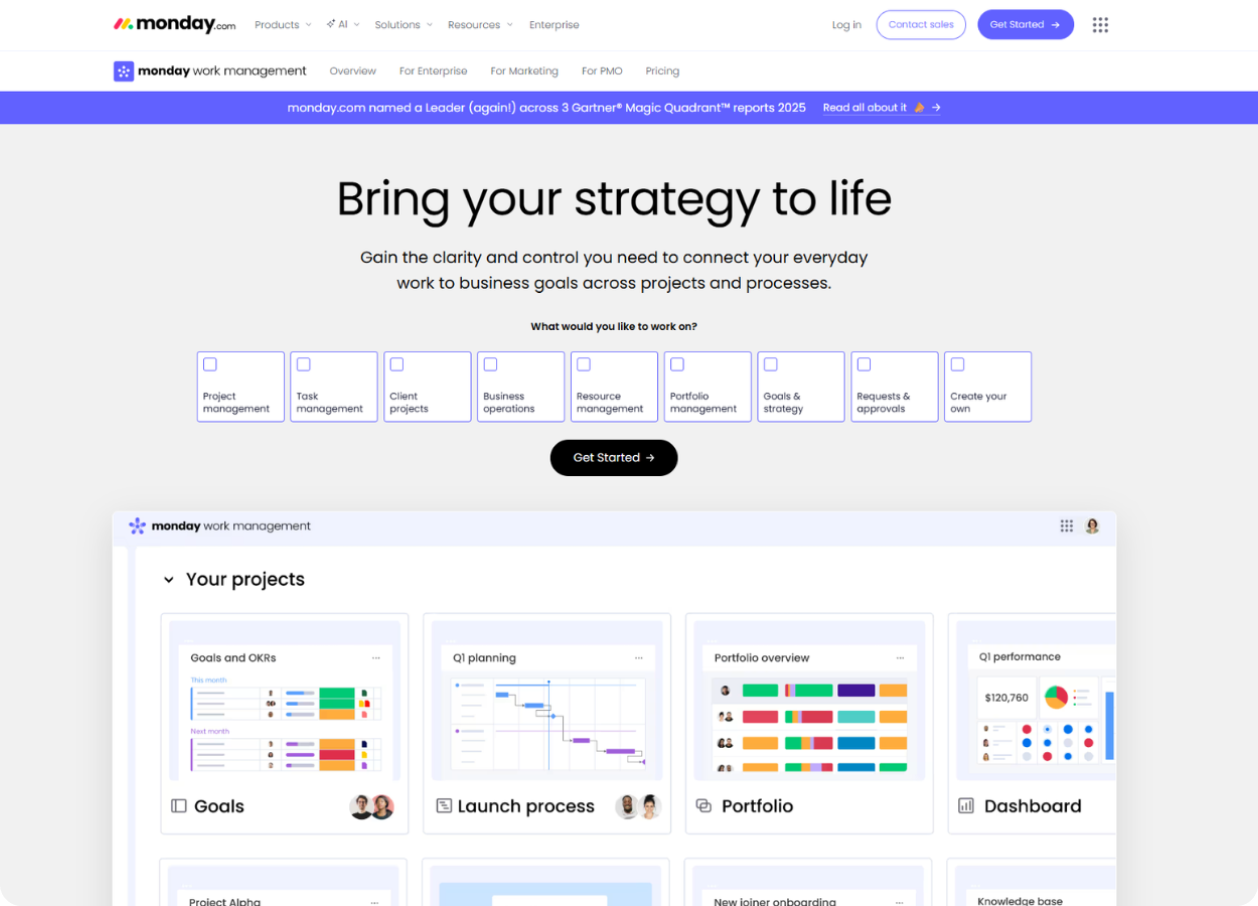
Monday work management is one of the easiest platforms to understand visually, and that is the real strength. The interface makes it obvious why so many teams move to it after spending too long in spreadsheets and half-organized documents pretending to be project systems. Monday has all essential features that make work management easy. WIth Monday, working around dashboards, automations, AI, marketing coordination, etc. is fairly easy with dedicated marketing workflow messaging as well.
How is Monday work management a suitable option for your marketing team?
Marketing teams and agencies that want visual campaign tracking, fast setup, and strong dashboard visibility can get good use out of Monday. Its marketing-focused positioning talks about connecting goals and strategies with the work happening across design, content, operations, analysis, etc., which fits modern agency teams quite well.
What stood out in our review?
What makes Monday interesting is how quickly teams can see what is happening. Dashboards and automations do a lot of the heavy lifting in making work understandable. It also pushes AI more heavily now, with AI assistants, AI agents, and AI-powered alerts appearing across its current product pages. That said, while it looks polished and modern, some teams might still feel more like a visual work operating system than a truly agency-specialized environment.
Where it feels strongest for agencies
Its strongest angle is visibility. Agencies can track campaign status, automate repetitive movement, and build dashboards that leadership and managers can understand without a training session and a rescue meeting. This looks especially strong for teams moving away from spreadsheet-led coordination.
Features
- Visual boards, timelines, and work tracking.
- Dashboards with 30+ widgets and apps.
- Automations for repetitive workflow actions.
- Marketing-focused workflow support.
- AI assistants, AI agents, AI reporting, and AI-powered alerts.
- Open API and integration support.
Pros and Cons
Pros | Cons |
Very easy to understand visually for managers and delivery teams. | Not as tightly aligned to agency operations as 5day.io, Teamwork, Productive, or Scoro. |
Strong dashboards and automation for campaign tracking. | May need extra setup to handle deeper agency process needs. |
Good choice for teams graduating out of spreadsheets. | Some agencies may outgrow it when profitability and service operations become a bigger focus. |
Modern AI direction and strong visual reporting. |
Final take
Monday work management is a polished and practical option for agencies that want visual clarity and fast adoption. It is easy to see why teams like it. But compared with the top listed picks, it feels less natively tuned to the combination of client work and clean agency usability.
- Productive
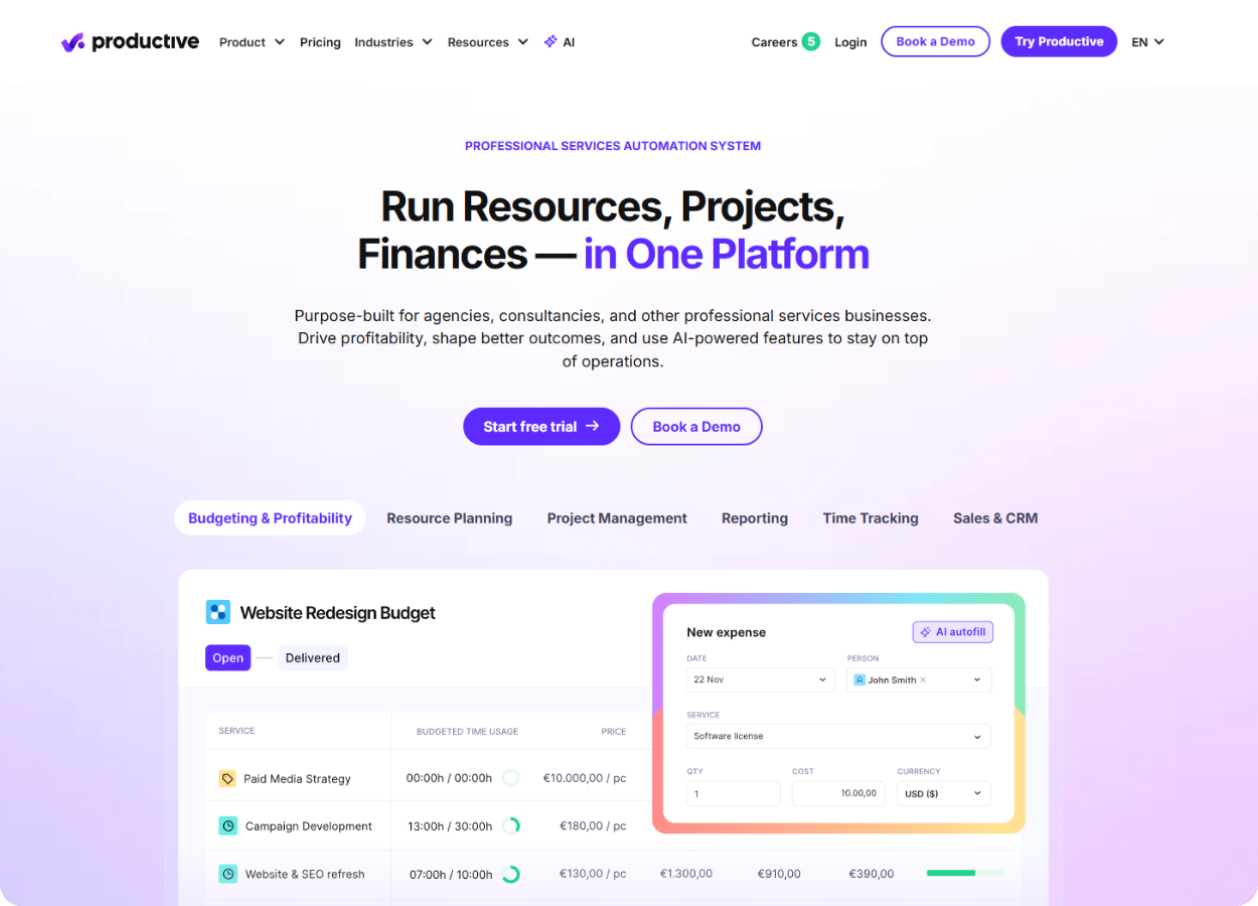
Productive feels like software built for agencies that are tired of not knowing where the money is going. The project side is there, but the financial and operational layer is what really defines it. Productive officially positions itself for agencies and professional services firms, with projects, resources, budgets, and finances in one platform.
How is Productive a suitable option for your marketing team?
Marketing agencies that care about project delivery and financial control at the same time can use Productive very well. It suits teams that want projects, budgets, resource planning, forecasting, and profitability visibility inside one environment. If the agency is already large enough to care deeply about capacity and margin, Productive starts becoming very attractive.
What stood out in our review?
What makes Productive interesting is that it does not try to hide the business side of agency work. Some tools stay safe in the land of tasks and collaboration. Productivity goes directly into resources, budgets, financial forecasting, and operational visibility. That gives it a serious tone and makes it feel more like agency-management software than just project software.
Where it feels strongest for agencies
Its strongest angle is connecting project delivery with financial performance. Agencies can run work, watch capacity, track budgets, and forecast usage in one place. This looks especially strong for mature agencies that want fewer spreadsheets and more reliable operational reporting.
Features
- Project management and agency workflow support.
- Budgeting and profitability tracking.
- Resource planning and capacity visibility.
- Financial forecasting and forecasted budget usage.
- Reporting and operational insights.
- AI-powered features for operations support.
Pros and Cons
Pros | Cons |
Strong for agencies that want projects, budgets, resources, and reporting connected. | Can feel more finance-oriented than many creative teams want. |
Very useful for capacity planning and forecasting. | Can be too much for smaller agencies with basic campaign delivery needs. |
Good fit for agencies trying to protect margins and scale with more control. | The product personality feels more operational than collaborative. |
Purpose-built agency positioning is stronger than many generic tools. |
Final take
Productive is a strong option for agencies that want financial visibility and operational maturity built into the same platform as their project work. It is a serious software for serious agency control.
- Scoro

Scoro feels like it wants to run the whole business, not just the project list. That is its main identity. It positions itself as a professional services automation platform and agency management software, tying together projects, quoting, budgeting, CRM, resourcing, retainers, time tracking, invoicing, reporting, and more.
How is Scoro a suitable option for your marketing team?
Marketing agencies that want one system covering sales, quoting, projects, budgets, resourcing, and billing can make strong use of Scoro. It fits agencies that are scaling and want leadership to see the full picture, not just open tasks and due dates.
What stood out in our review?
What makes Scoro interesting is how commercial it feels. Not commercial in a salesy way, but in a “this software cares about how the business performs” way. It is clearly built to connect quotes to cash, which is much broader than standard project tracking. That is powerful, but it also means the product feels more business-system-heavy than a simpler agency workspace.
Where it feels strongest for agencies
Its strongest angle is full business visibility. Agencies can manage proposals, budgets, project delivery, resources, costs, time, and invoicing with fewer disconnected tools. This looks especially strong for scaling agencies that want a single source of truth across delivery and commercial management. However, Scoro might feel a little broader and heavier to manage, while simplicity should feel easier to adopt as a daily work environment.
Features
- Project management.
- Quoting and budgeting.
- Sales and CRM.
- Resource planning and capacity forecasting.
- Retainer management.
- Time tracking and invoicing.
- Reporting and dashboard visibility.
- Advanced quote estimation support.
Pros and Cons
Pros | Cons |
Strong all-in-one visibility across agency sales, delivery, and financials. | Broader than many small and mid-sized agencies actually need. |
Useful for agencies that want quote-to-cash control in one system. | Feels more business-heavy than campaign-focused. |
Good choice for scaling agencies with mature operational needs. | Can feel like a full operating platform when the team only wants project clarity. |
Final take
Scoro is impressive for agencies that want one serious system tying together commercial management and project delivery. It is a strong fit for scale and control. But compared with the top three picks, it feels more like a business engine and less like a team-friendly project environment that people will actually enjoy using every day.
How to Choose the Right Project Management Tool for Your Marketing Agency
Start with your operating model, not the feature grid. If you run a lean team with simple campaign delivery, flexible setup matters most.
If you run retainers with heavy approvals and recurring reporting, client access and proofing matter more. If leadership cares about billable time, margins, and utilization, choose a tool with stronger ops depth.
A simple way to decide which is the right agency project management software:
- Pick 5day.io if your team wants a simple setup with workspaces, time logging, and easier day-to-day adoption
- Pick ClickUp or Monday if flexibility and cost are your biggest concerns
- Pick Teamwork or Wrike if client delivery and review loops sit at the center of your work
- Pick Productive or Scoro if finance visibility drives decision-making
Project Management Software Pricing Guide for Marketing Agencies
If you are comparing project management software for small marketing agencies, price matters, but price alone can be misled. A cheap tool that needs three add-ons and constant cleanup may cost more in team time than a slightly higher plan with native proofing or timesheets.
Budget tier | Typical fit | Tools to start with |
Free to low-cost | Small teams testing a process or replacing spreadsheets | ClickUp Free Forever, Asana Personal, monday Free, Teamwork Basics, 5day.io free plan/trial |
Lower mid-market | Growing agencies that need time visibility, guests, or stronger workflows | ClickUp Unlimited, Asana Starter, monday Basic or Standard, Productive Essential |
Mid-market to ops-heavy | Agencies needing approvals, profitability, and client-facing views | Teamwork Accelerate, Asana Advanced, monday Pro, Productive Professional, Scoro Core/Growth |
Advanced service operations | Larger agencies managing quote-to-cash, forecasting, or deep resource planning | Scoro, Productive, Teamwork Optimize, Wrike enterprise tiers |
How AI Is Transforming Project Management for Marketing Agencies and How it Can help Your Decision
AI is changing agency delivery in two practical ways. First, it cuts admin around setup, summaries, updates, and routing. Second, it helps teams spot utilization issues and report gaps faster.
That matters because marketing teams already use AI on scale. HubSpot says over 80% of marketers report using AI for content creation in 2026, and CMI says more B2B organizations expect higher investment in AI for content performance and creation.
So, if your marketing agency workflow tool has no useful AI support at all, your team may end up doing more manual coordination than it needs to.
Agency-Specific Features to Look For
Most project tools can create tasks and show deadlines. That is the easy part. Agency work needs more than that. A marketing agency deals with client signoffs, revision loops, billable hours, recurring campaigns, constant status-sharing, etc. So, the right tool should not just help the team stay busy. It should help the team stay clear and client ready.
Approval and proofing should be built into the workflow
This is one of the biggest buying filters for agencies. A project is not complete when the internal team says it is done. It is complete when the client approves it. Also, everybody should be able to clearly see what was approved and what needs changes before the final delivery.
5day.io and Wrike makes this one of its clearest strengths. Its proofing and approval features are designed for documents, webpages, images, videos, etc., and they keep feedback tied to the actual asset.
Asana also supports approvals as a structured sign-off step, which helps teams move work through review without turning every round into a messy chat trail. These are strong signals for agencies handling heavy creative review cycles.
Time tracking should protect margins, not just log hours
Many teams still treat time tracking like a finance feature that appears at the end of the month. Agencies cannot afford that mindset. Time tracking helps spot overloaded people, accounts that are quietly eating margin, and campaign work that looks small but keeps expanding.
5day.io puts timesheet management at the center of its product story, with integrated time tracking, multiple timesheet views, and approval workflows.
Asana also offers native time tracking in Advanced, including estimated time, actual time, and reporting support for budgeting. So, when comparing tools, do not just ask “does it track time?” Ask if it helps the agency understand effort in a useful way.
Client visibility should be controlled and practical
Some agencies only need guest access for occasional reviews. Others need a more client-facing setup where updates and progress can be shared without exposing internal discussions. That difference matters a lot.
A good agency tool should let the team decide what clients can see and what should stay internal. 5day.io emphasizes guest and external access as part of collaboration, while tools like Teamwork are widely positioned around client work and service delivery.
This becomes especially important for recurring campaign work and teams that spend too much time sending manual status updates.
Budget and capacity visibility matters once the agency starts scaling
Tasks getting done are not the same thing as working healthy. Agencies also need to know if the team is overloaded and if planned effort still matches actual effort.
This is where deeper agency platforms start pulling away. Teamwork pushes resources and financial management for agencies. Productive and Scoro are known for going further into budgets and profitability while providing features for smooth forecasting and commercial control.
These tools make more sense for agencies that need project software to support delivery and business management together, not just campaign movement.
Request intake and workflow structure saves teams from repeated chaos
Agencies rarely struggle because people are not working hard enough. They struggle because work enters the system badly. Missing briefs and random changes can make even a good team look disorganized.
That is why request forms and standardized workflows matter so much. Workflow structure can be smoothly handled with 5day.io’s clear dashboard, where each person can be assigned with tasks, which after completing, can send a ping to the reviewer.
This way, there’s no repeated chaos. Wrike also supports request forms and structured approvals while Asana leans into work request tracking and standardized workflows. Read about work breakdown structure if you want deeper knowledge about it.
Ease of use still matters more than teams admit
A tool can have every feature in the world and still fail if the team avoids using it properly. Agencies need software that people actually use every day and trust. That is why usability is not a “soft” point. It is a core factor that affects the entire team’s work process.
This is one reason 5day.io stands out in agency comparisons. Client reviews often say simplicity and marketing-team fit is a big benefit from 5day.io rather than feature overload.
For agencies, that can be a major advantage because the best system is not the one with the longest feature list. It is the one the whole team can use without creating fresh confusion.
What does this means when choosing a tool
If the agency only checks for boards and deadlines, most tools will look similar. The real differences appear when you ask better questions. Can the tool handle signoffs clearly? Can it track time in a way that protects margins? Can it share the right level of client visibility? Can it show budget and workload pressure before they become problems? Can it keep intake and review organized?
Those are the features that separate a basic project tool and real agency software. And that is usually where the buying decision becomes much clearer. If you need more information, read our detailed guide about how to choose a project management software.
Final Verdict – Which Tool Is Right for Your Marketing Agency?
The best marketing project management software is the one your team will use every day, while also giving leadership a better view of deadlines, effort, and client health.
If there is one best project management software for marketing that you can pick, 5day.io is the one to choose. It is the cleaner option for teams that want clarity without tool fatigue.
Also, it gives the most flexibility at a low starting price. Thus, you can choice it confidently knowing you get all essential features under one simple software that’s easy to adapt.